
Google’s New AI Video Model Leaked? | AI Film News
In this article and video tutorial, we will take a look at the latest AI Film News and workflows.
Some might be thinking it was a slow week in the world of AI Film news, but that his very, very far from the truth.
Here’s a quick look at what this episode covers…
Google’s New AI Video Model Leaked
Krea’s New Image Model
Crazy Storyboard to Film Workflow
Seedstitscher AI Video tool
And honestly, those are just the start. Check out the full breakdown below.
Let's get to it!
Google’s Leaked AI Video Model | AI Film News Video
Below is the latest episode of AI Film News. Check out all of the workflows and breakdown there!
Google’s Leaked AI Video Model AI Film News
Below is a breakdown of this week’s AI Film News.
1. Google Omni Video Model Leaks Ahead of Google I/O
Every single year, Google hosts Google I/O, and it is typically the massive inflection point where the company drops its major tech announcements.
A video allegedly generated by a brand-new Gemini Omni video model leaked online this week.
The leaked clip shows a professor writing on a chalkboard.
While some aspects look incredibly impressive, other moments, like the professor drawing an entire "X" with a single stroke, don't quite hold up under scrutiny.
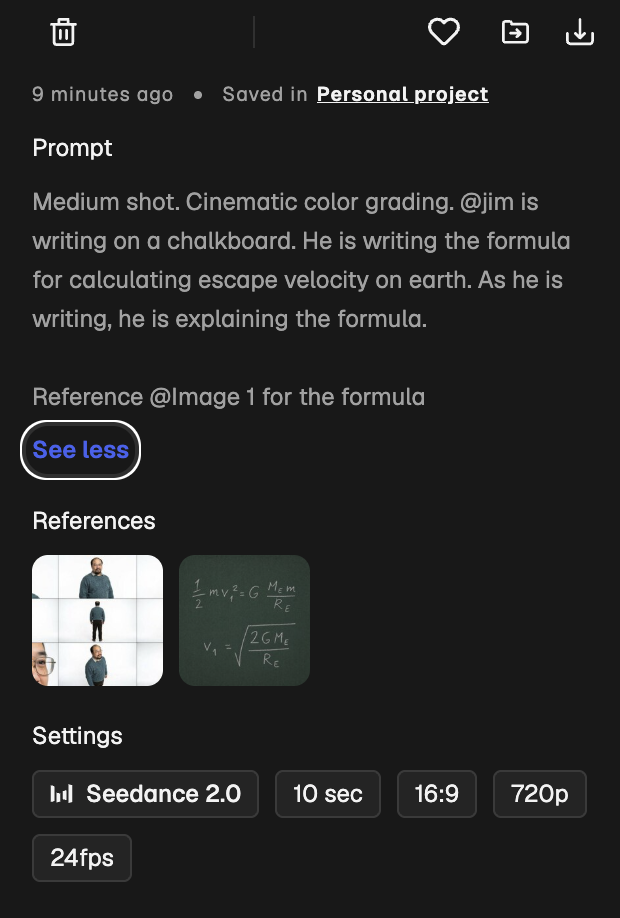
To put it head-to-head, we uploaded a character reference image and a complex physics formula into Seedance to see if it could generate the same kind of scene.
At least in this single test, Google Omni handled the complex math way more cleanly than Seedance Omni.
Google’s Leaked Omni Model
According to Polymarket, there's currently around a 92% chance this model drops on May 19th, so definitely mark your calendars.
2. Krea’s New AI Image Model
The team over at Krea just announced Krea 2, an updated platform featuring a brand-new native AI image model.
Here’s how to use it:
Head over to Krea's website (early access is currently open to subscribers)
Click on ‘Image’ in the toolbar on the left
Type in a quick prompt
Make sure to choose Krea 2 Large for maximum quality.
Press Generate
You can then bring in your own style references or pull directly from mood boards you've created — very similar to how style references work inside Midjourney.
3. The Ultimate Image Model Showdown: Krea 2 vs. GPT-Image 2 vs. Nano Banana 2
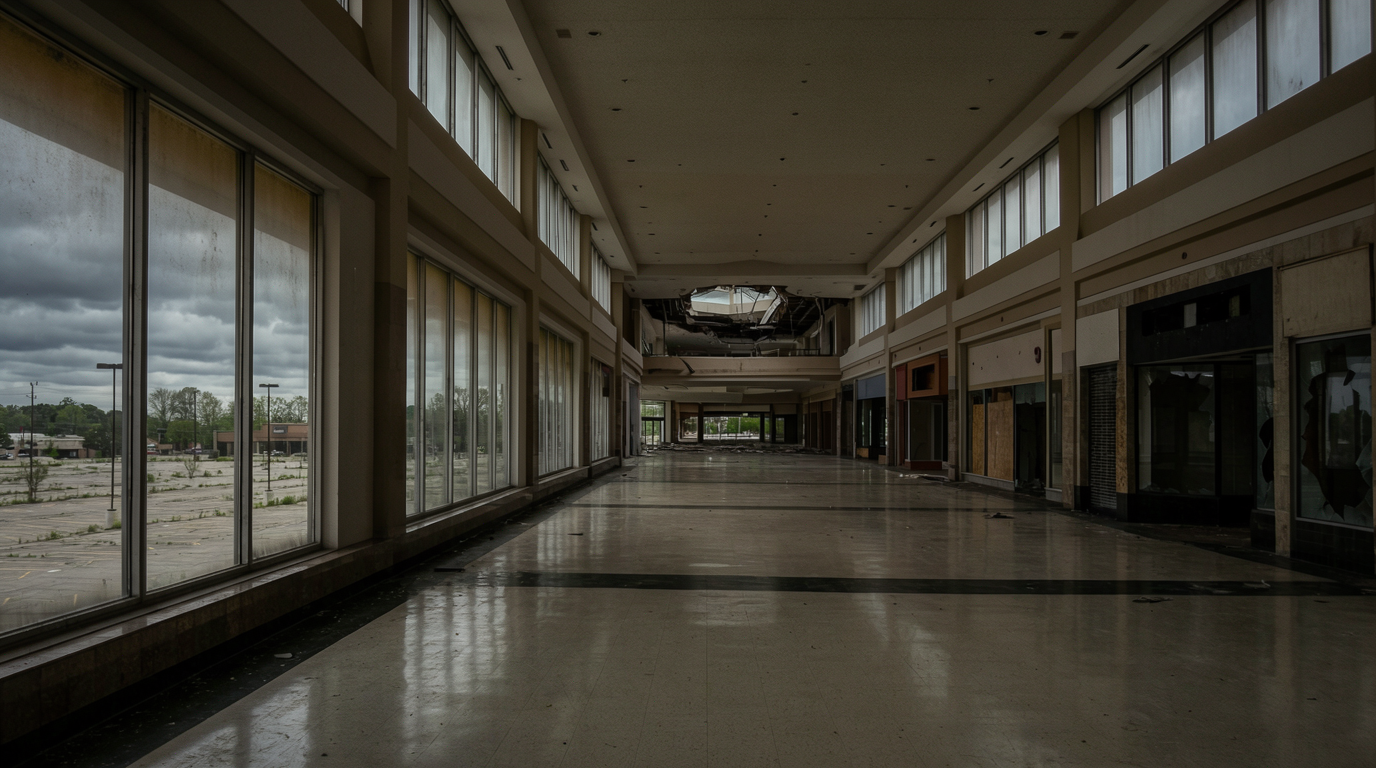
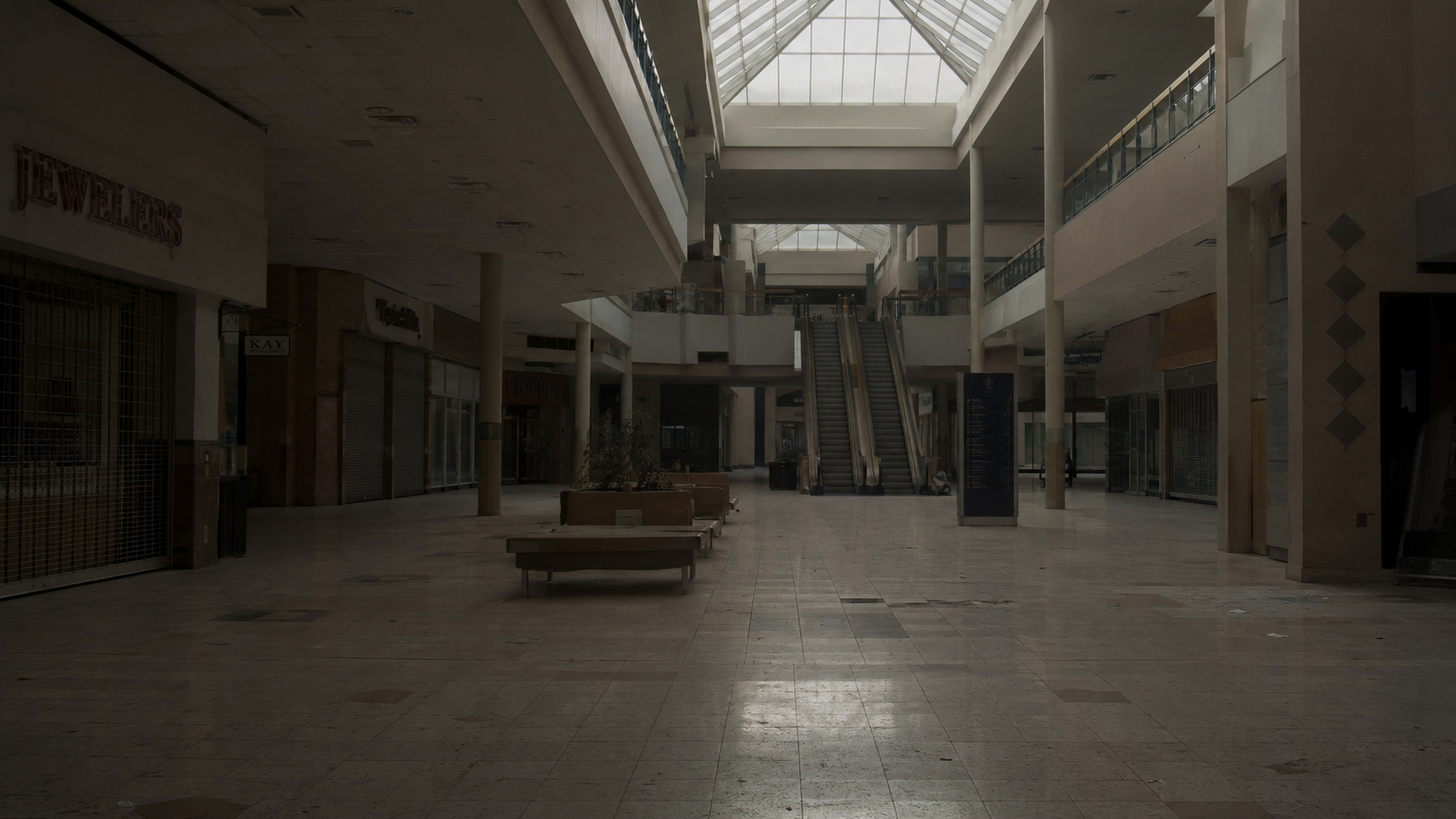
We decided to take that exact same abandoned mall prompt and run it across three of the most talked-about image models on the market right now to see how they stack up.
Image Model Test #1: Abandoned Mall Shot
Krea 2
GPT Image 2
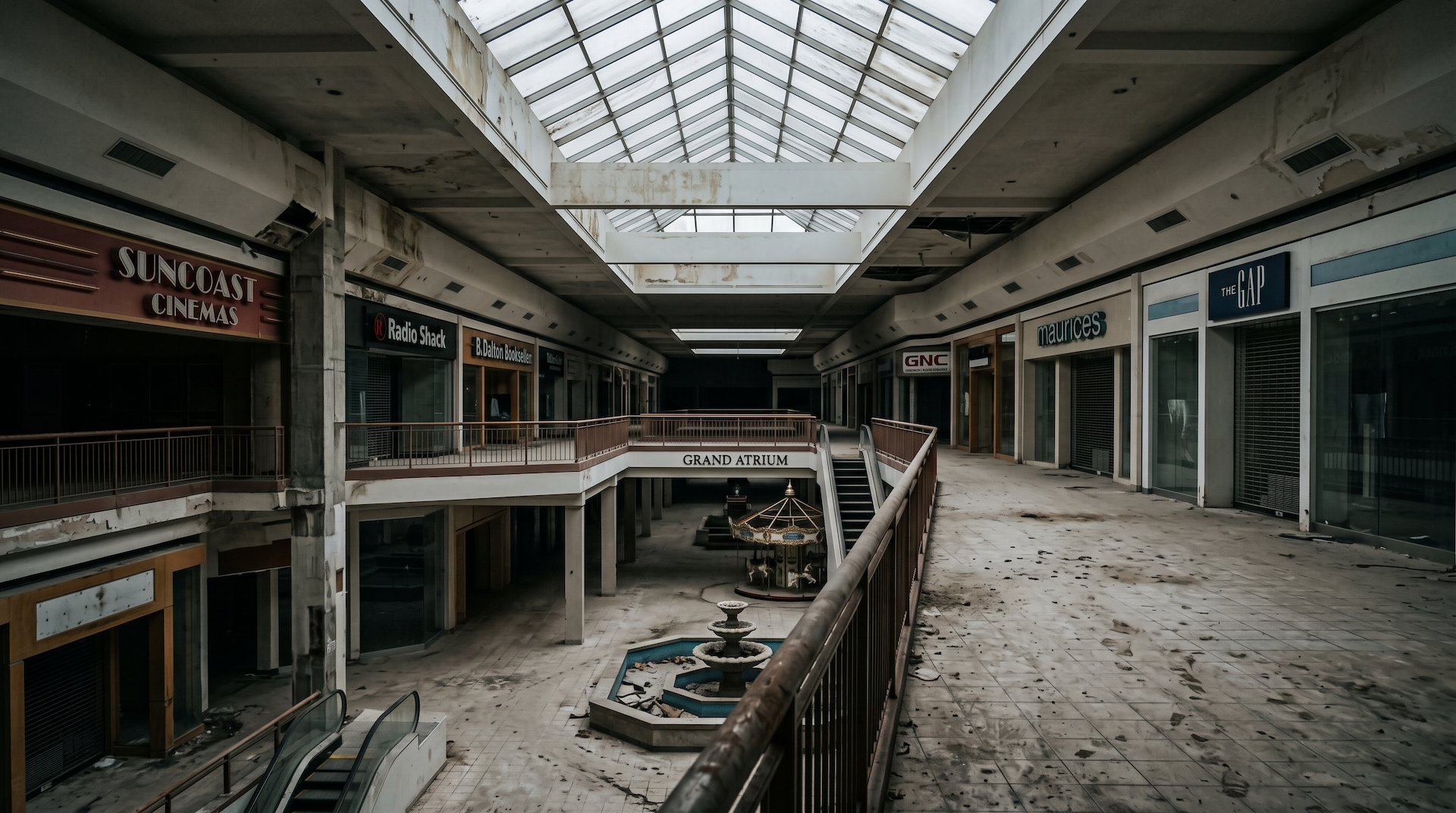
Nano Banana 2
Image Model Test #2: 1950s Cinematic Dancers
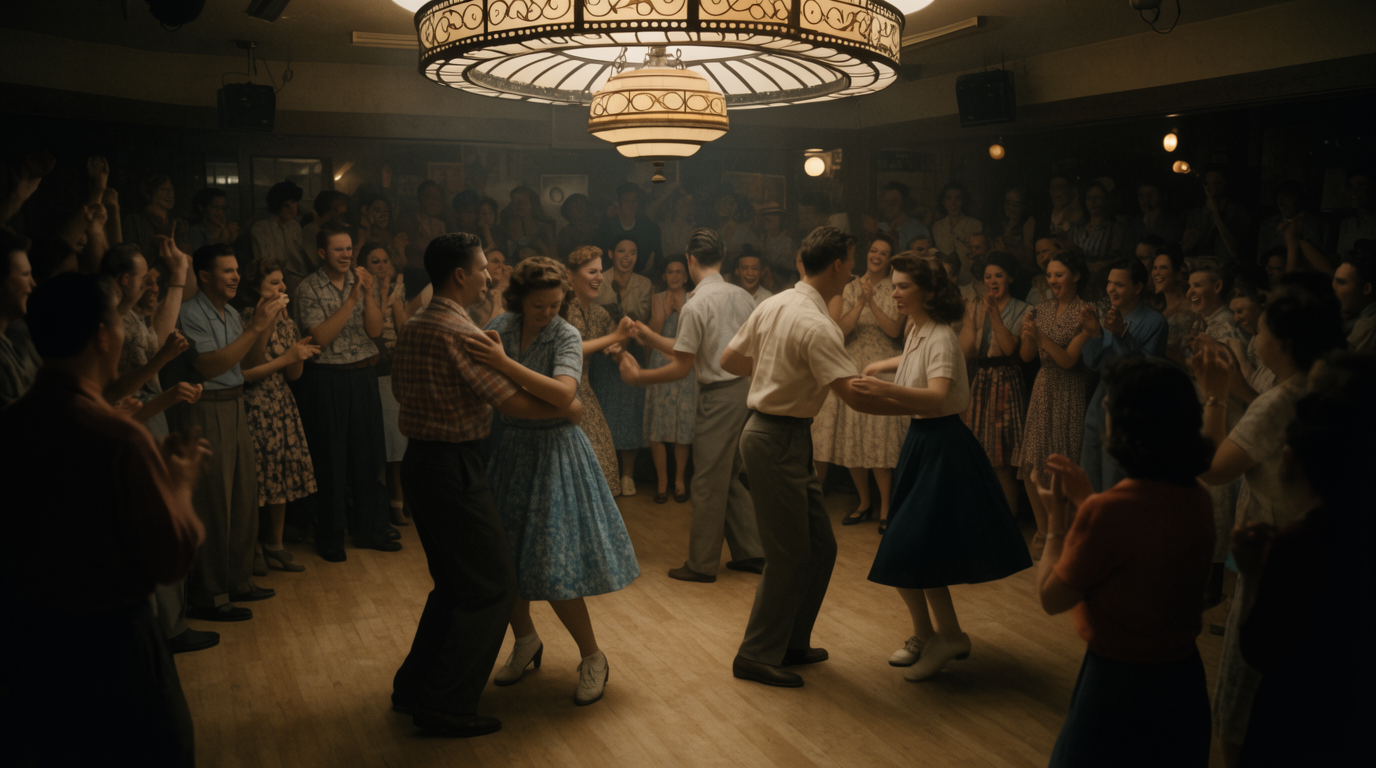
Krea 2
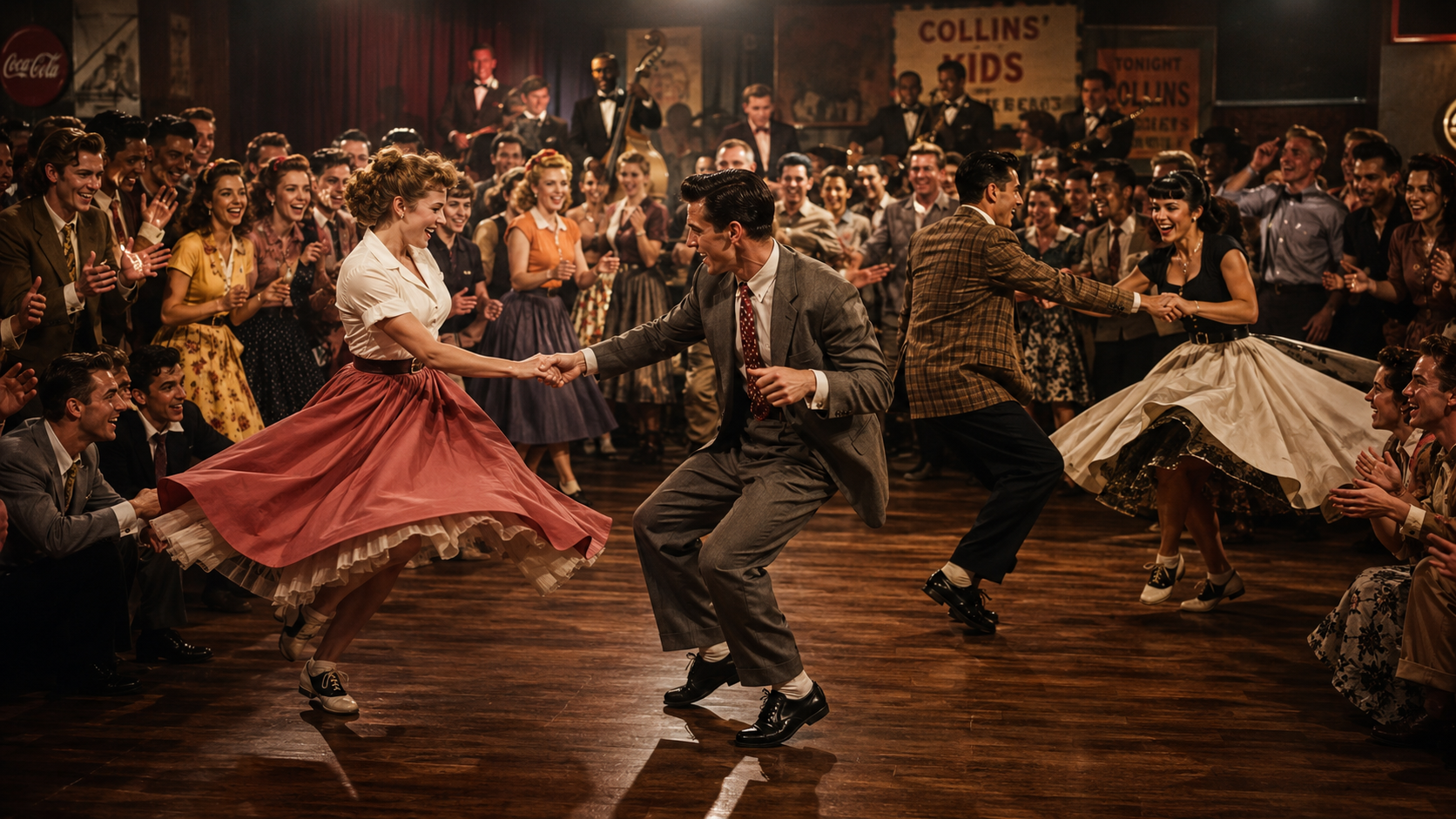
GPT Image 2
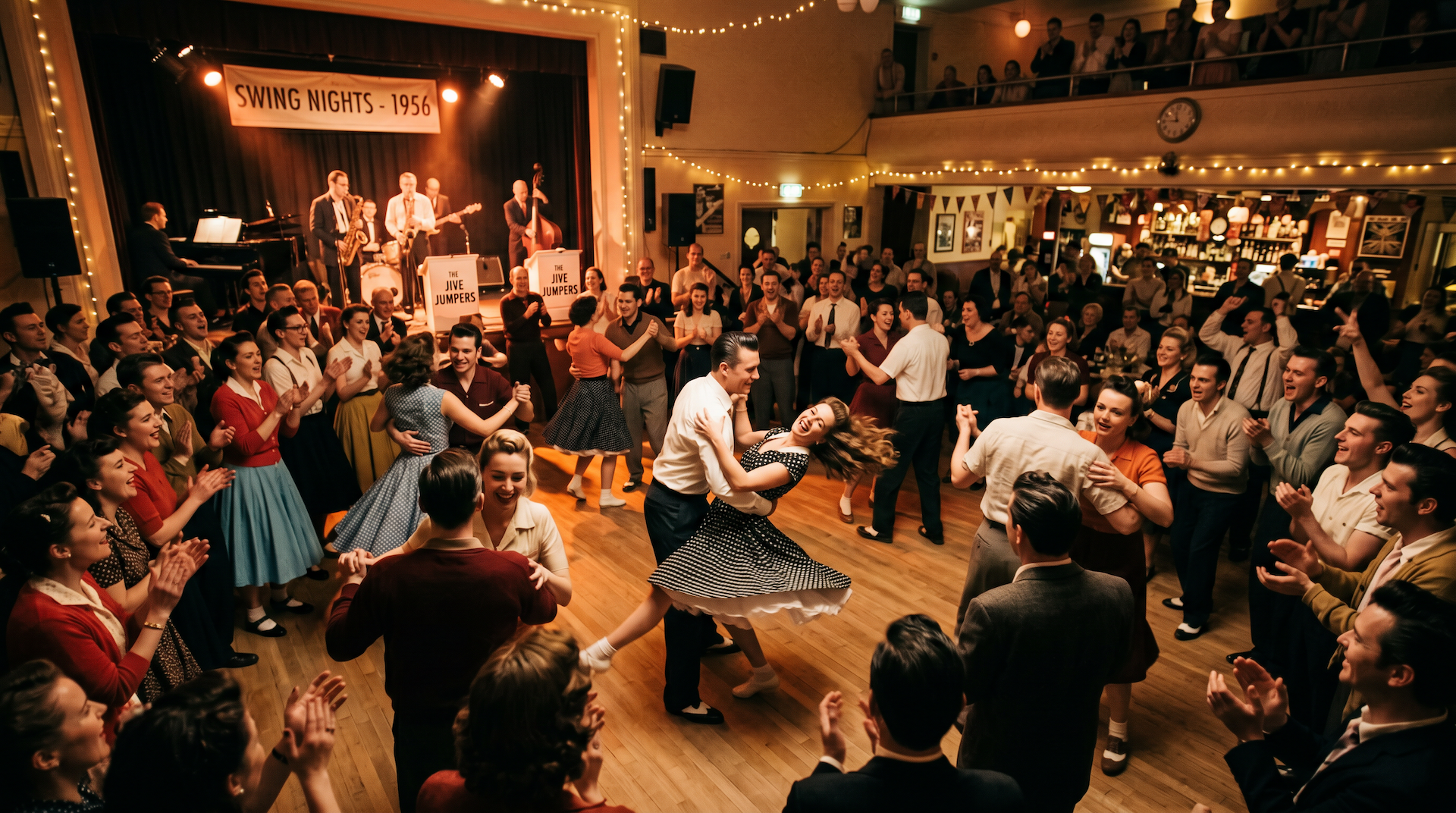
Nano Banana 2
Krea 2: Generated quickly, but the composition felt a little wonky.Looked okay at first glance, but zooming in on faces revealed weird artifacting.
GPT-Image 2: Way more realistic overall, though we noticed a subtle artifact pattern where quality slightly degrades over time.Excellent character detail in the background. Felt like a beautifully restored photograph.
Nano Banana 2: Decent composition, but suffered from a hyper-contrasted look and overly perfect text that looked pasted on.Soft, plasticky, and just wasn't convincing at all.
The Takeaway: GPT-Image 2 still easily feels like the strongest cinematic image model on the market right now.
4. Storyboard-to-Video Workflow Inside Seedance 2.0
A brilliant workflow from a creator on X named Deepen Ratnam has been making the rounds, and it's a game-changer for pre-production.
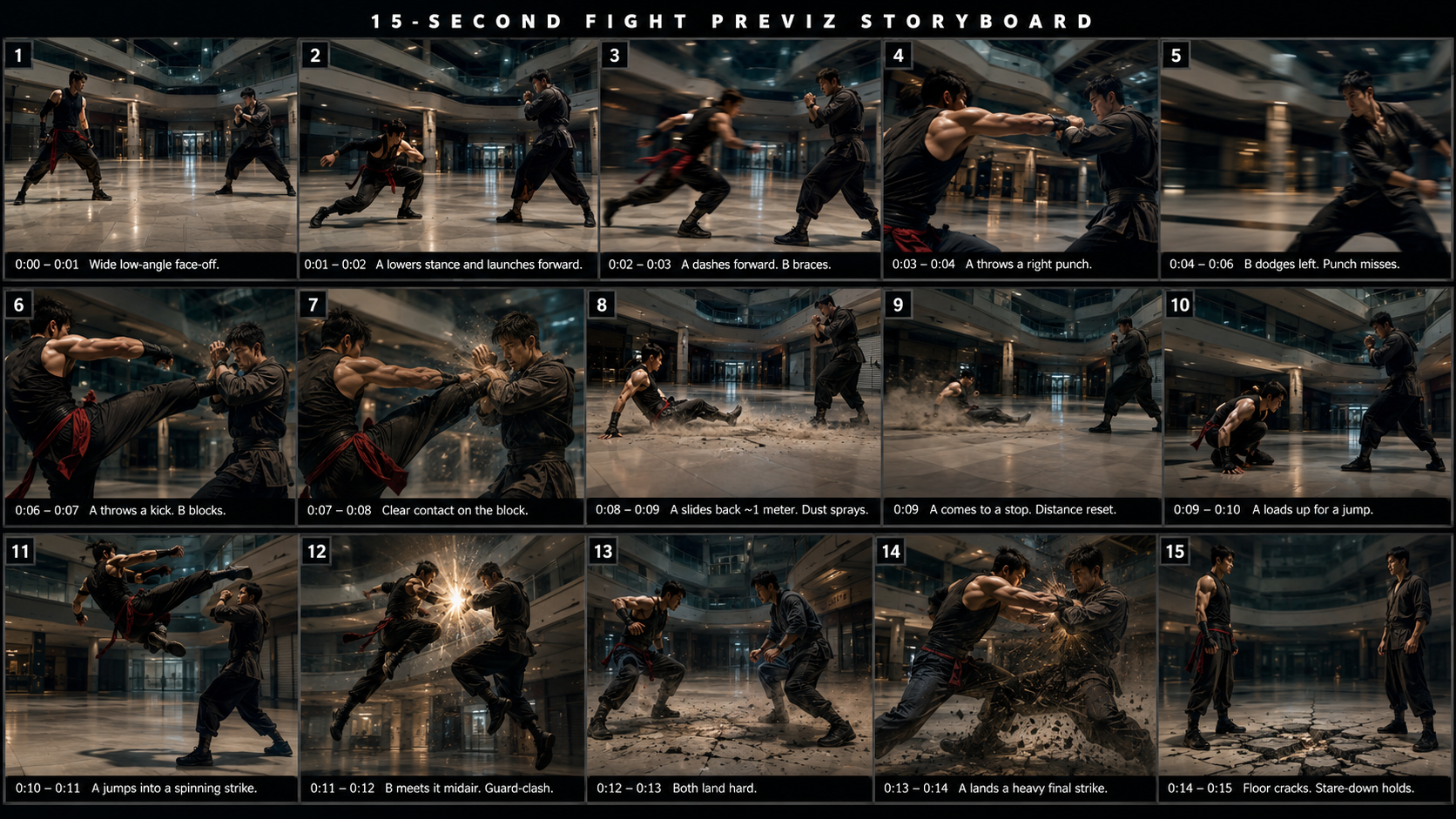
The idea is to upload a multi-panel storyboard image into Seedance 2.0, and then use duration-based prompting to generate a continuous camera shot that seamlessly moves through each panel.
Here is the exact step-by-step workflow:
Build a multi-panel storyboard image (we used GPT-Image 2 to generate ours).
Open the Dramedy platform (the direct integration between CapCut and Seedance 2.0).
Drop your storyboard image directly into the reference section.
Enable the Omni reference feature in Seedance 2.0.
Paste a duration-based prompt — for example: "from 0 to 3, show shot one… from 3 to 6, show shot two…"
Hit generate.
The result definitely has some broken logic in a few spots, but with just a handful of generations, you've already got an incredible previs tool or something usable directly in your timeline with a bit of extra polish.
5. AI Video Emotion Prompting Hack
A creator named Koda introduced a fascinating new prompting framework for controlling character emotions with precision. The technique relies on two psychological terms that you don't typically see inside an AI prompt box:
Valence: The positive or negative quality of an emotion.
Arousal: The intensity or activation level of an emotion.
The theory is that adjusting these values up or down will dramatically shift a character's performance.
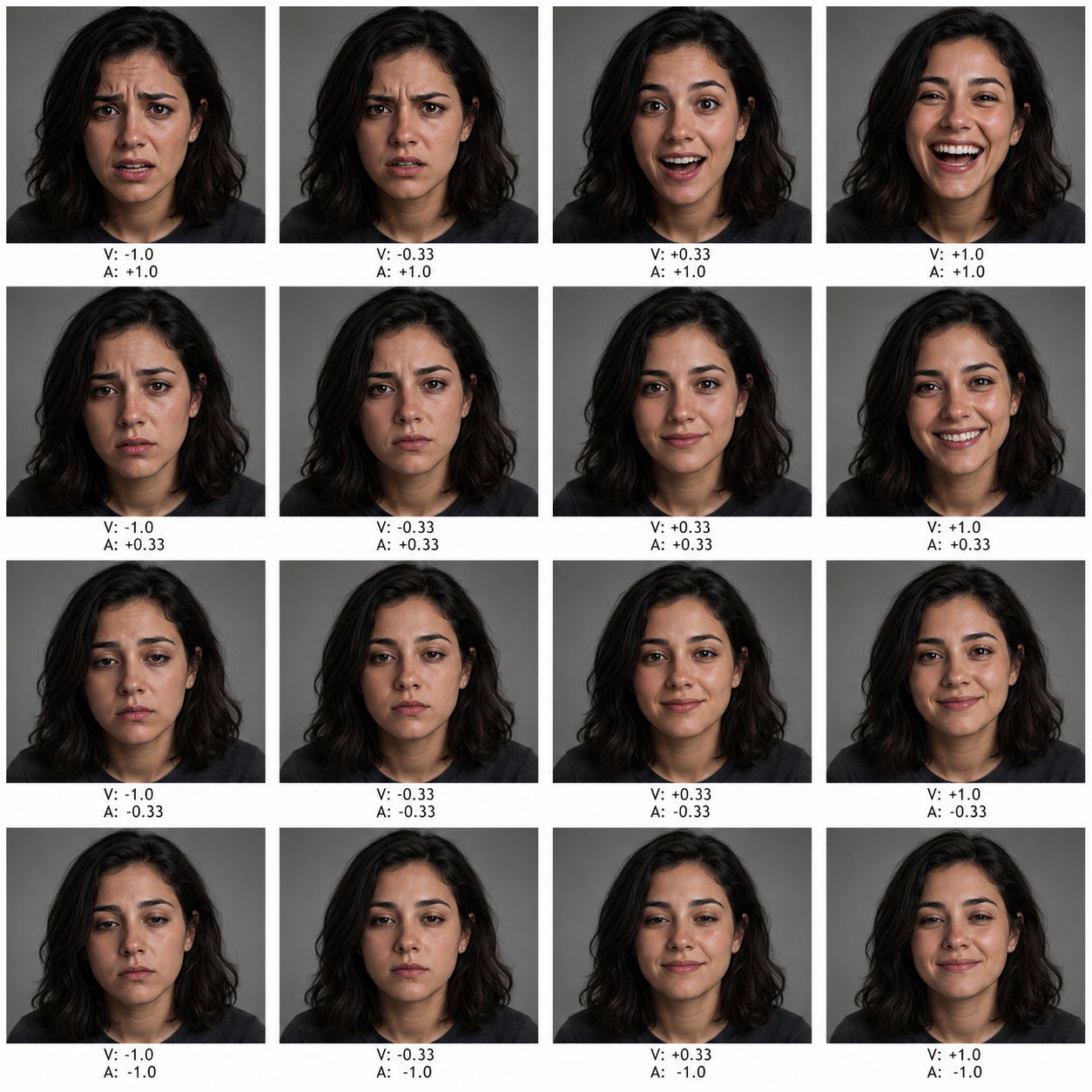
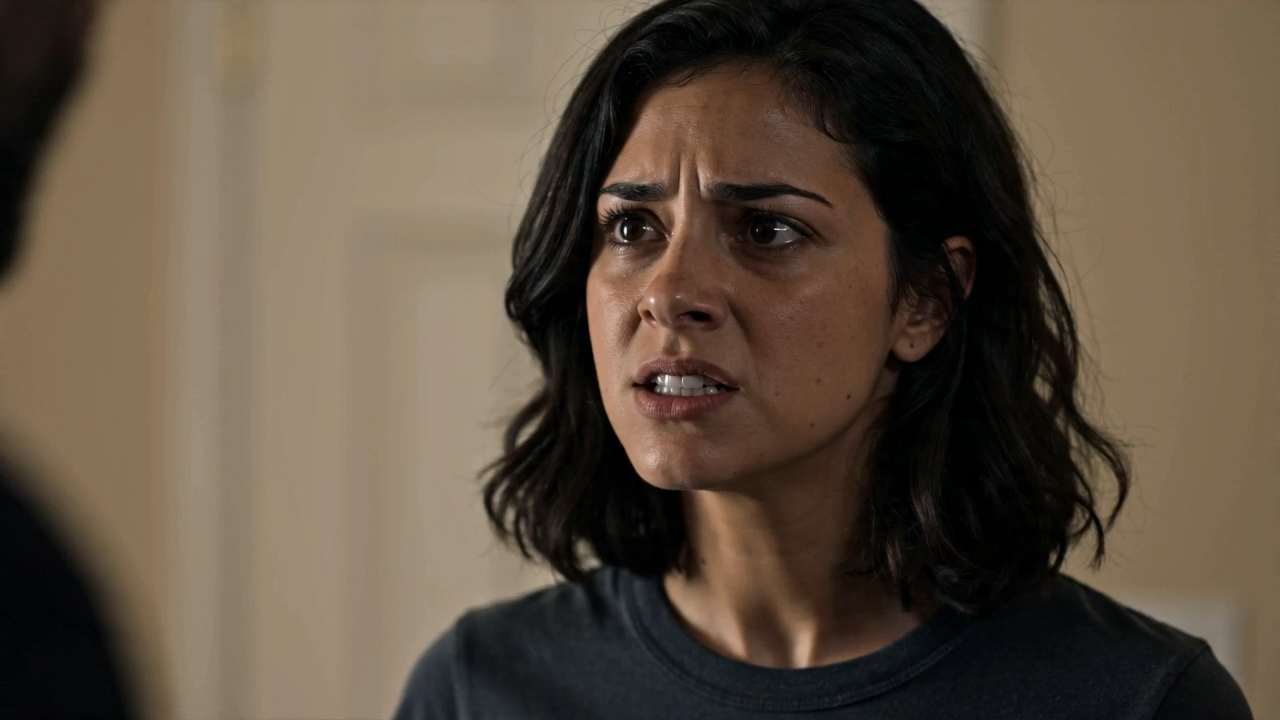
We tested this inside Runway using Seedance, using a GPT-Image 2 starting frame showing a character across multiple emotional states.
Our prompt was a 7-second cinematic close-up where valence was very low, arousal was very high, and the character delivers the line: "I've been waiting for this for a long time."
The result? Pretty good, though there was a small visual stutter at the very beginning.
However, we then ran the exact same line using completely naturalistic language prompting, describing the woman, her shaky voice, and the sheer weight of feeling in normal human language.
Honestly? The naturalistic prompt did a significantly better job.
Our Recommendation: Default to naturalistic language prompting in almost every single AI tool. We've tested everything from JSON-structured prompts to bespoke prompt syntaxes, and the result is almost always indistinguishable or simply not worth the hassle. Creative iteration beats prompt engineering tricks every single day.
6. Seed Stitcher Smooths the Cut Between AI Clips
While that continuation trick is awesome, we ran into one glaring issue: right at the stitch point, there was a noticeable exposure shift that made the two clips feel mismatched.
Up until now, you'd have to fix this manually inside After Effects or DaVinci Resolve using crossfades or expensive plugins.
The workflow is beautifully simple:
Go to the Seed Dance Stitcher website (currently a prototype build).
Drag and drop video one.
Drag and drop video two.
Click Upload and Analyze.
The output blends the two clips together so cleanly that it's genuinely hard to spot exactly where the edit happens.
For anyone building longer AI cinematic scenes, this is a massive workflow upgrade.
7. Runway Just Launched Runway Agent
Runway launched an agent workflow this week, and Dramedy announced its own AI agent coming directly inside its platform. Virtually every major AI video tool now has some flavor of "agent" baked in.
But let's be completely honest for a second: has anyone actually found an AI agent that genuinely saves time versus just doing the work yourself?
In our testing, most agents feel way more tedious than helpful.
The $100 Challenge: The very first person in our YouTube comments who can show a real, repeatable example of an AI agent that genuinely saves time and money over doing the task manually will win $100.
We'll test your workflow out and announce the winner next week.
8. AI Filmmaking Events Happening Soon
If you want to connect with the community in person, here is a quick rundown of major upcoming events worth checking out:
AI on the Lot (May 27th & 28th | Los Angeles): Use code CURIOUS at checkout for a sweet 20% off your tickets.
Cannes International Film Festival: Dave Clark is speaking alongside Darren Aronofsky at the AI for Talent Summit on May 14th and 15th.
AI Filmmaking Meetup in Denver: June 6th.
Upscale Conference (First week of June | San Francisco): Kaveen, the brilliant instructor of our advanced AI filmmaking course, will be speaking.
We also just hosted an incredible AI filmmaking meetup with the Curious Refuge community out in Atlanta, and we're planning to make these a monthly staple.
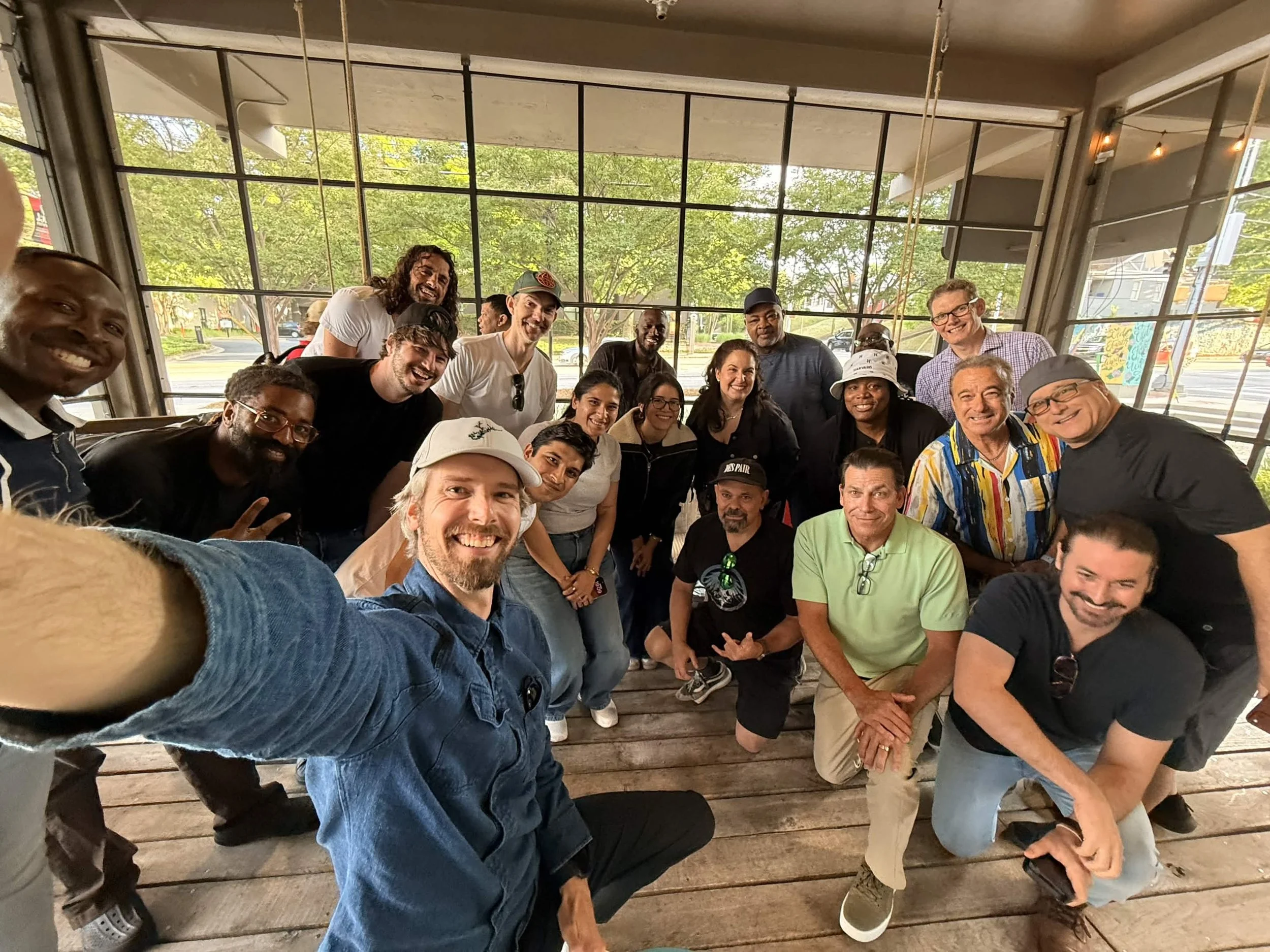
Atlanta AI Filmmaking Meet Up
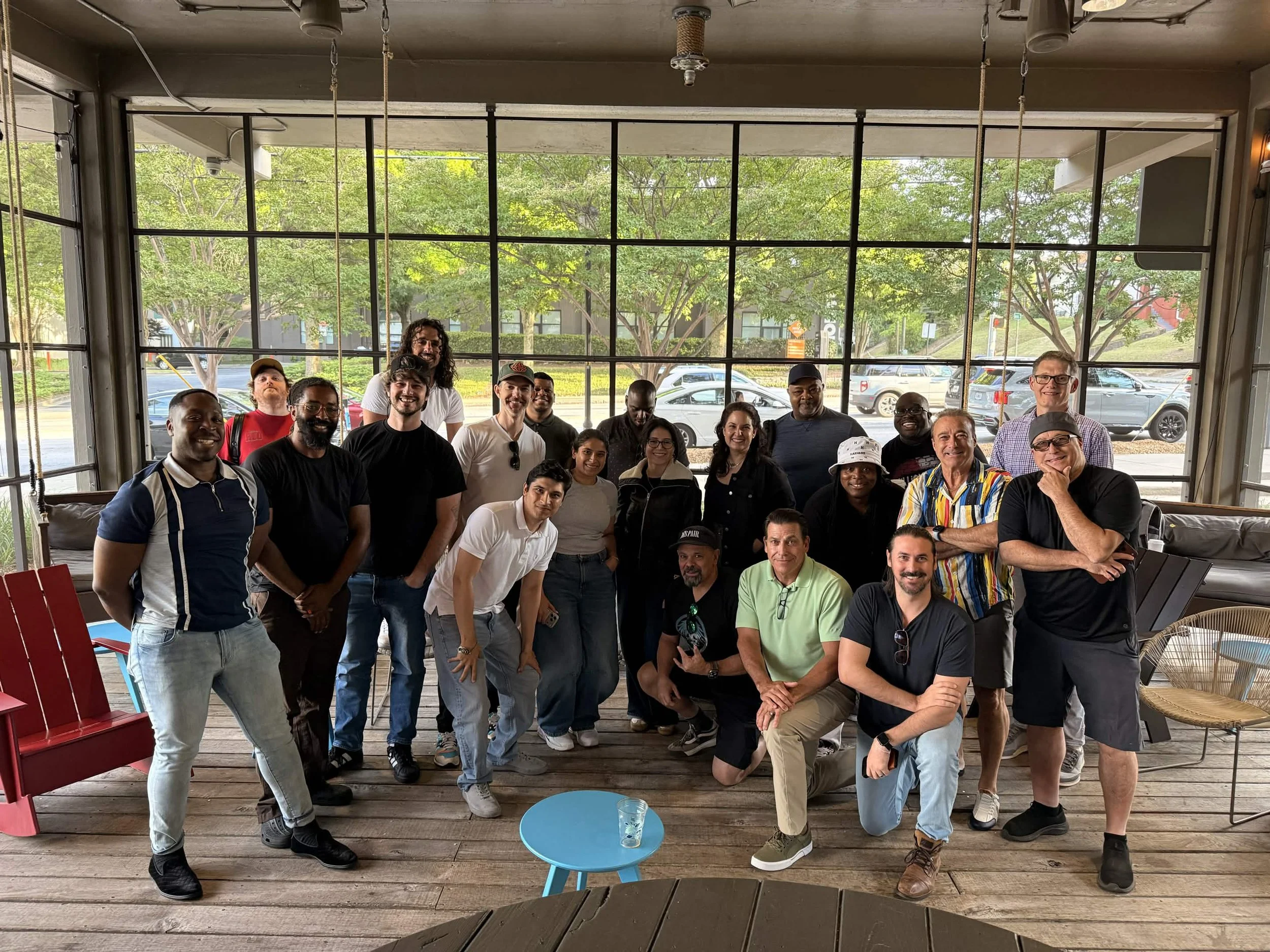
You can find free meetups happening right in your local area over on the Curious Refuge platform.
9. Applications Closing for the Distinguished Network of Artists
Applications for the very first round of our Distinguished Network of Artists (DNA) program are officially closing on May 20th.
The DNA program is an exclusive, highly curated network that Curious Refuge and massive creative studios turn to for world-class artist recommendations.
The best part? Artists are already actively getting connected with paid studio work through the program right now.
It is open to any current member or student of the Curious Refuge community, so head over to the website to lock in your application.
10. AI Films of the Week
Here are a couple of standout films from the past week that completely caught our eye:
Pigeons & Time Machines by Marco Slavonic
A remarkably cute 3D animated concept about pigeons messing around with a time machine.
It’s short, hilarious, and incredibly effective, bonus points for giving the pigeons aggressive New York accents.
Chapter Three
You can always check out our full curated gallery over at Curious Refuge to see the absolute latest and greatest AI films pushing the boundaries of the industry.
Start Your Career in AI Filmmaking
We would absolutely love to help you kickstart your career in the world of AI Filmmaking. The absolute best jumping-off point is our world-famous Intro to AI Storytelling Course.
We are actually running a special promotion right now that lets you access the course completely for free.
Just fill out the form below to get instant access to the lessons, as well as our vibrant community of thousands of AI creatives from all over the globe.
If there is anything we can do to help you along your filmmaking journey, please don't hesitate to reach out!
