

In this article and tutorial, we’ll show you how to generate AI videos with real people with this viral hack.
If you work with AI video tools, you’ve probably run into an incredibly frustrating error: your video can’t be generated because it contains a real person.
This can be especially annoying when you’re working on a legitimate film or advertising project and actually have permission to use the person in your video.
Recently, a viral workaround has been circulating that claims to help with these restrictions using a surprisingly simple character reference technique.
We tested the workflow with Seedance 2.5 to see how well it actually works and, more importantly, how much character consistency you lose in the process.
How to Generate AI Videos with Real People | Tutorial
Check out our full tutorial and see how we used face grids to generate AI videos with real people.
How to Generate AI Videos with Real People | Tutorial
The idea is simple: slightly obscure the face in your character reference before uploading it to your AI video generator.
We tested the technique across several scenes, comparing the modified character references against the original images to see how much of a difference it actually makes.
The workflow looks something like this:
Start with your character reference.
Add a simple pattern over the face to partially obscure it.
Upload the modified reference and generate your scene as usual.
That’s pretty much it.
But the bigger question for us was whether the resulting character would actually look like the person in the original reference.
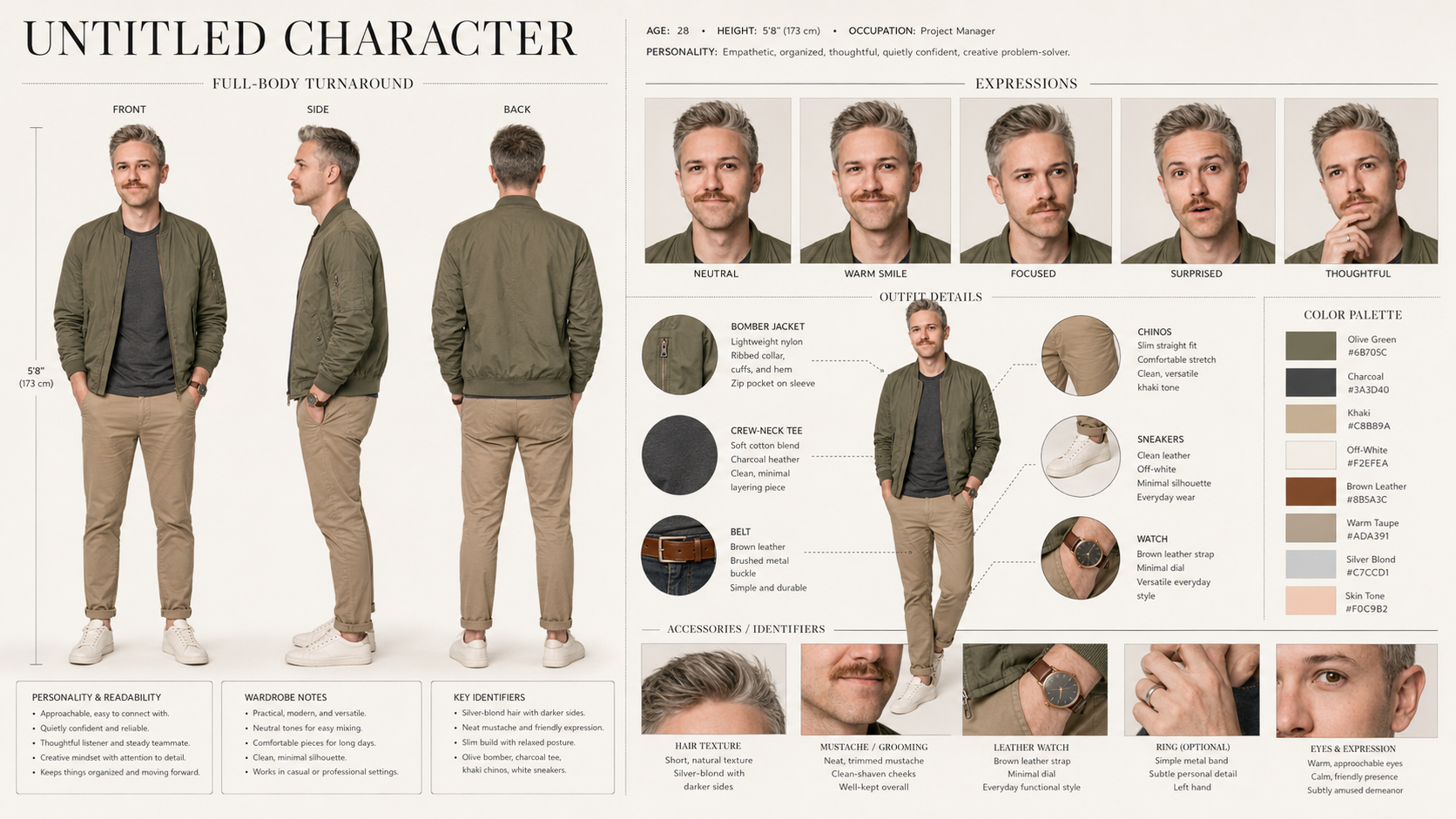
Character Sheet
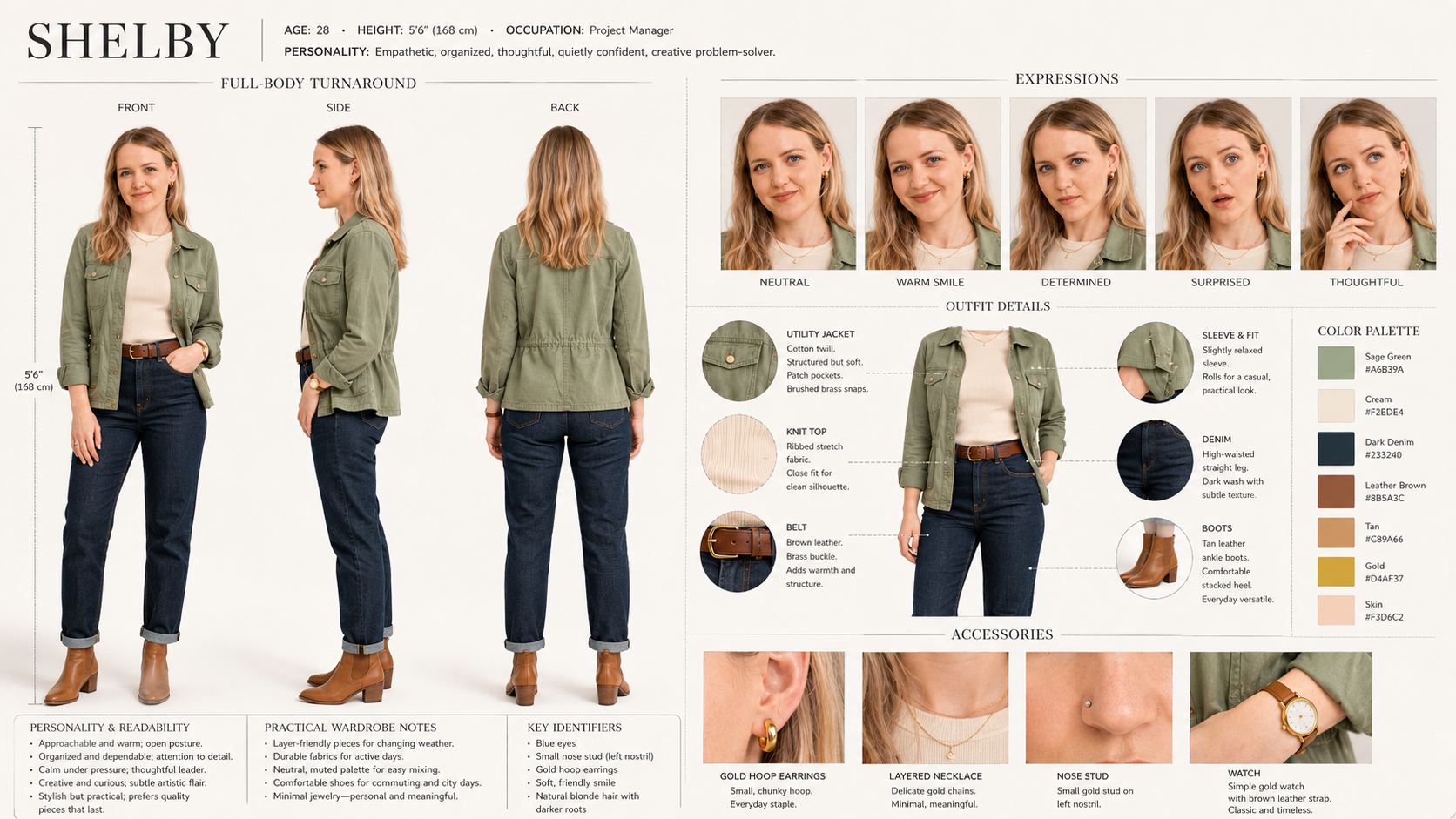
Character Sheet
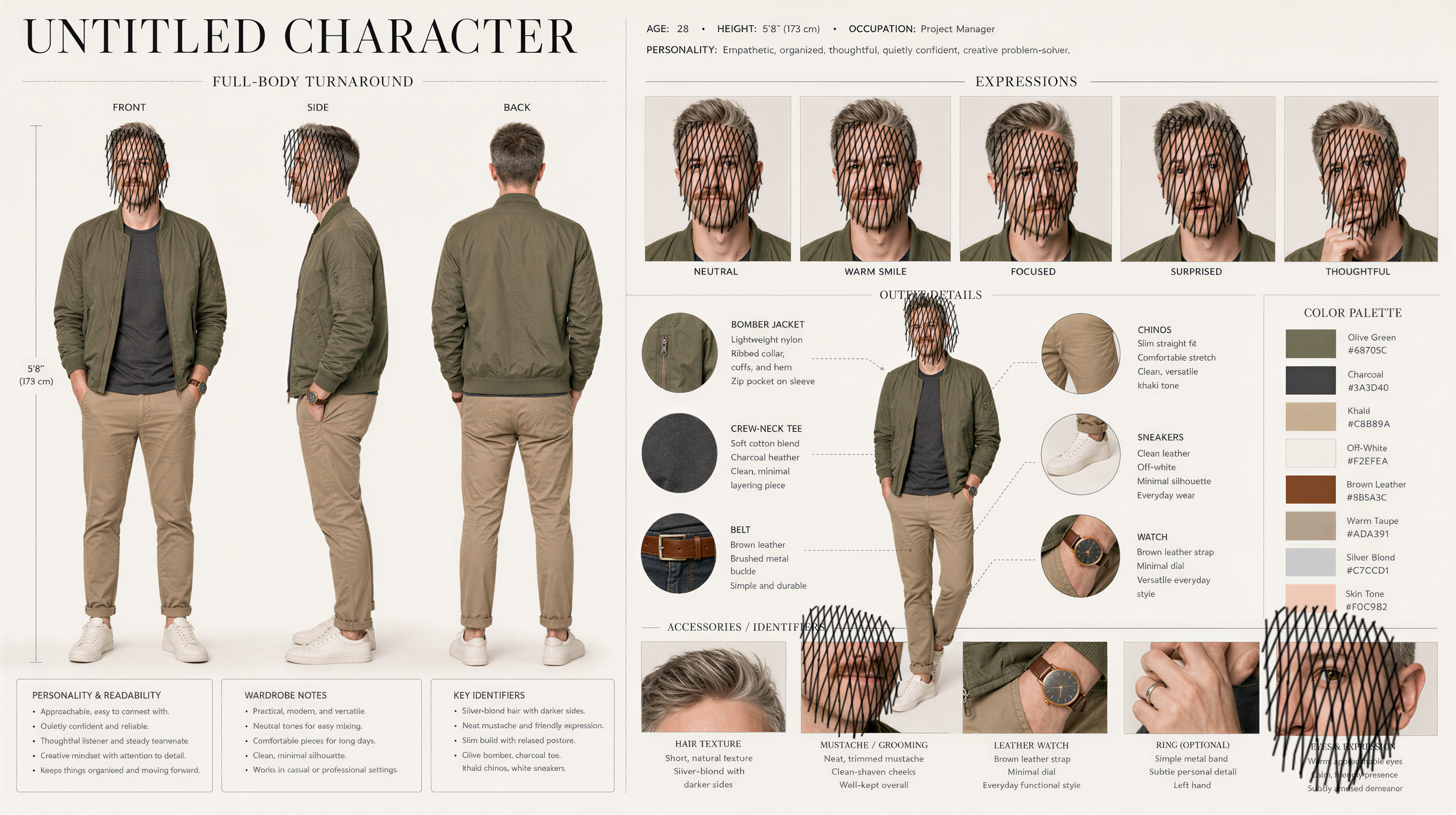
Character Sheet with Face Grid
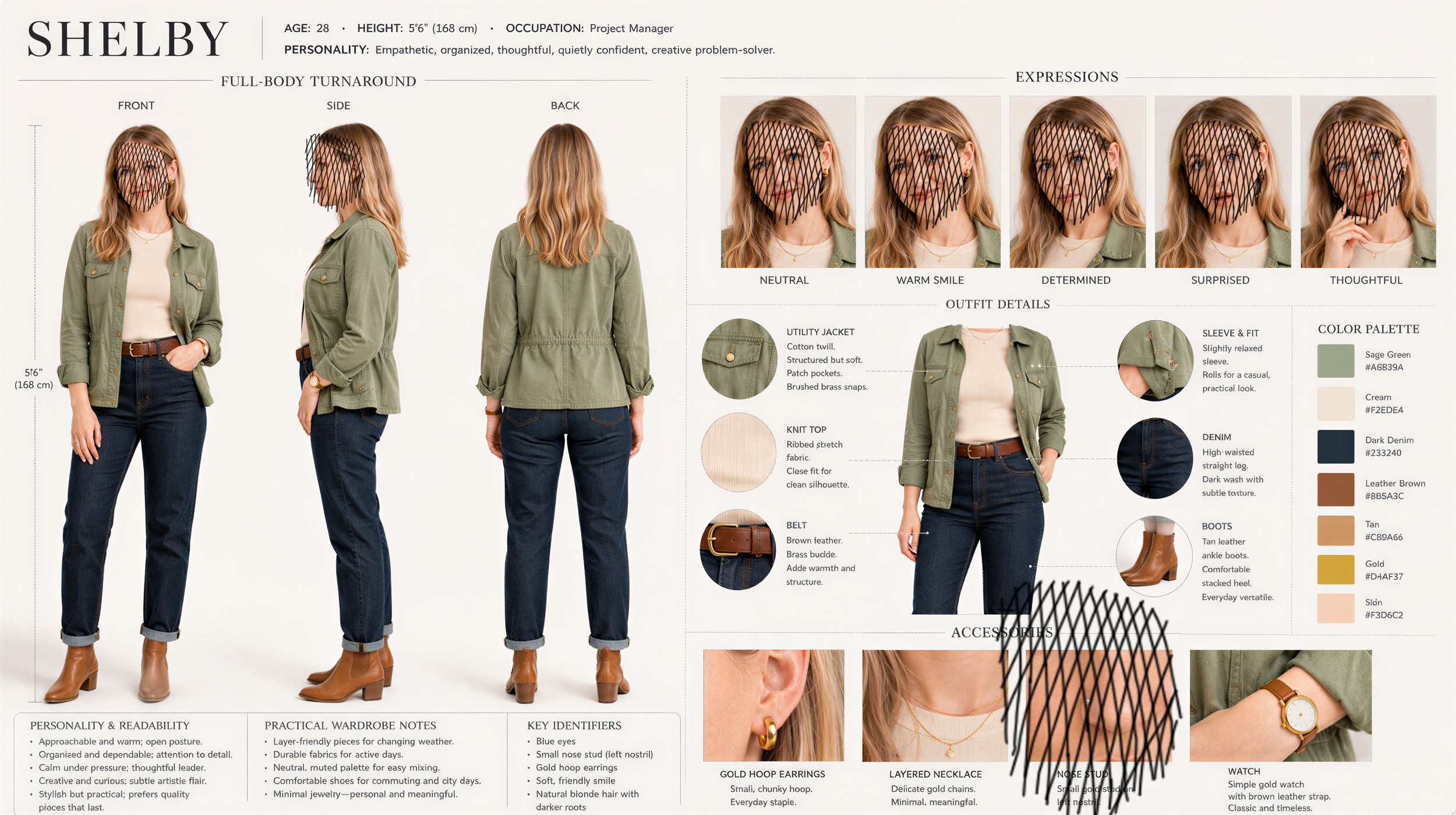
Character Sheet with Face Grid
So we tested the technique across several scenes, comparing the modified character references against the originals to see how much of a difference it actually makes.
Here’s what we found.
The goal is to obscure the face just enough for the reference to be accepted while preserving as much information about the character as possible.
We created scratched versions for both of our characters before moving into video generation.
Does the Face Scratch Workflow Actually Work?
Surprisingly, yes. But there’s a pretty major tradeoff as you will see.
For our first test, we used character references of Shelby and myself and prompted Seedance 2.5 to generate a scene featuring both characters.
We generated the same scene twice: once using the modified character references and once using our original reference images.
Generated with Seedance 2.5 with Face Grid
Generated with Seedance 2.5 without Face Grid
For our second test, we added a location reference to see how the workflow would handle a more complex scene.
Again, we generated the scene using both the modified and original character references.
Generated with Seedance 2.5 with Face Grid
Generated with Seedance 2.5 without Face Grid
For our final test, we wanted to see what would happen when we added dialogue.
We created a coffee shop scene with both characters speaking and compared the modified references against the originals.
Generated with Seedance 2.5 with Face Grid
Generated with Seedance 2.5 without Face Grid
Across all three tests, the pattern was pretty consistent: the face scratch workflow can work, but you should expect to sacrifice some character accuracy along the way.
So, Is This AI Video Workflow Worth Using?
Yes, but only in specific situations.
Across our tests, the scratched-face references maintained around 80–85% of the character likeness, while the original references consistently produced more accurate characters.
That means I wouldn’t use this workflow as my first choice if exact character consistency is important. But if you have permission to use a character and your AI video platform still won’t accept the reference, it can be a useful fallback.
It may work especially well when:
Exact facial likeness isn’t essential
Your character has a distinctive costume or visual identity
The person appears briefly in the shot
You need a temporary workaround for a legitimate production
For close-ups, dialogue-heavy scenes, or projects where an actor needs to look exactly the same across multiple shots, the loss in likeness becomes much more noticeable.
Another option is to explore AI platforms that offer different controls for professional creators working with properly licensed material.
Final Thoughts
This workflow isn’t perfect, but it can be a helpful technique to keep in your back pocket when you have the appropriate permission to use someone’s likeness.
As AI video tools continue to evolve, hopefully creators will get better ways to work with licensed actors without sacrificing character consistency.
If you want to learn more AI filmmaking techniques like this, check out our courses at Curious Refuge.
Free Intro Course
Check out our free AI Storytelling course. You can fill out the form below and gain access immediately at no cost to you.
In the course, we show some of the basics for creating films using the latest AI tools, as well as, share some insights into the future of the creative industry.
Along with the course, you also get access to the exclusive chat channel where you can network with industry professionals.
We would love to see you in the course, but of course no pressure!
