
How to Change Camera Angles With AI Video | Tutorial

In this article and tutorial, we’ll show you how to create a new camera angle with AI.
Until recently, if you finished a shoot and realized you needed another camera angle, your options were pretty limited.
Use the footage you already captured, or schedule an expensive reshoot.
But AI video tools are starting to change that.
We recently tested whether Seedance 2.5 and Minimax H3 can take existing footage and generate a completely different camera angle while preserving the original performance.
The results were surprisingly good.
I’ll show you how the workflow works, which model performed best, and how we’re starting to combine live-action performances with AI-generated environments.
Let’s get into it!
How to Create a New Camera Angle With AI | Tutorial
Check out our full tutorial and see how we used AI to generate footage in different camera angles.
How to Change Camera Angles With AI Video | Tutorial
The basic workflow is surprisingly simple.
Start with an existing video clip and upload it as your video reference. For our tests, we used Seedance 2.5 inside Magnific, although the same general workflow can be used anywhere you have access to a compatible video model.
Then prompt the model to recreate the source footage from a different camera position.
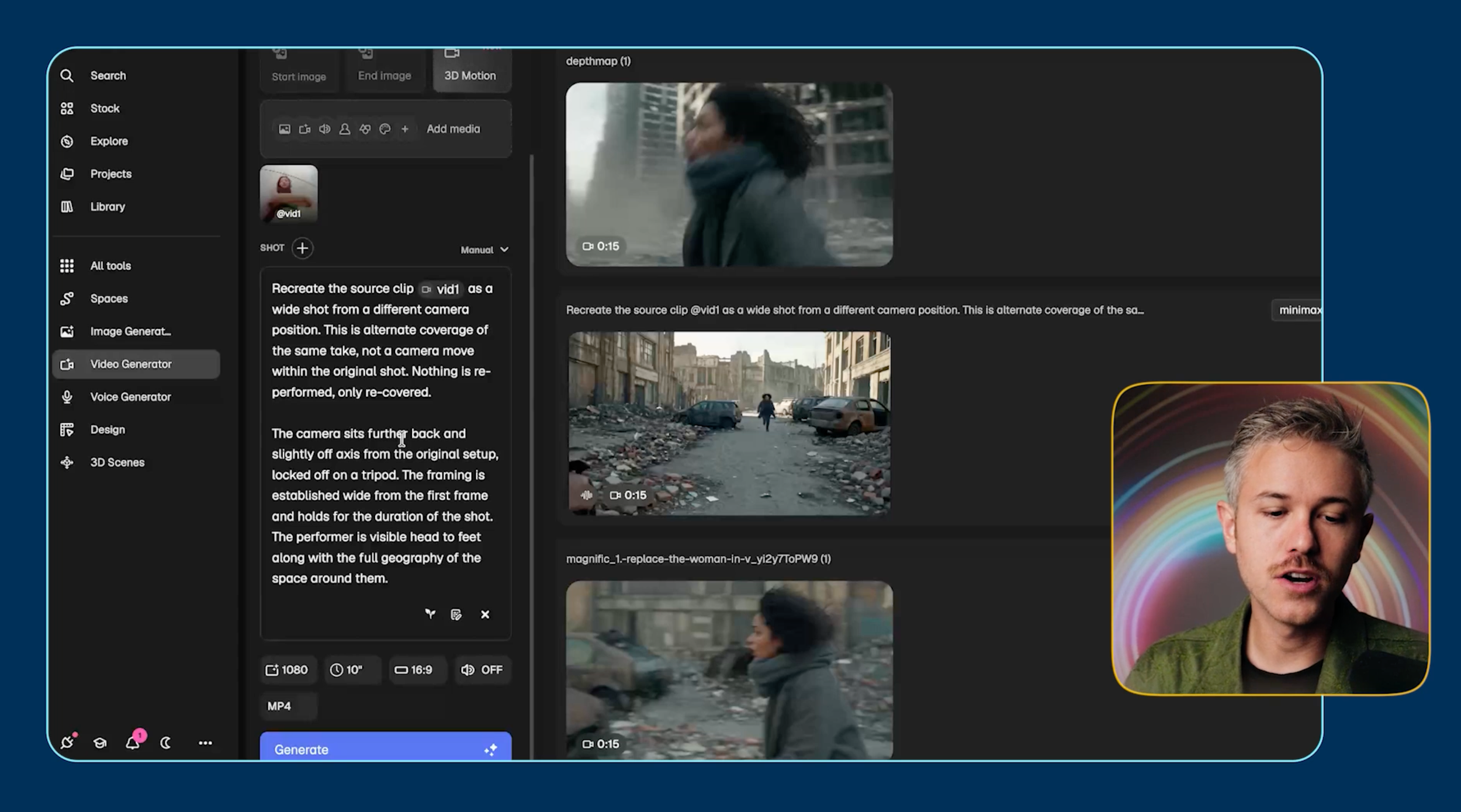
You can also be much more specific about where you want the new camera to be positioned.
If camera placement is especially important, you could even provide an additional reference image or diagram showing where the new camera should sit in relation to your subject.
Generating Close-to-Wide Shots with Stock Footage
For our first test, we started with live-action footage of a woman outside with a skateboard. The original shot was relatively close, so we asked both models to generate a wider angle of the same performance.
Stock Footage
Generated with Seedance 2.5
Generated with MiniMax H3
Seedance 2.5 did a surprisingly convincing job. There are a few small details that give it away, like the movement of her hair and a slight shift in the skateboard, but the overall performance stays remarkably close to the original.
Minimax H3 successfully created a wider shot too, but we started seeing more issues with character consistency. Her face became less consistent, her skin looked softer, and her movement drifted further from the original performance.
For this test, Seedance 2.5 was the clear winner.
Next, we tried the same workflow with a woman walking around Tokyo.
Stock Footage
Generated with Seedance 2.5
Generated with MiniMax H3
Interestingly, Seedance didn’t actually give us the wide shot we requested on the first generation. Minimax did, but the character’s skin looked too synthetic to comfortably integrate into a live-action project.
This highlights one of the biggest limitations of the workflow right now: getting the exact camera angle you want can still require iteration.
Next, we tested a scene with two people interacting to see how well each model could preserve more subtle movements and expressions.
Stock Footage
Generated with Seedance 2.5
Generated with MiniMax H3
Seedance preserved roughly 90–95% of the original performance. That might sound like a problem, but performances aren’t perfectly identical between takes on a traditional film set either.
The important question is whether the performances are close enough to cut together convincingly. In this case, I think they are.
Minimax struggled more with skin texture, clothing details, and overall realism.
Finally, we tested a slightly more unusual shot featuring an elf and, naturally, a truck full of corn.
Stock Footage
Generated by Seedance 2.5
Generated by MiniMax H3
Seedance preserved the action surprisingly well while expanding the scene. The color grade and lens characteristics also stayed remarkably close to the source footage.
Minimax wasn’t terrible, but the softer skin and overall image quality made the result less convincing.
Across these live-action tests, Seedance 2.5 consistently gave us the more usable results.
And remember, these were our first generations. With a few iterations, some prompt adjustments, and basic upscaling and color matching, this workflow starts to become much more practical for an actual production.
Using Close-to-Wide Workflow with AI Footage
This technique isn’t limited to footage captured with a camera.
We also tested it using an AI-generated shot of a singer performing on stage.
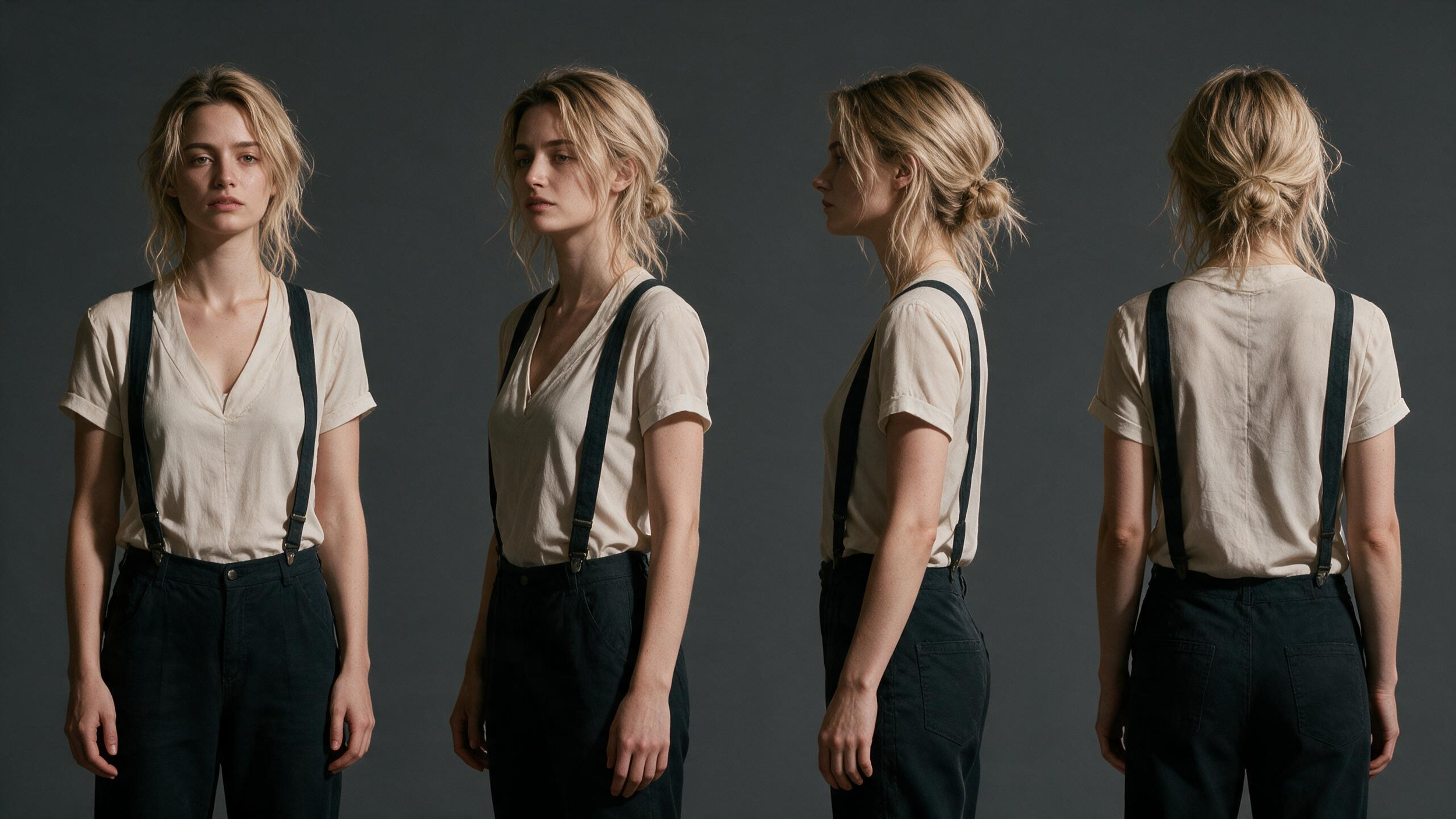
Character Reference
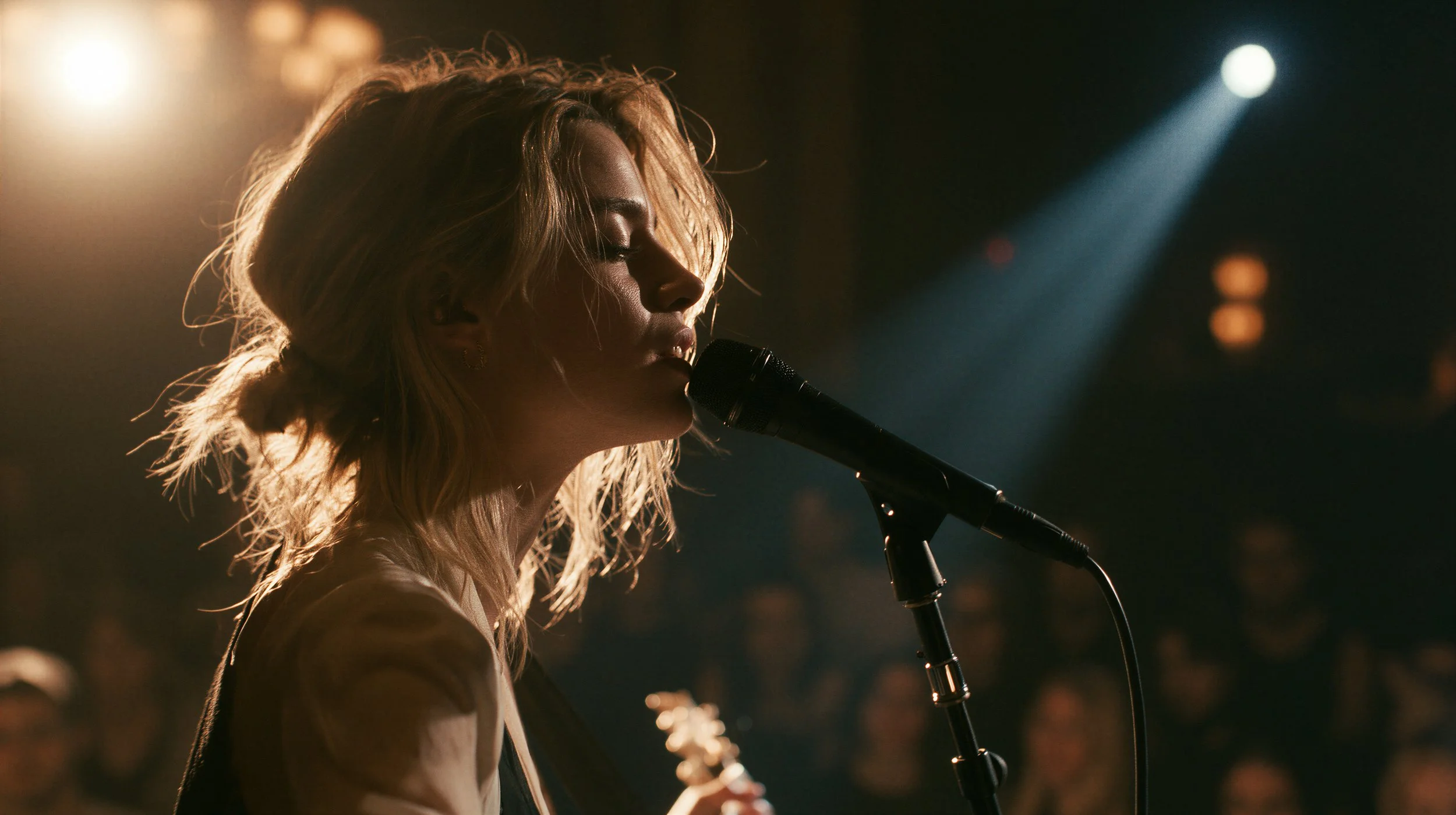
First Frame
Generated with Seedance 2.5
We gave Seedance 2.5 and MiniMax H3 the original video and asked it to recreate the performance from a wider camera angle. We ran one version using only the source video, then another using the source video plus a location reference to reinforce the environment.
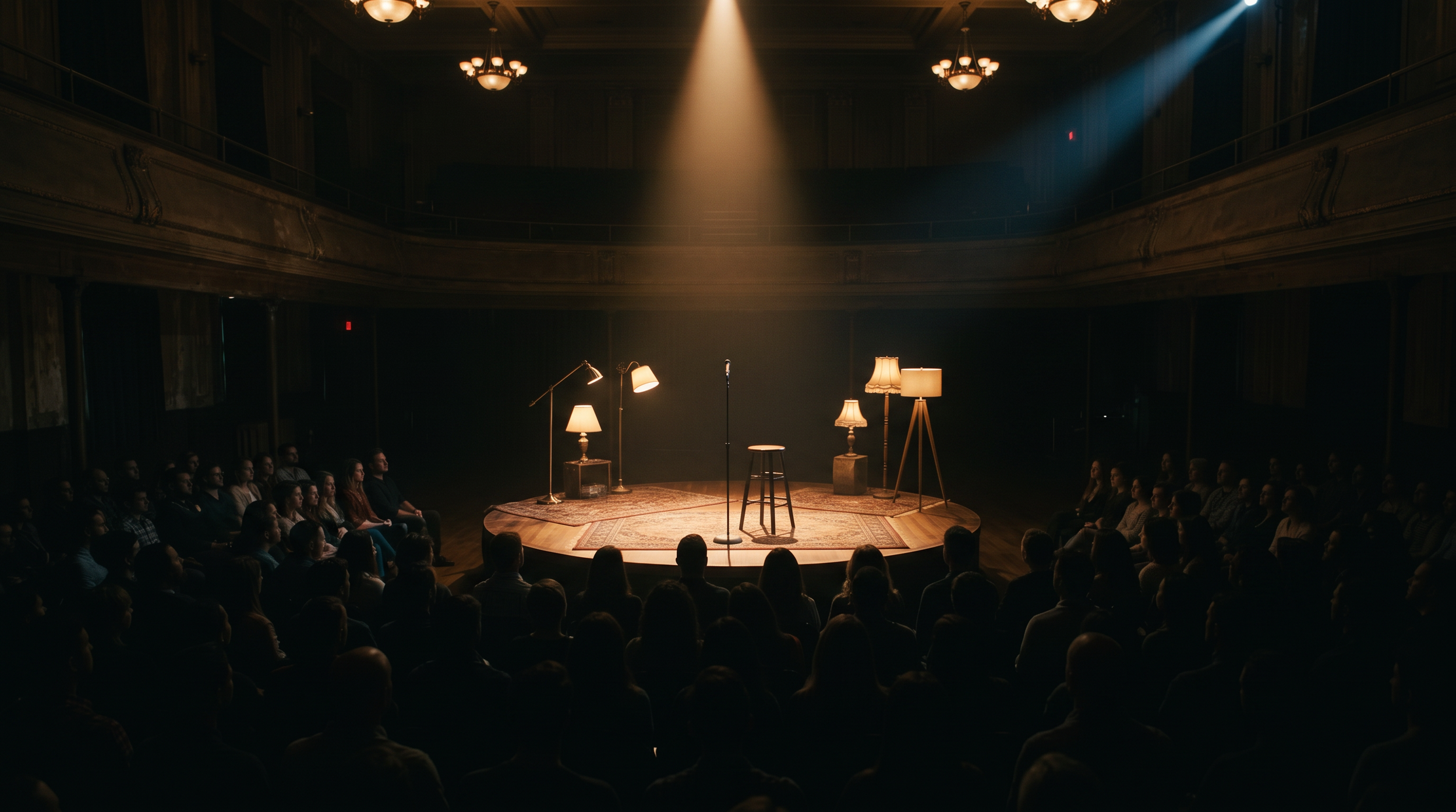
Location Reference
Generated with Seedance 2.5 without Location Reference
Generated with Seedance 2.5 With Location Reference
Generated with MiniMax H3 without Location Reference
Generated with MiniMax H3 with Location Reference
Both results were incredibly convincing. The location reference didn’t dramatically change the result, but I do think that version did a slightly better job of maintaining the intended environment.
That’s a useful takeaway for this workflow. You don’t necessarily need a location reference to generate a convincing new camera angle, but adding one can give the model more context and help reinforce the environment you want to preserve.
Turning Live-Action Footage Into an AI Environment
Changing camera angles is only part of what makes this workflow interesting.
You can also use live-action footage as the performance foundation for a completely different scene.
For this test, we filmed an actress performing against a simple grey environment with tracking points.
Grey Box Footage
Then we asked Seedance to transform everything around the actress’ performance.
Our prompt essentially asked the model to:
Replace the background with a cinematic post-apocalyptic environment.
Replace the blue boxes with a damaged car.
Preserve the original performance and camera movement.
The result:
Generated with Seedance 2.5
This is where things get really interesting.
The actress’s original movement, timing, and camera motion were preserved while the environment around her was completely transformed.
We pushed the test further by adding lasers, aliens, and people running through the environment and this is what we got
Generated by Seedance 2.5
The performance changed slightly, but the underlying movement still carried through.
Using Live Action as Motion Capture
We can take the workflow another step further.
Instead of keeping the original actress, we can use her performance as a form of motion capture for another character.
For this test, we uploaded the grey box footage along with a completely different character reference.
Grey Box Footage
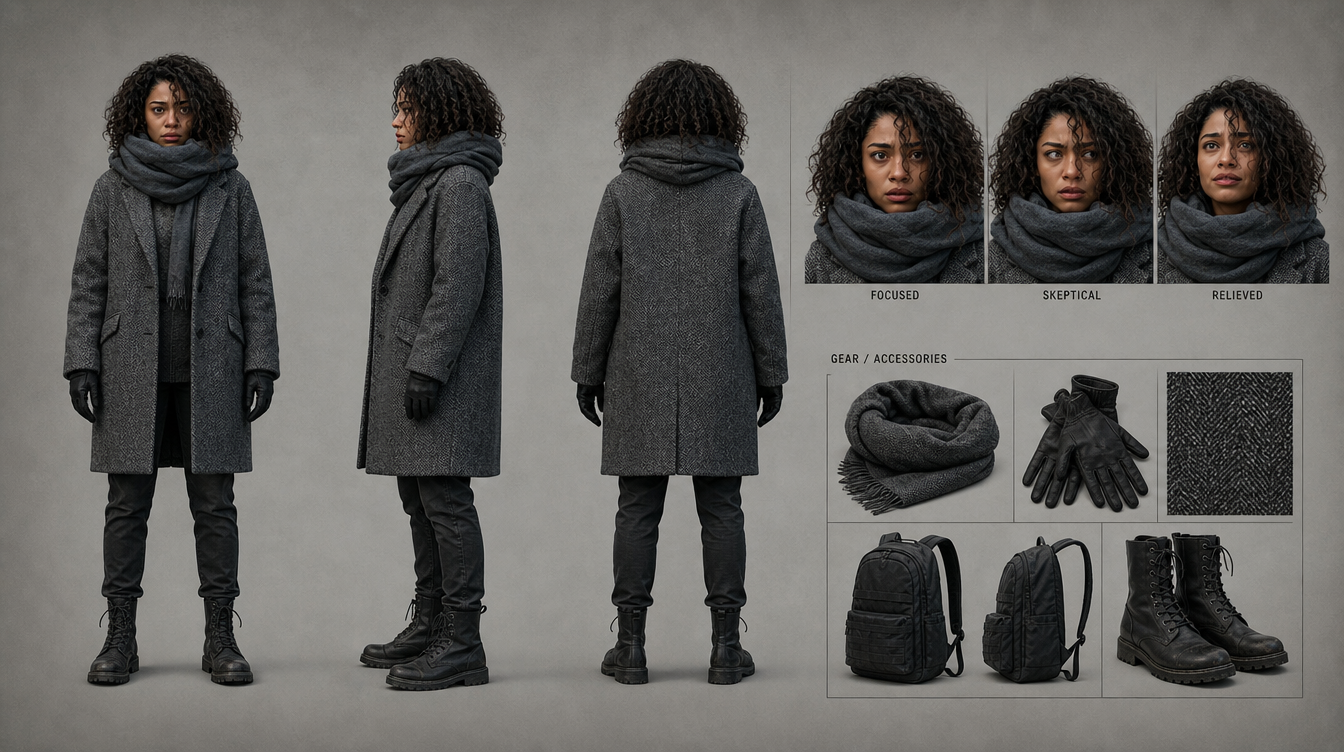
Character Reference
Generated by Seedance 2.5
Seedance 2.5 transferred the performance to the new character while generating the new environment around her.
It even preserved subtle cinematography from the source footage, including moments where the camera’s focus shifted away from the actress.
We also experimented with using a depth-map-style version of the original footage.
Depth Map Footage
Generated with Seedance 2.5 with Depth Map + Character Reference
The resulting performance tracked even closer to the source in some areas, although the generated character eventually began drifting toward the appearance of our original actress.
So if you’re planning to use an actor primarily for performance capture, casting someone with similar physical characteristics to your final character may make the process easier.
Turning Live Action Footage from Close-to-Wide Shot
After generating a clip using the depth map and character reference, we wanted to take this one step further. Could we take this new shot and turn it into a wider camera angle?
Generated with Seedance 2.5
Generated with MiniMax H3
This is where both models struggled.
Minimax H3 gave us something close to the original performance, but there was too much artifacting in the background to actually use it.
Seedance 2.5 produced a cleaner, more cinematic result, but it went off script and gave us a completely different performance.
So while the results look interesting, neither model gave us a usable wide shot that accurately preserved the source performance.
What This Means for Filmmaking
There are two big takeaways from these tests.
First, AI can now generate additional camera angles from footage you already captured.
It’s not perfectly deterministic yet, but Seedance 2.5 produced several shots that I would feel comfortable integrating into an actual edit after a little cleanup.
Second, live-action footage is becoming an incredibly powerful input for AI filmmaking.
Instead of asking AI to invent every performance from scratch, you can capture the human performance you want and use AI to transform the world around it.
We’re still early, and continuity issues, character drift, and inconsistent framing absolutely remain.
But the line between production, post-production, and virtual production is getting blurrier very quickly.
And for filmmakers, that opens up a completely new way to think about what actually needs to happen on set.
If you want to learn more workflows like this, check out our AI filmmaking courses at Curious Refuge. We’ve worked with some of the world’s best AI filmmakers to build professional training designed to help you actually use these tools in your projects.
And if you’ve experimented with generating new camera angles from existing footage, let us know what’s working for you.
Free Intro Course
Check out our free AI Storytelling course. You can fill out the form below and gain access immediately at no cost to you.
In the course, we show some of the basics for creating films using the latest AI tools, as well as, share some insights into the future of the creative industry.
Along with the course, you also get access to the exclusive chat channel where you can network with industry professionals.
We would love to see you in the course, but of course no pressure!
