
Kling 3.0 Review: The New King of AI Video Generators
In this article and video tutorial, I’m going to share our deep-dive review of Kling 3.0.
After months of anticipation, the new model has finally arrived, and it’s already dominating conversations across the AI filmmaking community.
Kling has recently taken the seat as the world's best AI video generator, but when it comes to the world of AI video, the crown is constantly shifting.
This latest release positions Kling as an all-in-one creative platform: image generation, video generation, lip-syncing, multi-shot cinematography, VFX editing, character cloning, and even audio generation inside the same interface.
Here’s a list of the features we will be looking at in this article and video tutorial:
Image to Video
Multi-Shot Prompting
Audio Prompting
Lip Sync
Multi Shot Lip Sync
Image Generation
Video Inpainting
Image Editing
Let’s get to it!
Kling 3.0 Review | Video Tutorial
Below is a deep dive into Kling 3.0 where we show you not only how to use the tool, but also compare against the other majopr competitors in the industry.
The New King of AI Video Generators | Kling 3.0 Review
Here’s a breakdown of Kling’s latest AI Video Generator, Kling 3.0.
Kling 3.0 Image-to-Video
Kling 3.0 immediately shines in its image-to-video workflow. It is easily the highest-scoring AI video model we’ve reviewed to date.
Across multiple tests, Kling consistently delivered:
Strong cinematic camera motion
Up to 15 Second Video Duration
Optional Native Audio
Lip sync Abilities
Kling 3.0
Luma 3.14
After running full evaluations with our R&D team, Kling 3.0 earned a total score of 8.1/10. Don’t you dare touch that mouse yet, because there are still some big caveats to cover.
Kling 3.0’s New Multi-Shot Feature
Kling now lets creators generate multiple shots inside a single clip, which is a fantastic way to organize your workflow. You can:
Lock down camera motion per shot.
Add dialogue inside quotation marks.
Define specific pauses and reactions.
The Results: Locked-off closeups felt especially strong, but color grading often shifted between cuts. It still requires heavy iteration and specific prompting to reach professional quality
Kling 3.0 Lip-Syncing
If we are completely honest, the lip sync from Kling 3.0 doesn’t always hit the mark, but it is definitely a decent option for your AI lip syncing workflows.
We would argue that there are probably some better options out there, but if you are stuck with Kling 3.0, don’t be worried because it dcoulde definitely still produce the work you need it to, it just might take some extra time (and money).
Kling 3.0 Character Cloning
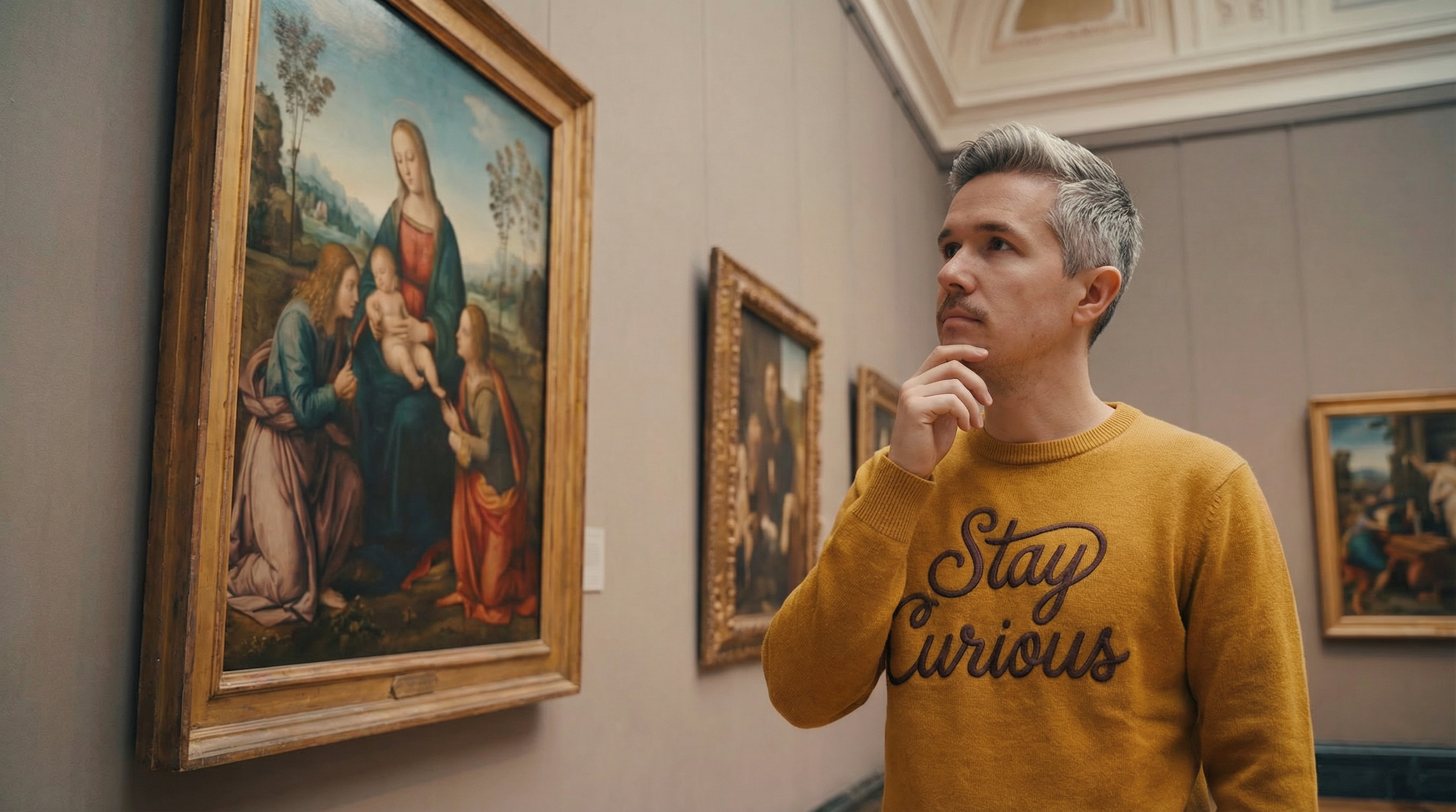
One of Kling’s flashiest new features is character cloning, extracting a person's likeness and voice from footage. In practice, however, it’s not quite ready for your next big project. We found that facial likeness often drifted and the lip-sync remained inconsistent. It feels more like an R&D tool than a commercial-ready asset.
Training Video
Reference Image
Output
Kling 3.0 Omni Video Editing
Kling’s Omni tool allows you to replace characters, transfer color grades, and even change the era of your footage. While we saw some success changing wardrobe colors, major failures included fake-looking rain and distorted characters during era swaps.
Below is an example where we wanted to add aa crowd into the empty stadium from the base video.
Base Video
Kling 3.0
Luma Modify
Bottom line: Omni is fun for exploration and concepting, but don’t rely on it for final production shots.
Kling 3.0 Image Generation
Kling also includes native 4K image generation. While it produced solid cinematic images, we frequently noticed:
Plastic-looking skin textures.
Soft details in macro shots.
Confusing logic in text-on-signs.

Kling 3.0 Image

Midjourney

Nano Banana Pro
For base image creation, Midjourney and Nano Banana Pro still lead the pack in photorealism and style.
Kling 3.0 Image Editing
Kling 3.0 definitely surprised us with the image editing abilities. I would continue to put Nano Banaan Pro ahead, but for a platform that has typically put most of their focus into video, this is a pretty impressive image editing option.
Original Image
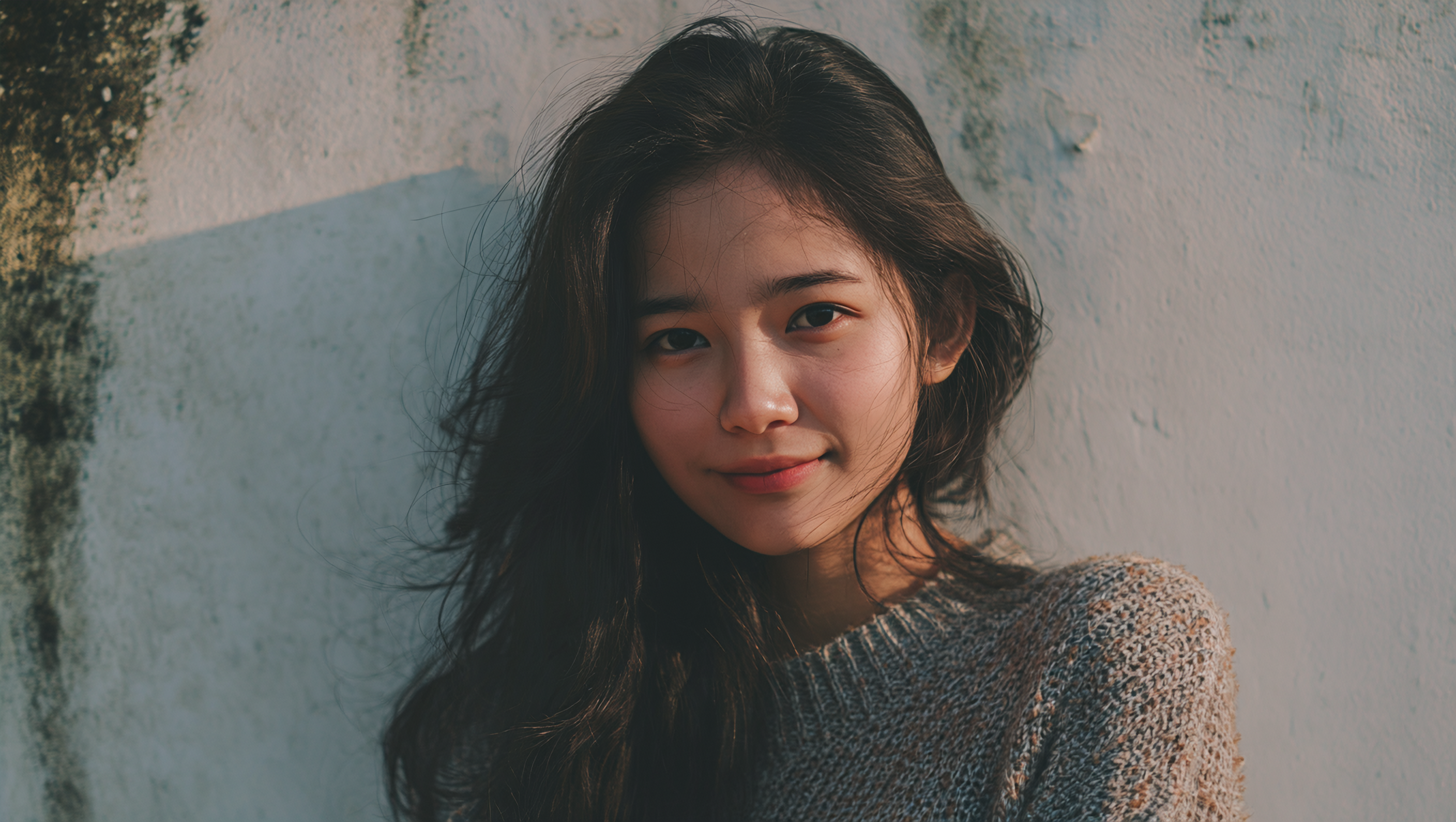
Kling 3.0 Image
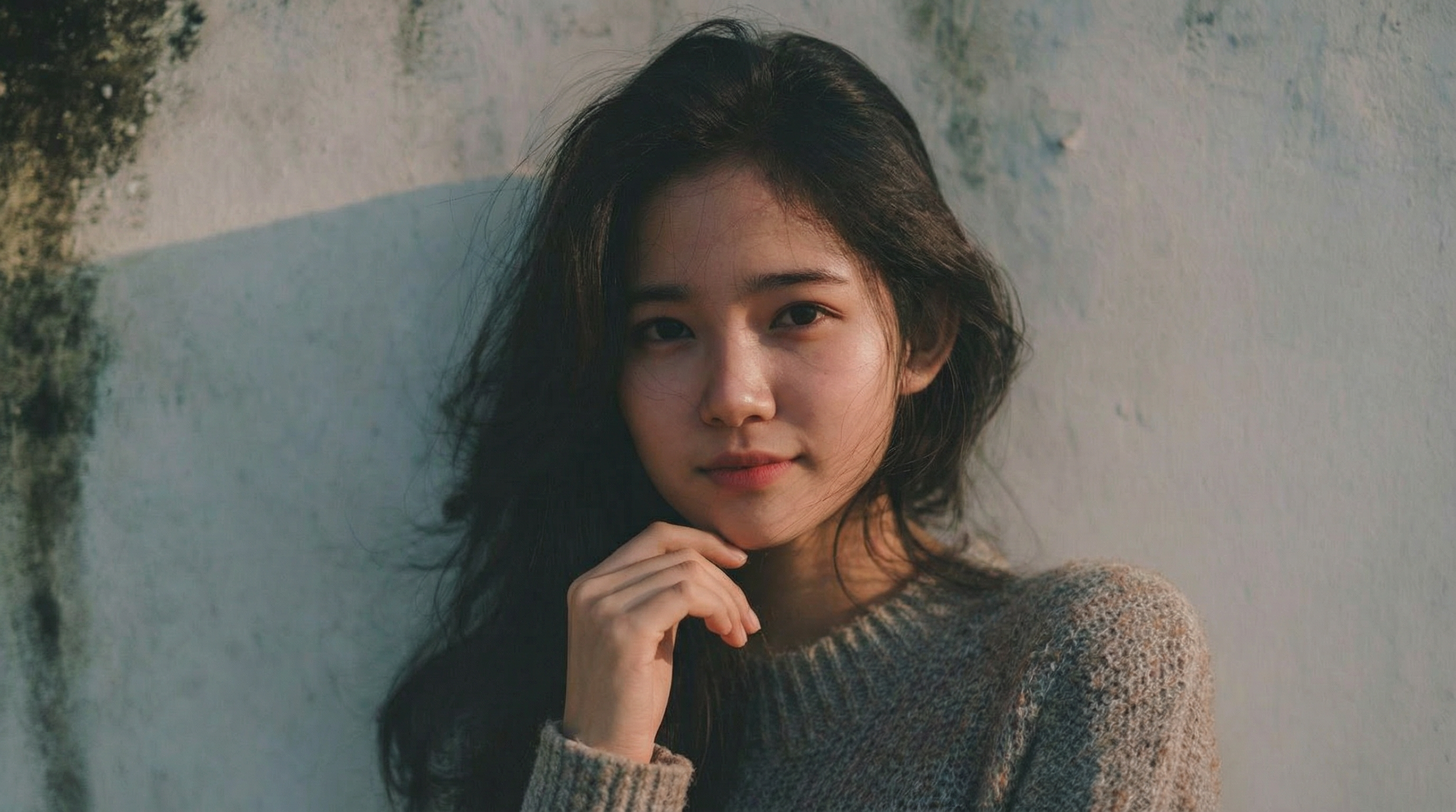
Nano Banana Pro
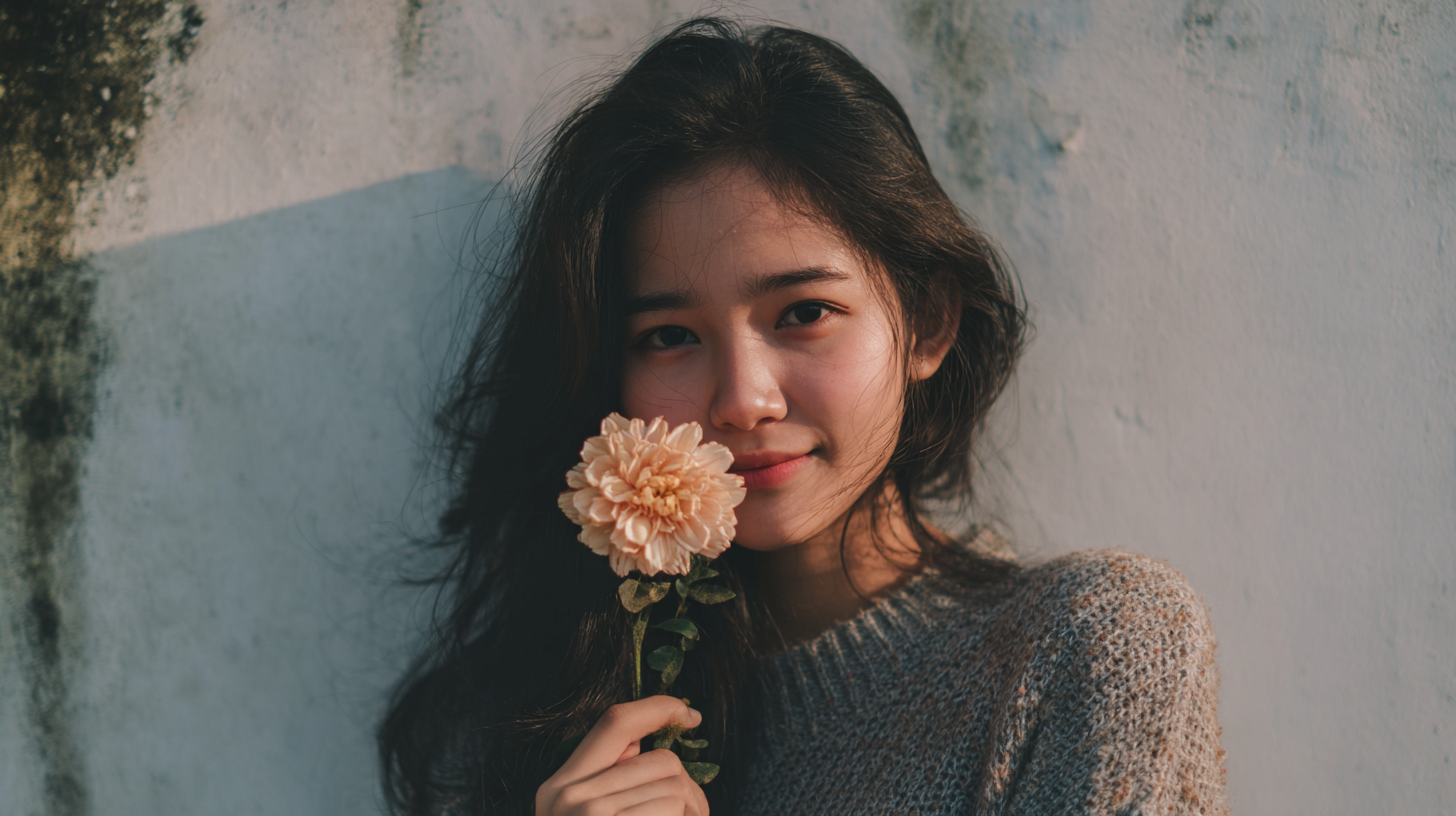
Above we prompted for the flower to be removed from the woman’s hand. Both outputs are decent, but we really prefer Nano Banana Pro’s.
Is Kling 3.0 the Best AI Video generator?
After testing every feature, the picture is clear. Kling feels less like a universal solution and more like the best front-end generator in a multi-tool filmmaking stack.
Where Kling 3.0 Is Best:
Image-to-video animation.
Cinematic motion.
Multi-shot coverage.
Where Kling 3.0 is Still Weak:
Voice cloning and lip-sync.
Omni VFX edits.
Base image generation versus competitors.
TLDR: yes, Kling 3.0 has recenttly risen to the number one seat as the best AI Video Generator on the market. The other tools such as AI Video Editing, AI Image Generation, and AI Image editing, do not seem to be as their video model.
You can see the ranking from our AI Tools Page above. Luma had the #1 spot there for a minute and then Kling came out and took the reigns fast, and by a large margin.
Learn AI Filmmaking Workflows for Free
Diving into the world of AI tools can be incredibly intimidating. You are not alone. We would love to help you on your creative journey.
Fill out the form above, and get started learning one of our favorite workflows for creating video assets using AI. You also get access to our discord server, which allows you to connect with so many industry professionals.
We hope you enjoyed this article. Best of luck creating. :)
