
How Good Is GPT Image 2.5? | Tutorial
In this article and tutorial, we’ll share our honest review of GPT Image 2.5, OpenAI’s latest update to its AI image generation and editing model.
The new model promises better accuracy, intelligence, and detail, but how does it actually compare to leading image models?
We tested GPT Image 2.5 across:
Photorealistic image generation
Style and color references
Character sheets
Multi-reference generation
Character and outfit editing
Compositing and text replacement
Product photography
Posters and graphic design
Iterative image editing
Below, we’ll break down where GPT Image 2.5 impressed us, where it struggled, and when we’d actually use it in a professional workflow.
Let’s get into it!
How Good Is GPT Image 2.5? | Tutorial
Below is our full breakdown after testing GPT Image 2.5 against some of the leading AI image models available today.
How Good Is GPT Image 2.5? | Tutorial
Below is our full breakdown after testing GPT Image 2.5 against some of the leading AI image models available today.
What Is GPT Image 2.5?
GPT Image 2.5 is OpenAI’s latest image generation and editing model.
You can generate and edit images directly inside ChatGPT, but for these tests, we primarily used Magnific so we could compare GPT Image 2.5 against other models using the same prompts and references.
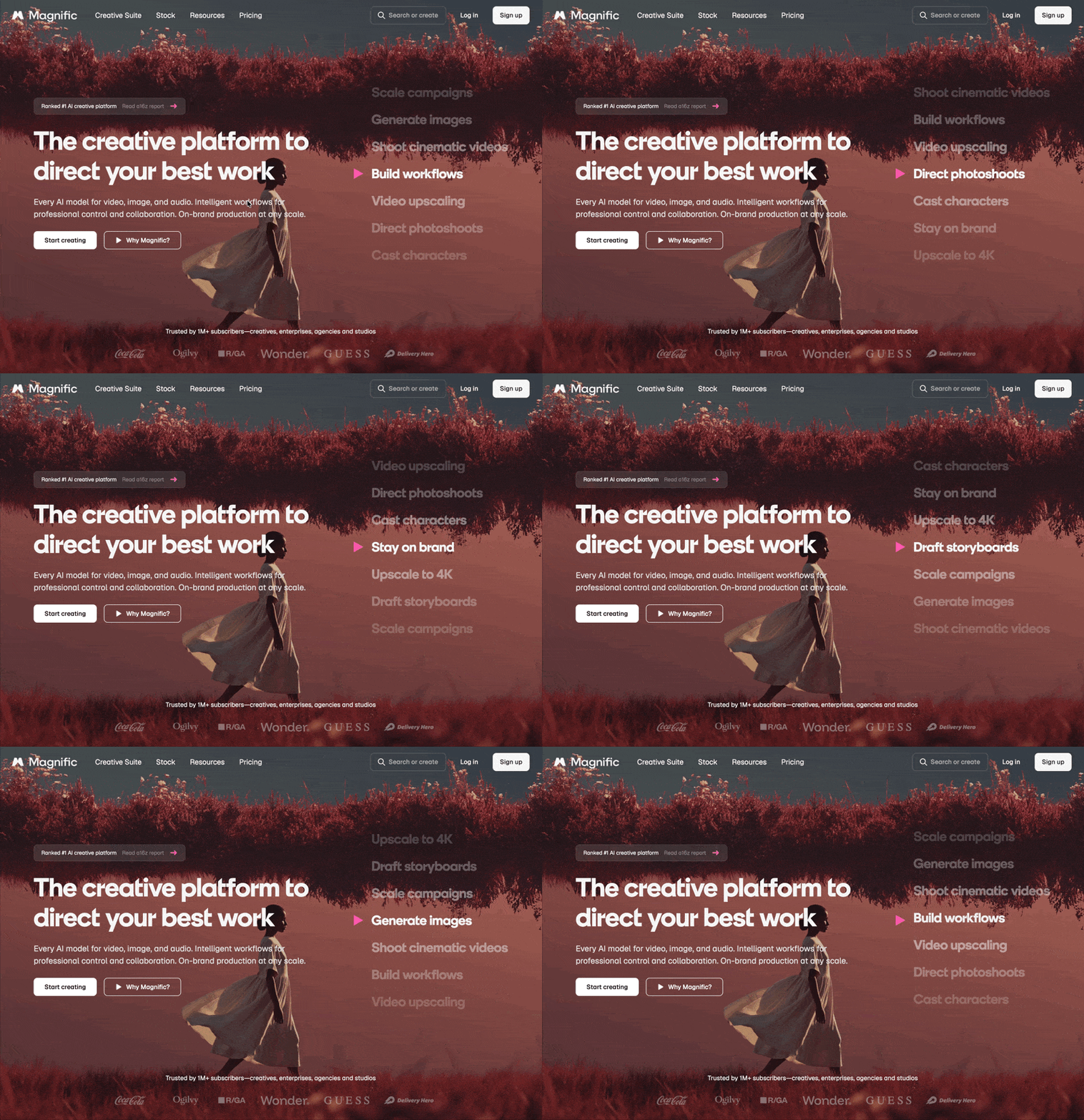
Inside Magnific, we used the higher-quality Sunburst version of GPT Image 2.5. We could also control the aspect ratio, resolution, number of generations, and generate images at up to 4K.
At 4K, a generation costs around $1 per image through Magnific, which can add up quickly during creative exploration.
After running GPT Image 2.5 through a range of professional workflows, one thing became pretty clear:
Its biggest strength isn’t necessarily generating your starting image. It’s understanding what you want to do with it.
The Good: Intelligent Editing and Reference Handling
While GPT Image 2.5 didn’t always produce the most realistic base images, it became much more impressive when we tested workflows that required deeper understanding of references and editing instructions.
1. Complex Multi-Reference Generation
One of our strongest tests involved giving GPT Image 2.5 three different references:
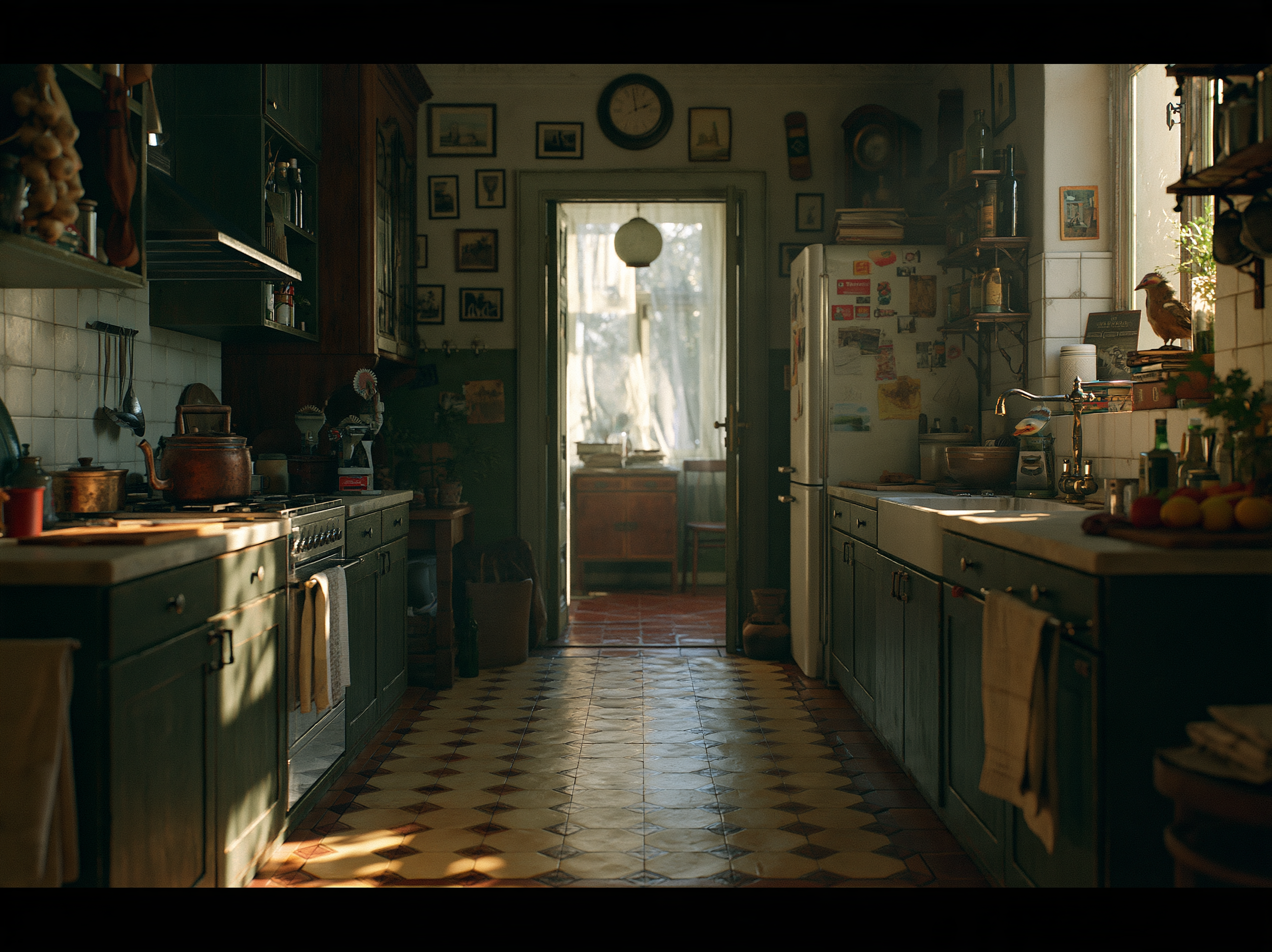
Reference Image for visual style
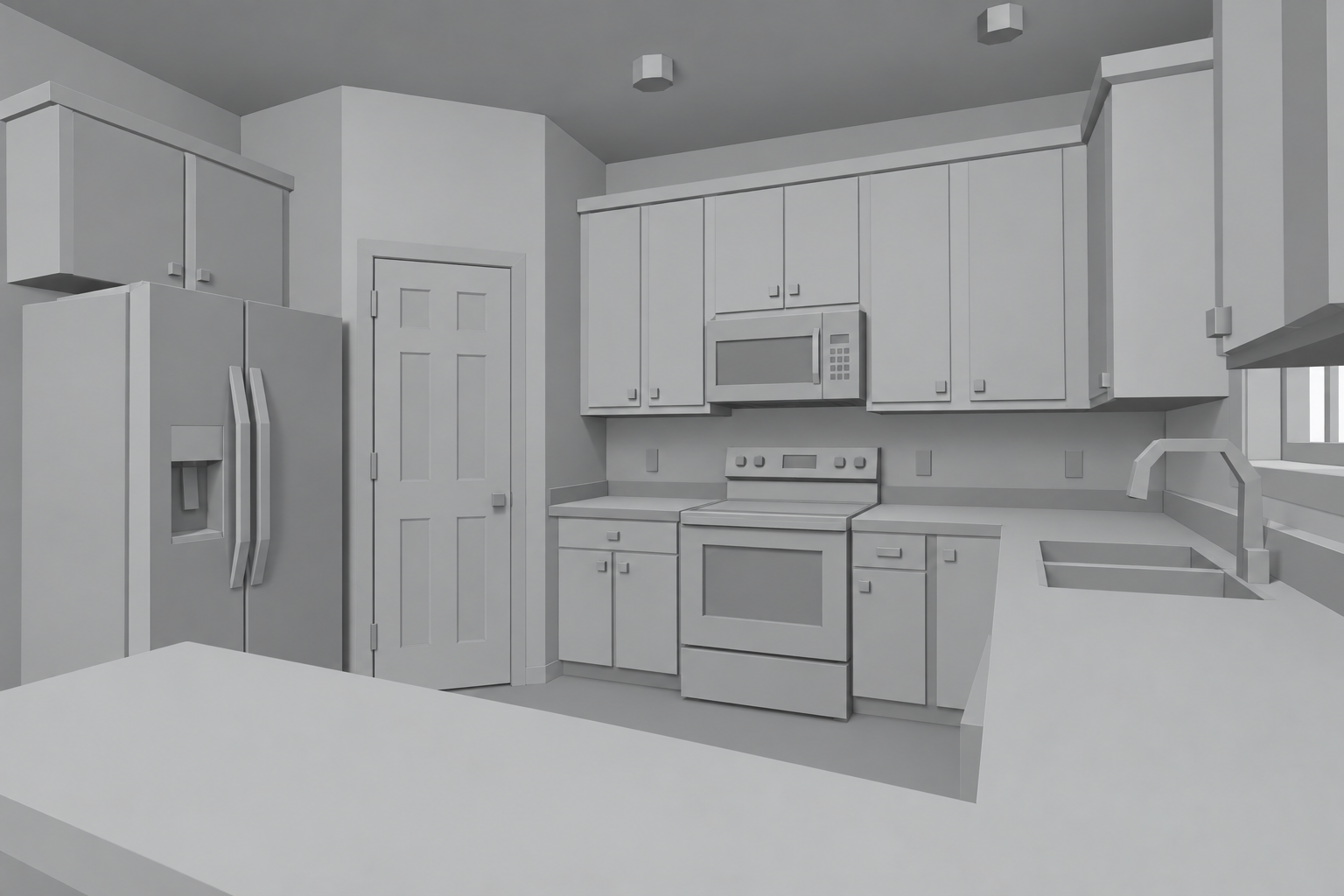
Reference 3D Composition
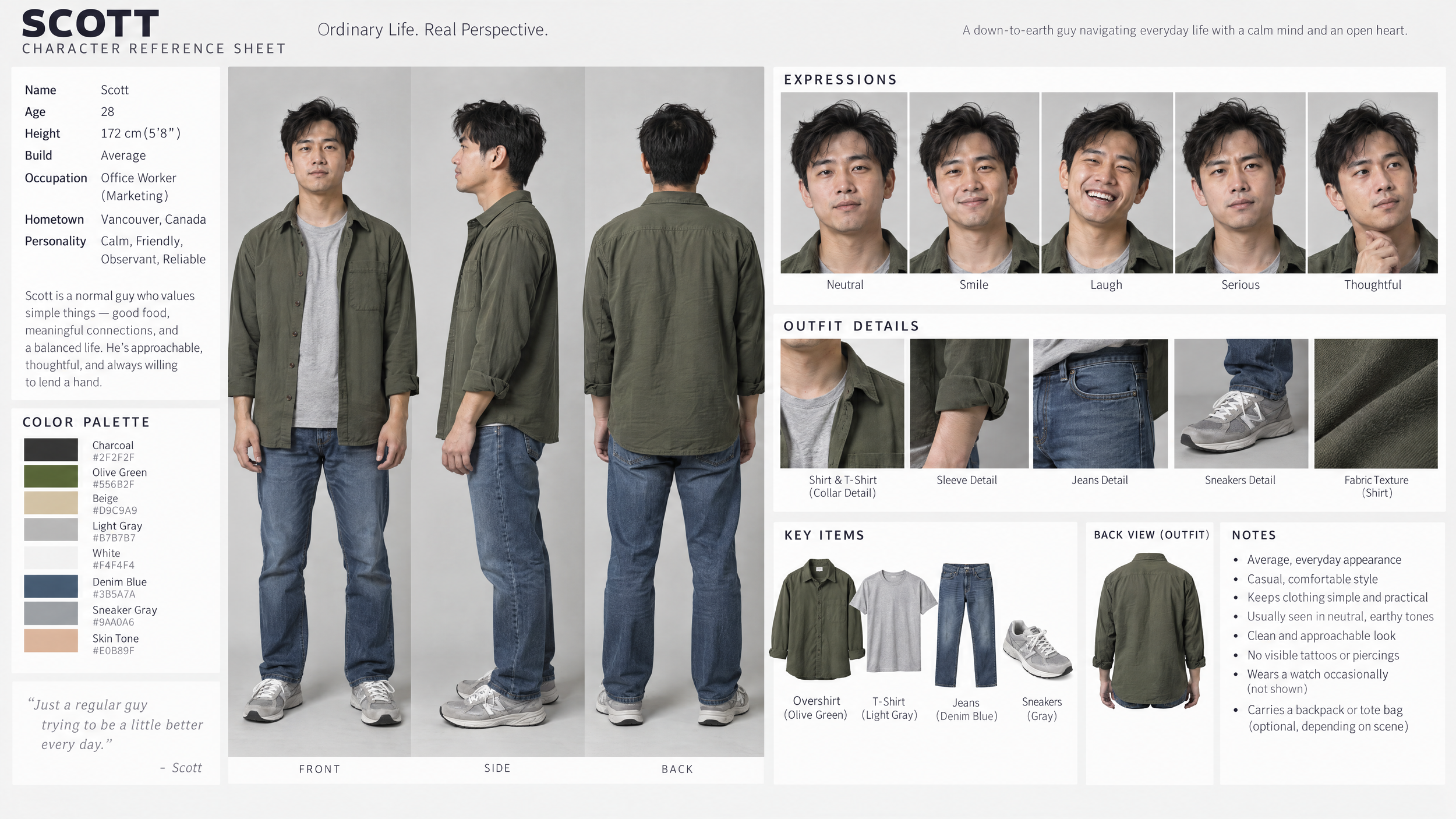
Reference Character Sheet
We then asked GPT Image 2.5 and Nano Banana Pro to combine everything into one final image.
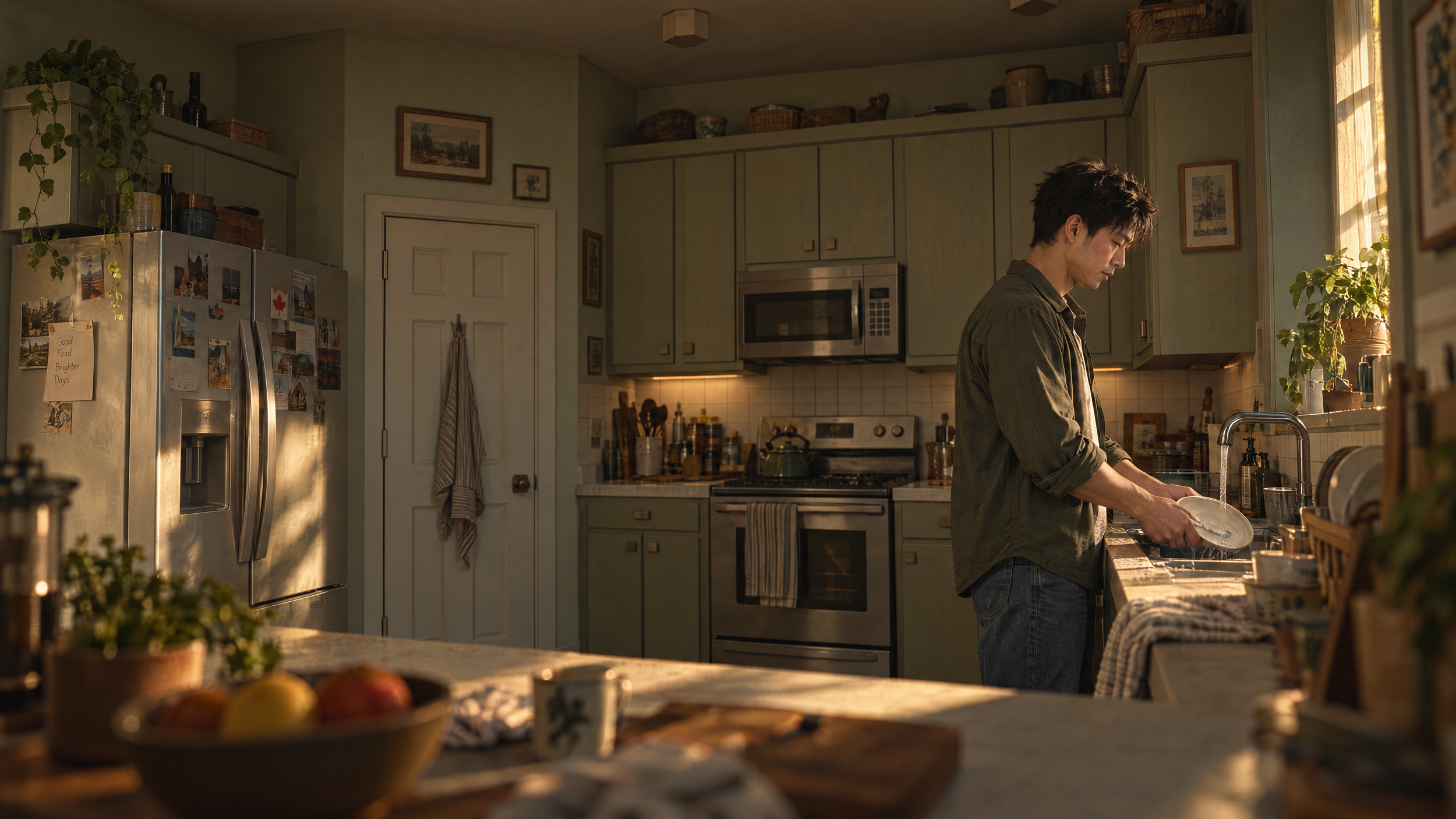
GPT Image 2.5
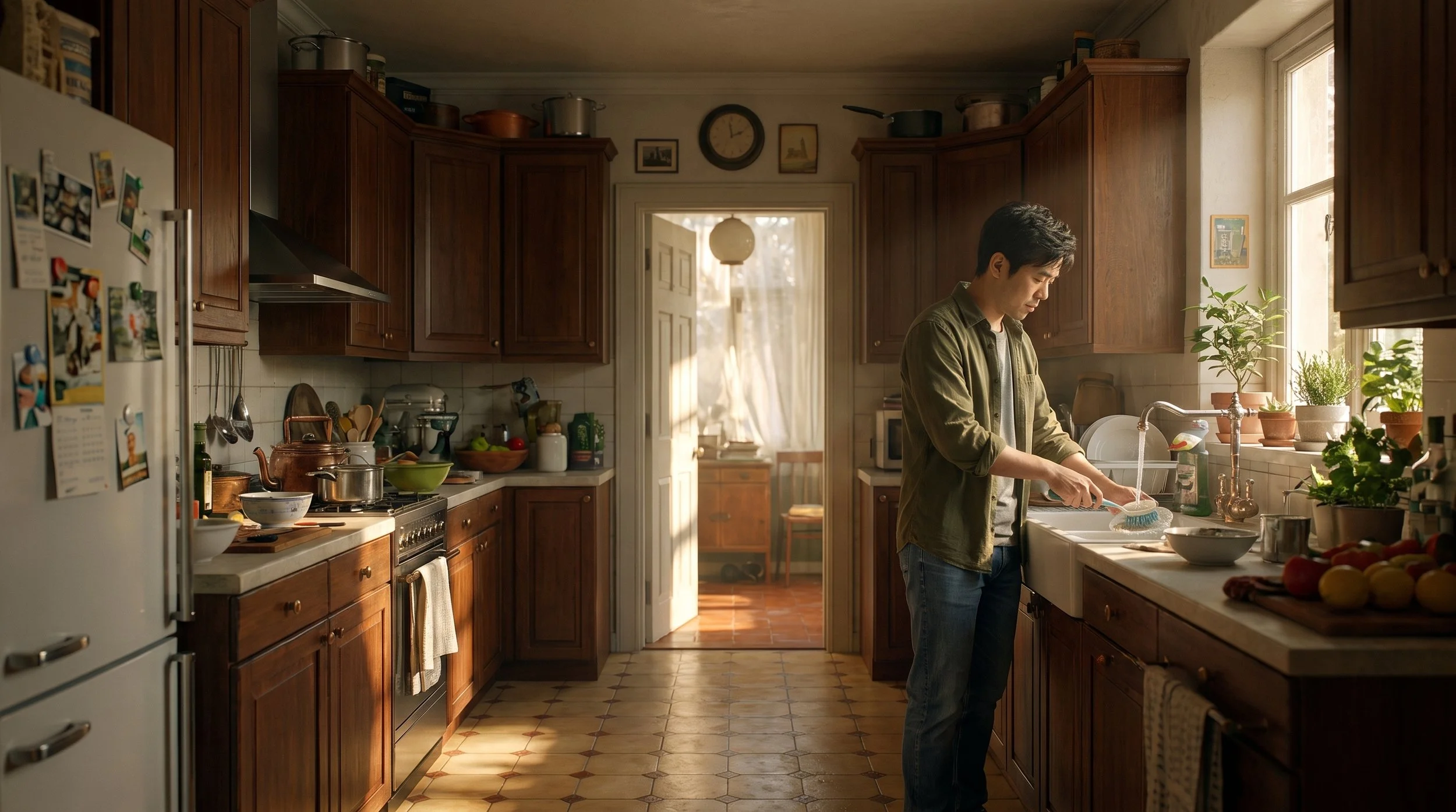
Nano Banana Pro
GPT Image 2.5 did an excellent job preserving the composition while incorporating the correct character and visual style.
Nano Banana Pro produced a good-looking image, but didn’t follow the requested composition nearly as closely.
GPT Image 2.5 was the clear winner for complex multi-reference generation.
2. Intelligent Editing and Compositing
GPT Image 2.5 is particularly strong when making controlled changes to an existing image.
We started with an image of a man boarding a plane and progressively changed his outfit from a Hawaiian shirt to an explorer outfit, suit, pirate costume, and finally Santa.

Reference Image

GPT Image 2.5 Edit Pass 1

Mai Image 2.6 Edit Pass 1

GPT Image 2.5 Edit Pass 2

GPT Image 2.5 Edit Pass 3

GPT Image 2.5 Edit Pass 4

GPT Image 2.5 Edit Pass 5

Mai Image 2.6 Edit Pass 2

Mai Image 2.6 Edit Pass 3

Mai Image 2.6 Edit Pass 4

Mai Image 2.6 Edit Pass 5
What impressed us wasn’t just the individual edits. GPT Image 2.5 was able to use context from earlier in the conversation rather than simply building every new edit on top of the previous image.
We saw similar strengths with compositing.
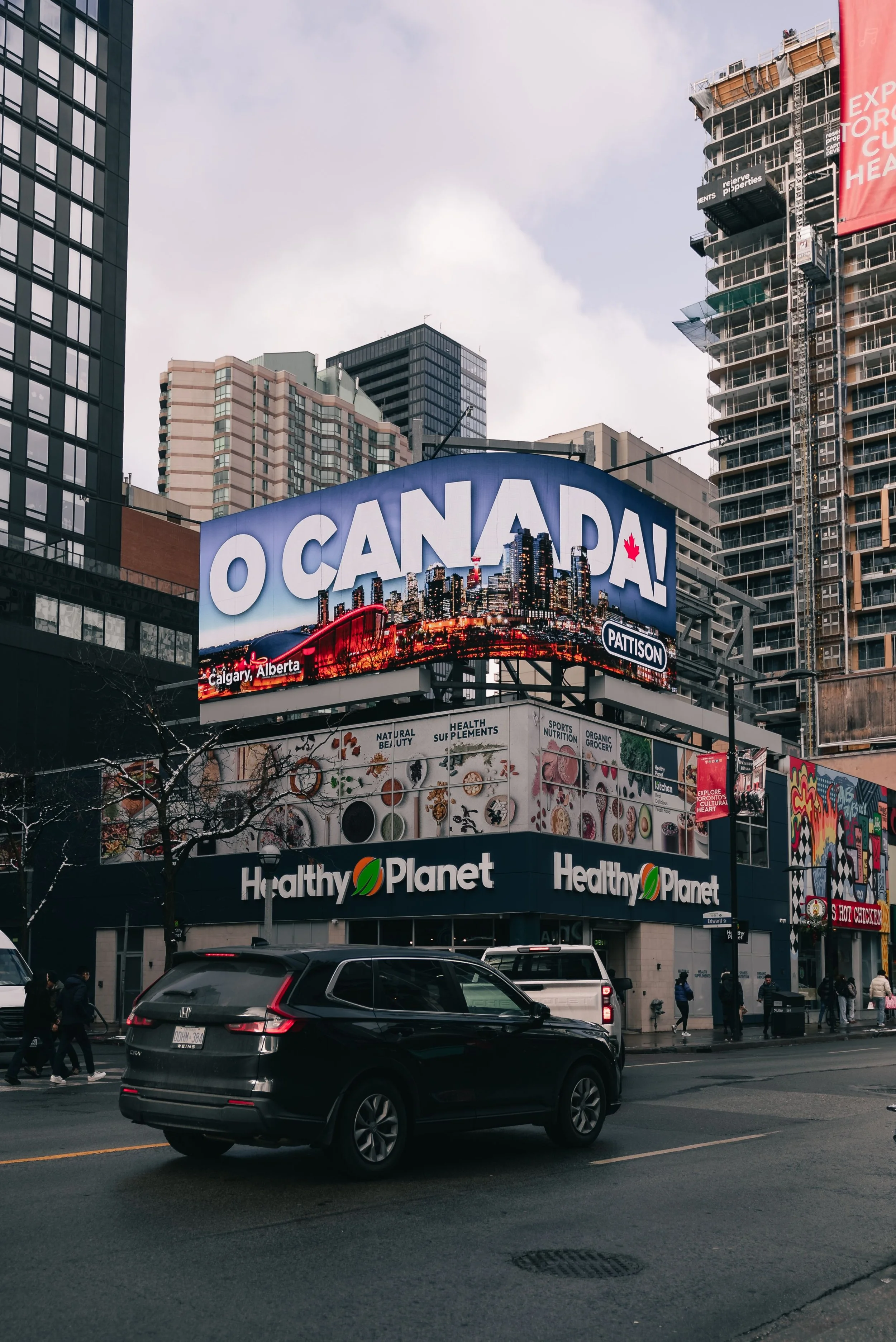
Reference Image
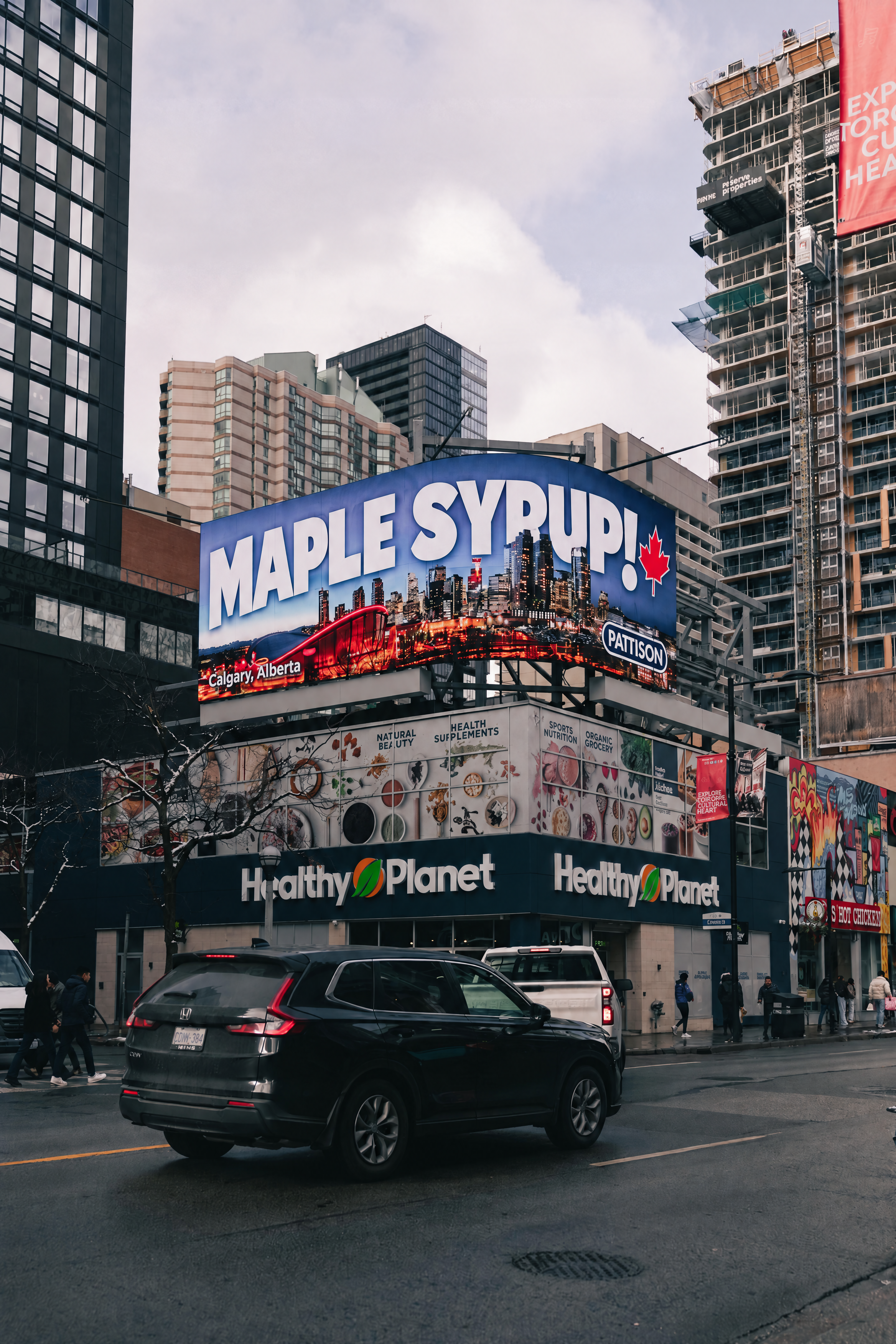
GPT Image 2.5
GPT Image 2.5 could replace an existing billboard design while understanding its perspective and placement. It could even replace text while preserving the original wrapping and proportions.
For targeted image edits and compositing, GPT Image 2.5 is one of the most intelligent models we’ve tested.
3. Style and Color Matching
GPT Image 2.5 also performed well when asked to closely interpret an existing visual reference.
We gave it a handmade stamp-style graphic and asked it to recreate the Lincoln Memorial using the same visual language.
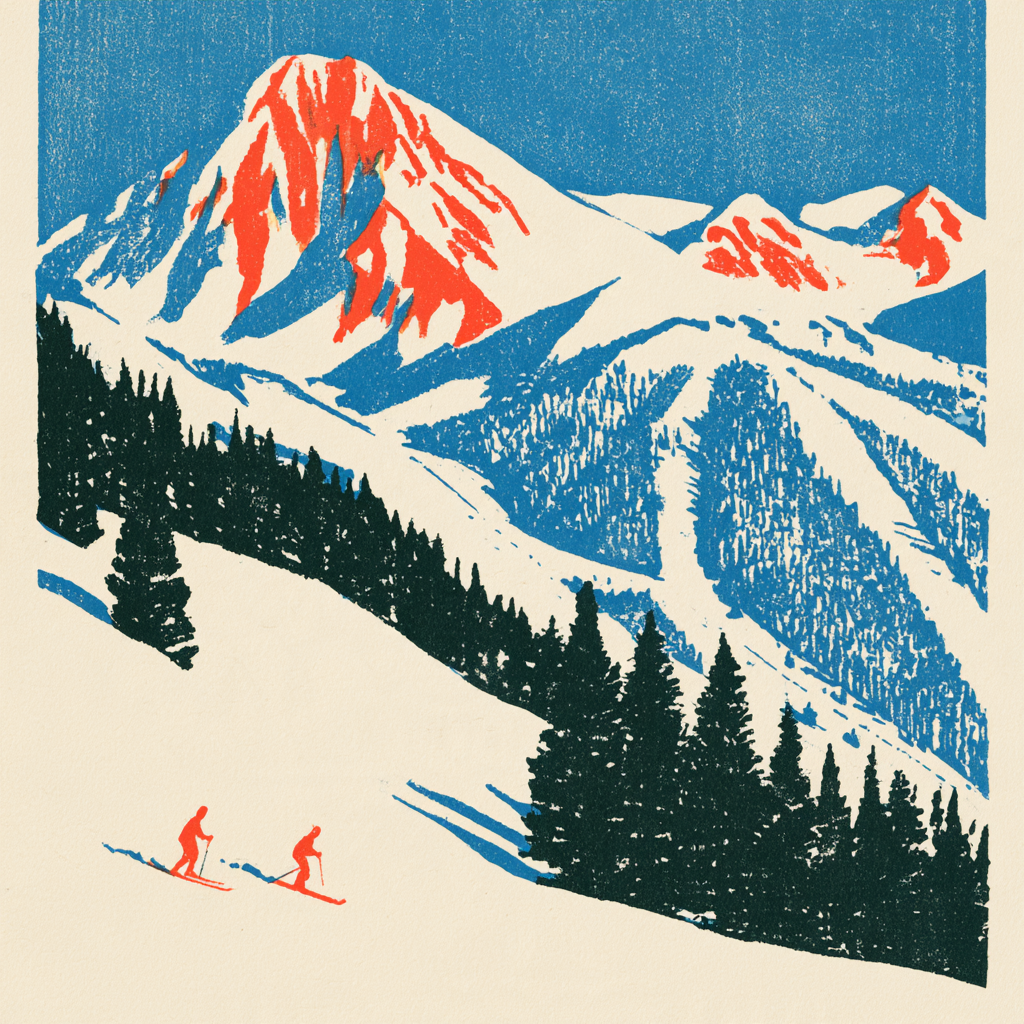
Style Reference
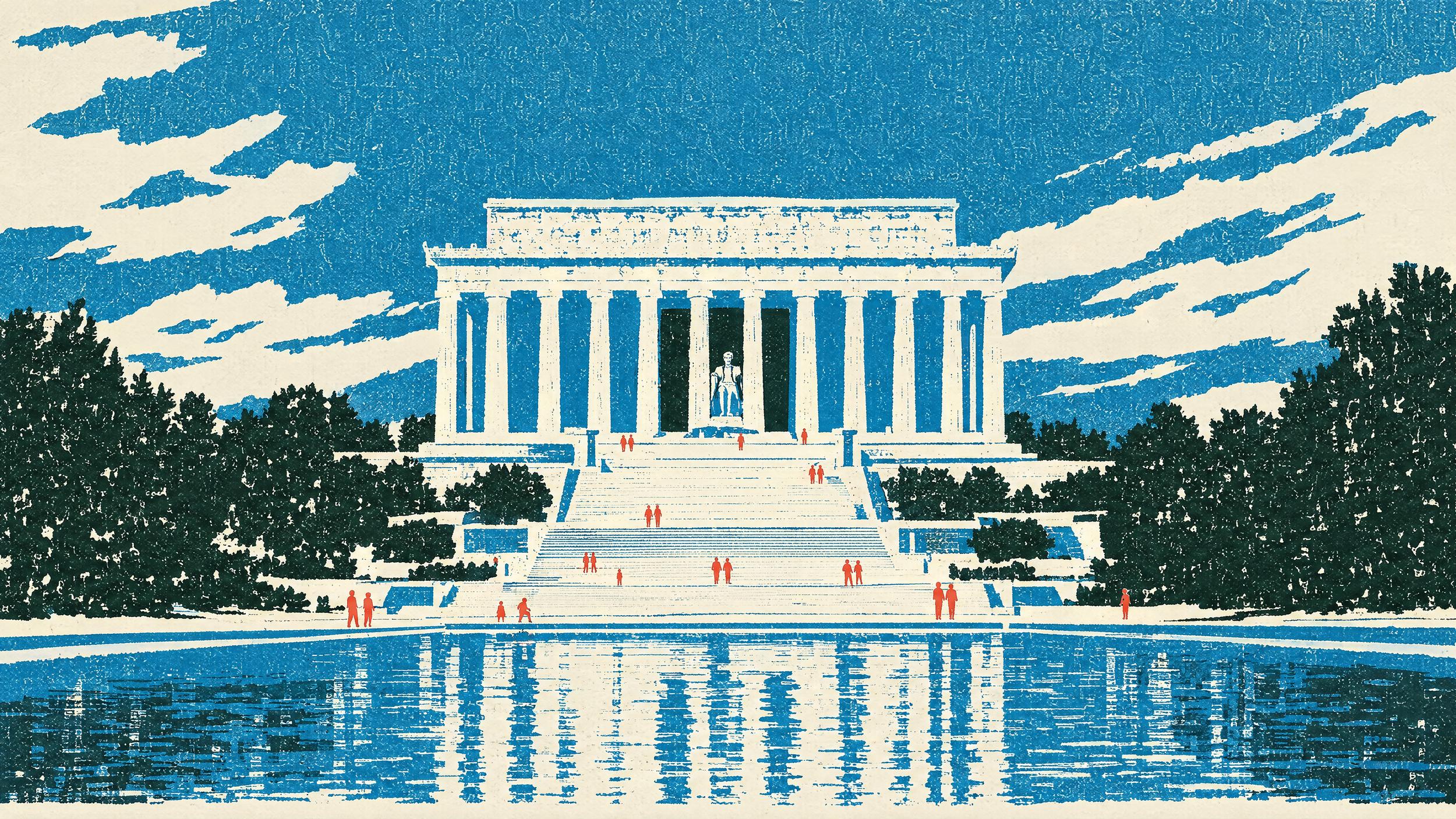
GPT Image 2.5
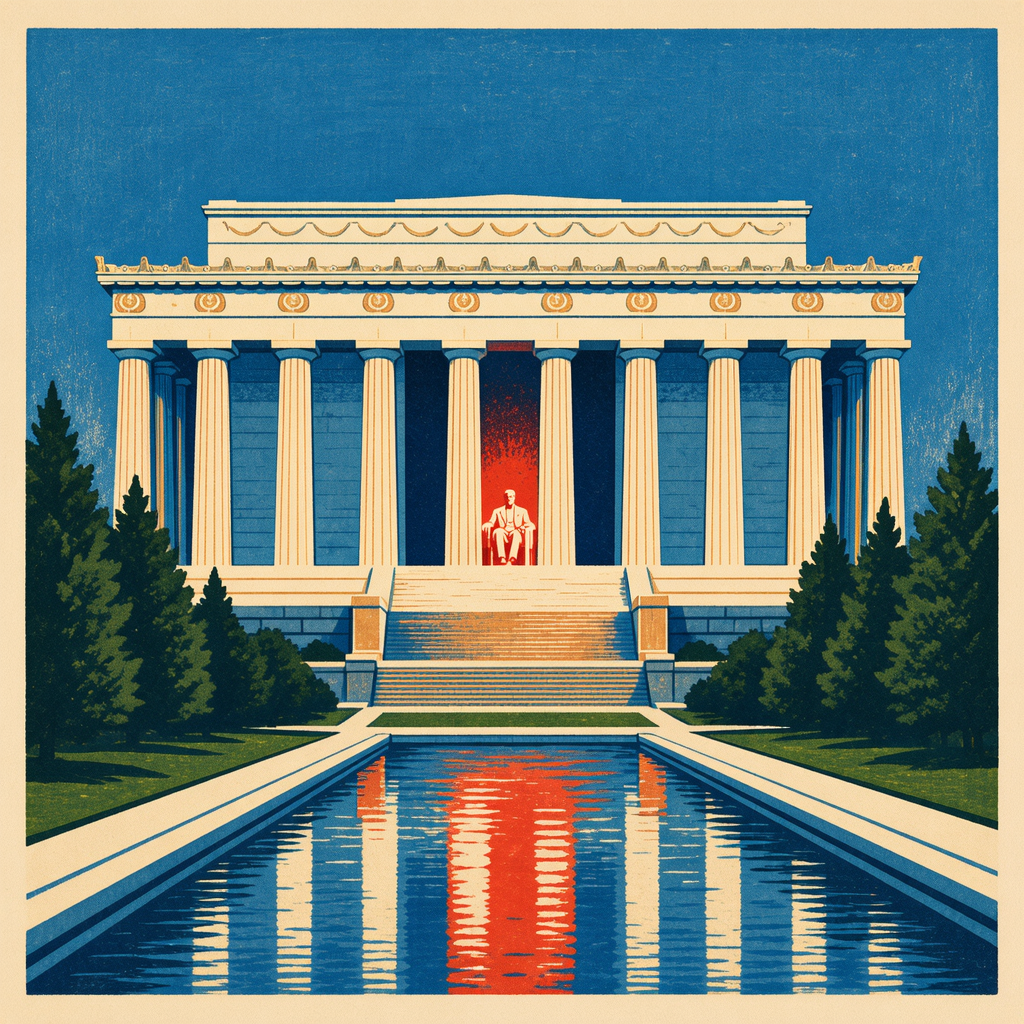
Mai Image 2.6
GPT Image 2.5 stayed remarkably close to the reference, while our comparison model took significantly more creative liberties.
We saw a similar advantage with color matching.
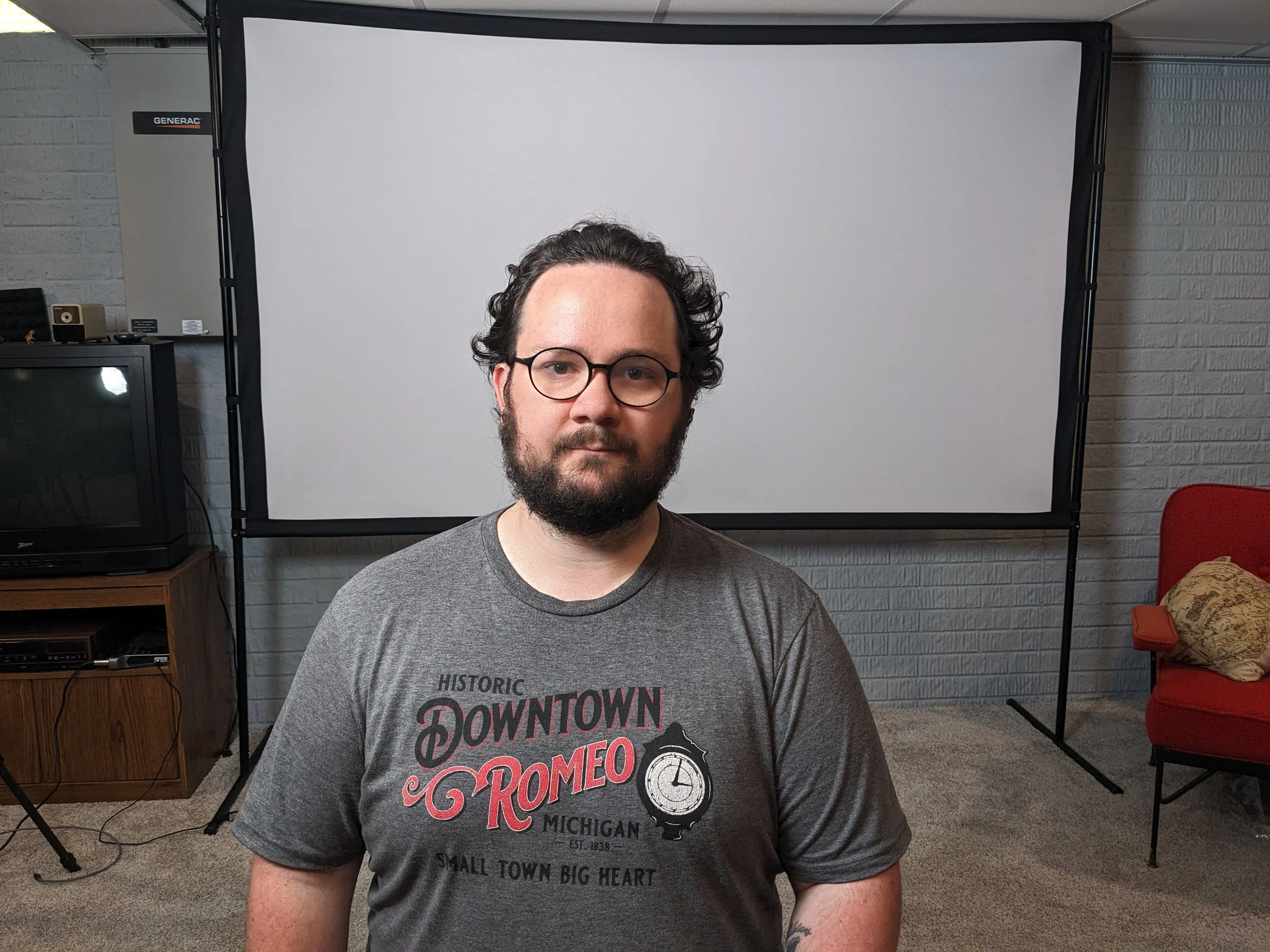
Reference Image
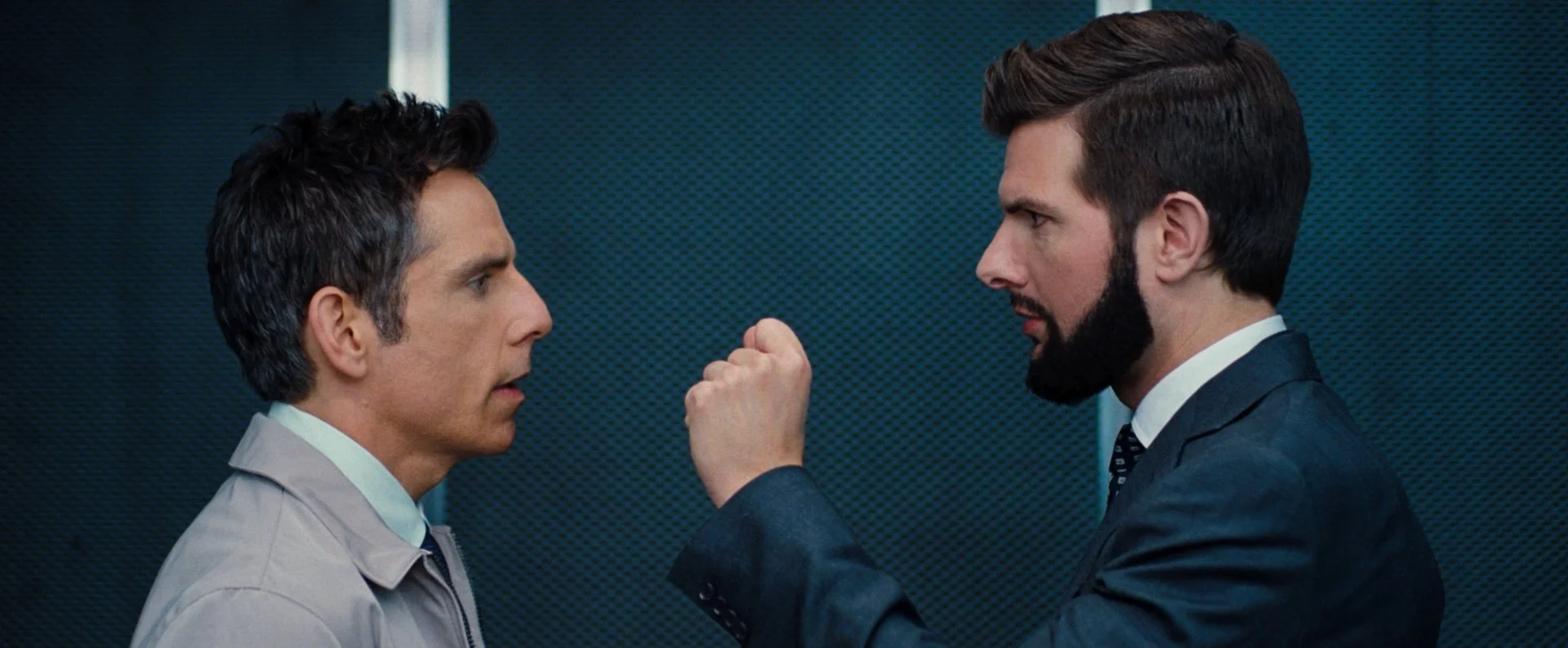
Color Reference

GPT Image 2.0
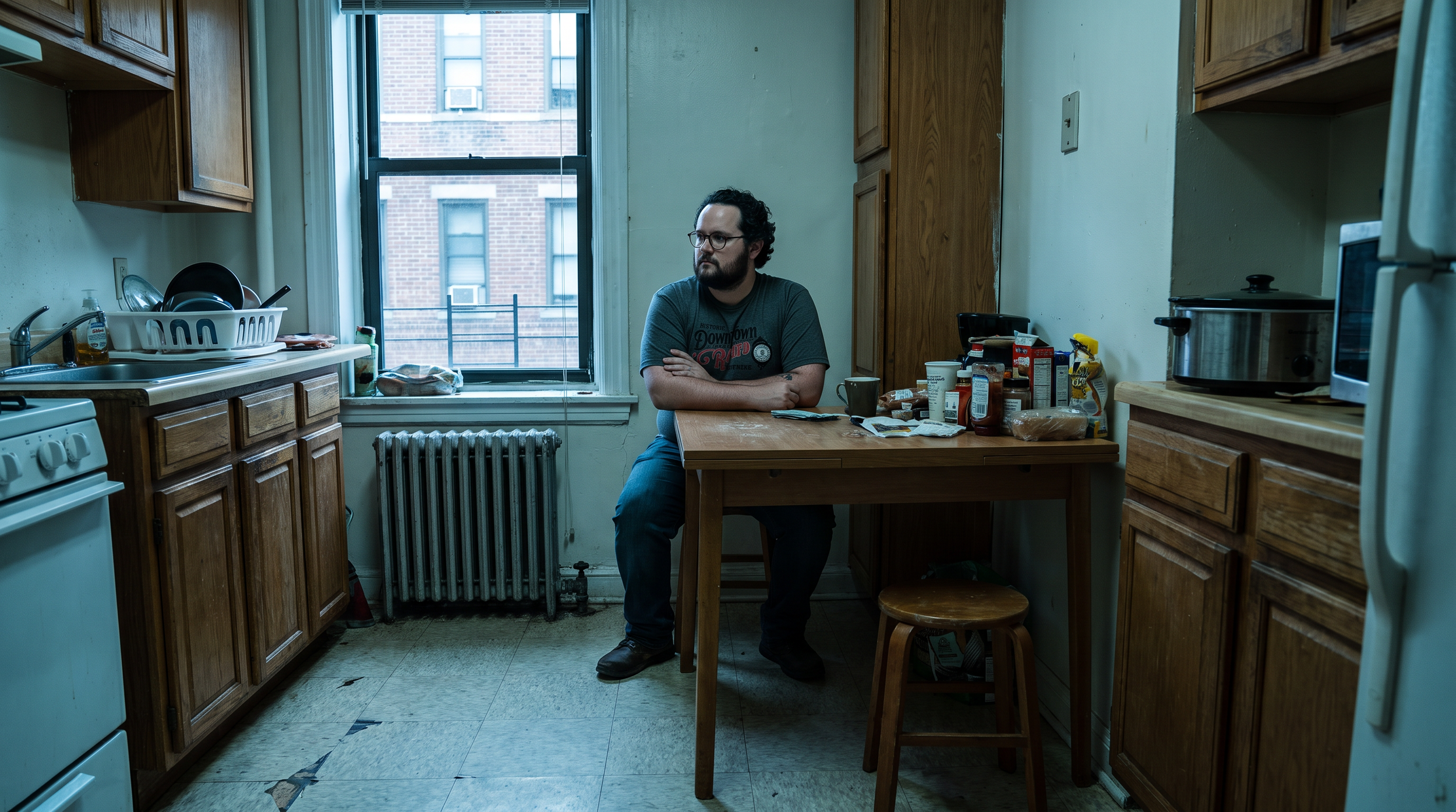
Nano Banana Pro
GPT Image 2.5 did a better job translating the requested color treatment, while Nano Banana Pro drifted further from the reference.
If closely matching a specific style or color grade is the priority, GPT Image 2.5 is particularly strong.
4. Product Photography
One of our favorite professional applications was product photography.
We started with an existing lifestyle photograph and asked GPT Image 2.5 to replace the original product with a completely different one.
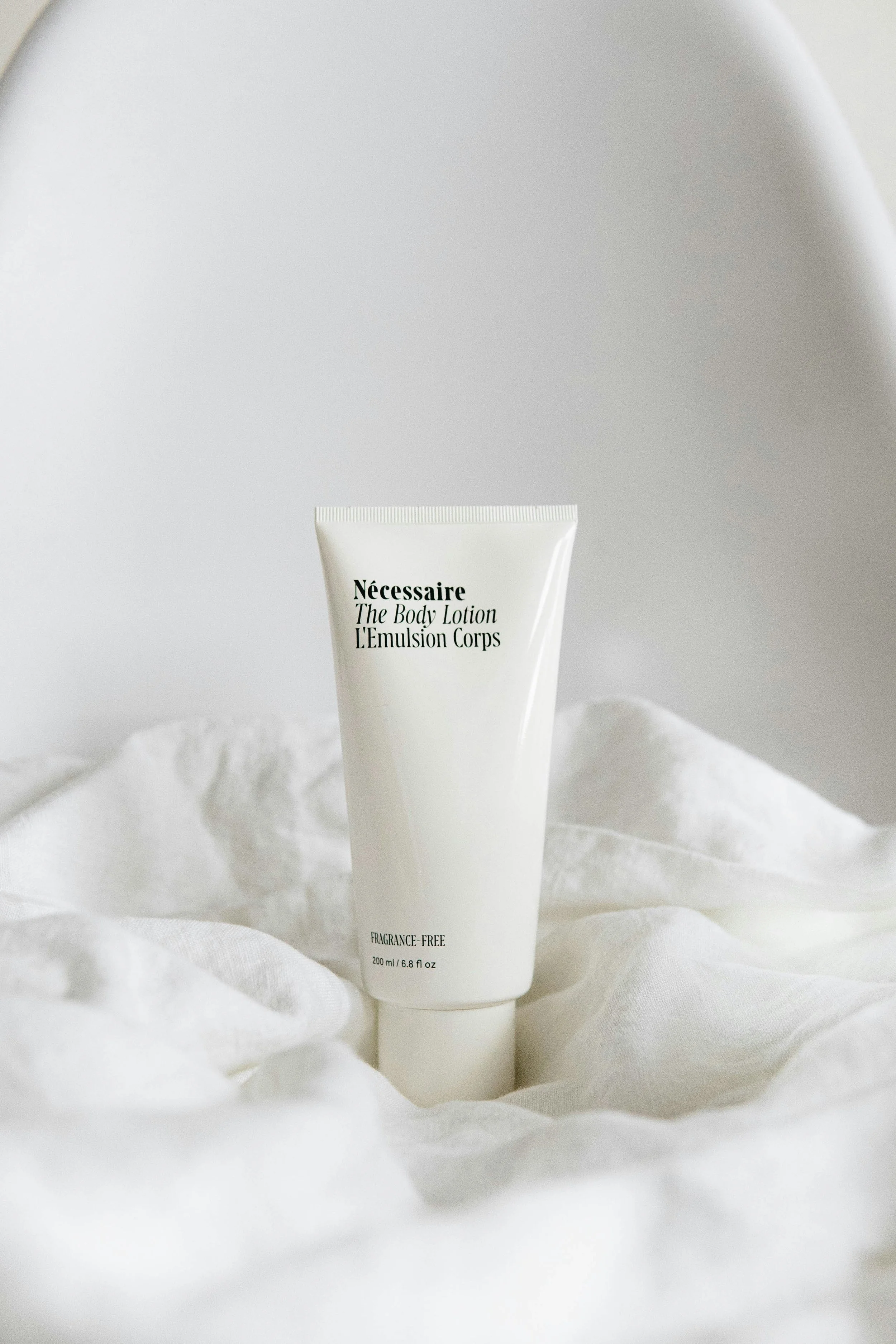
Product Photography Reference
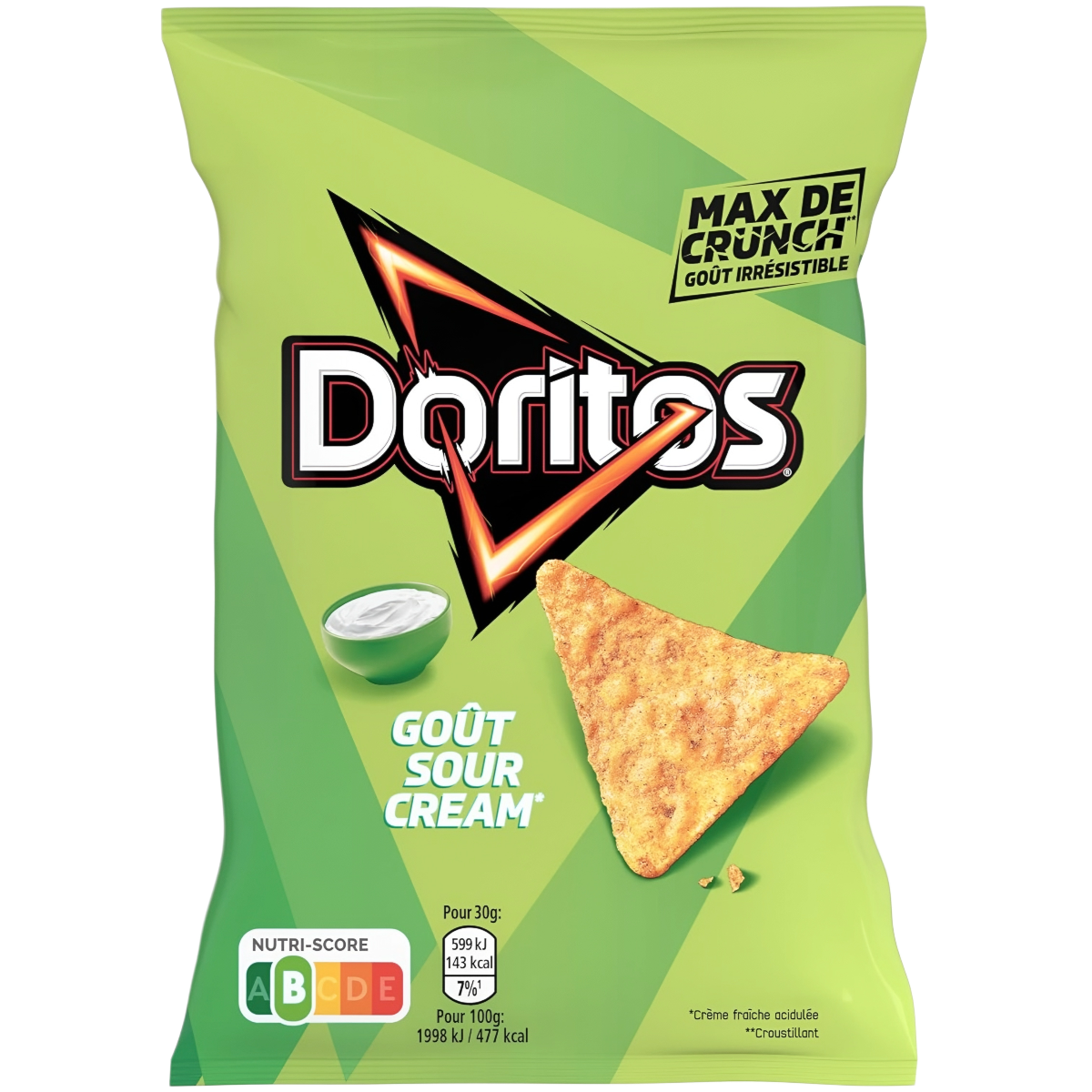
Product Reference
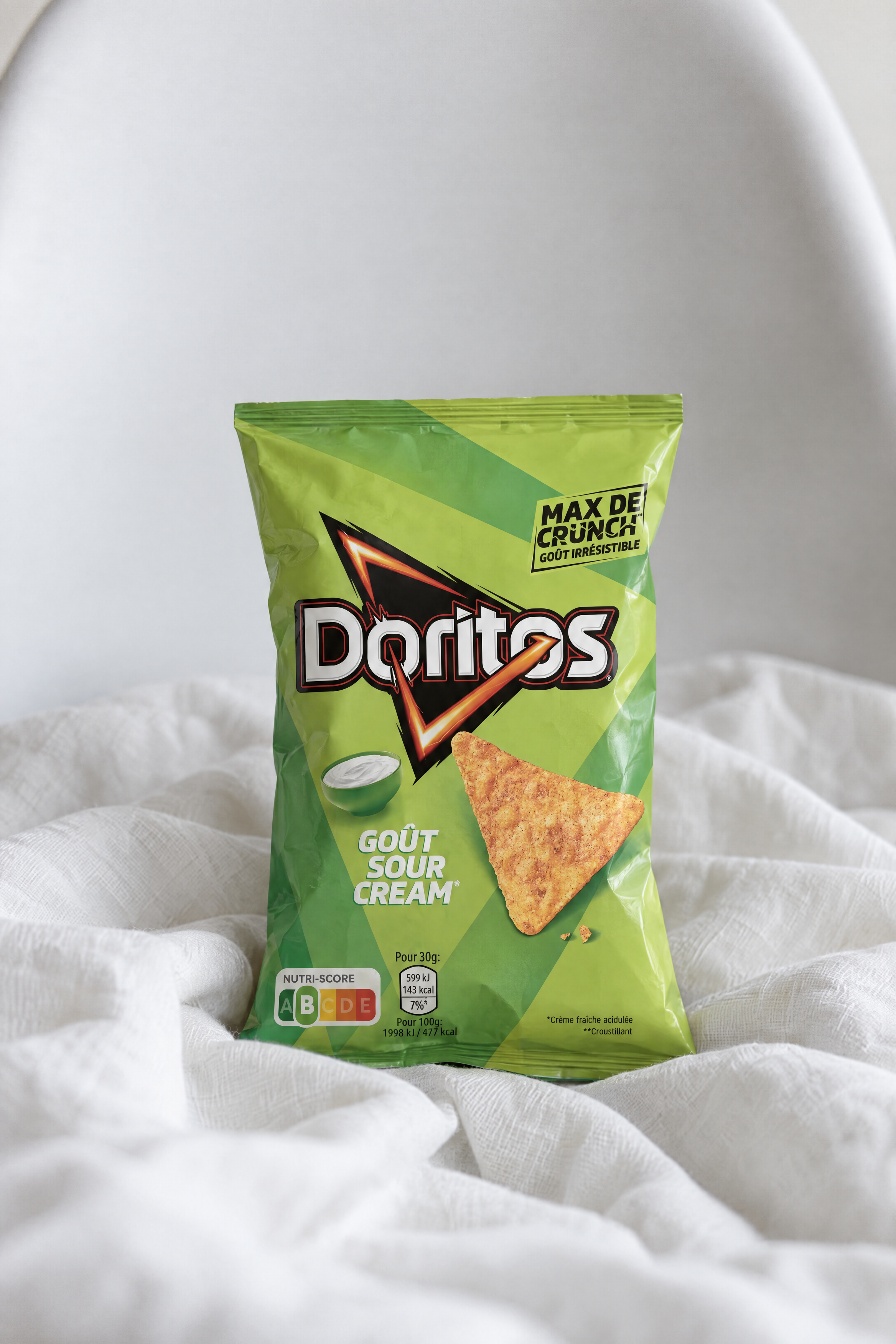
GPT Image 2.5
The result was remarkably convincing.
The model understood the product’s placement, perspective, lighting, and relationship with the surrounding environment. It even introduced natural wrinkles and imperfections that made the replacement feel physically present in the photograph.
For product swaps and advertising concepts, GPT Image 2.5 is an incredibly strong option.
The Biggest Weaknesses Right Now
While GPT Image 2.5 impressed us with its intelligence, it didn’t win every test.
And its biggest weakness showed up almost immediately.
1. Nano Banana Pro Still Wins for Photorealism
We started with a simple test: generate a realistic, candid photograph of a woman sitting at home.
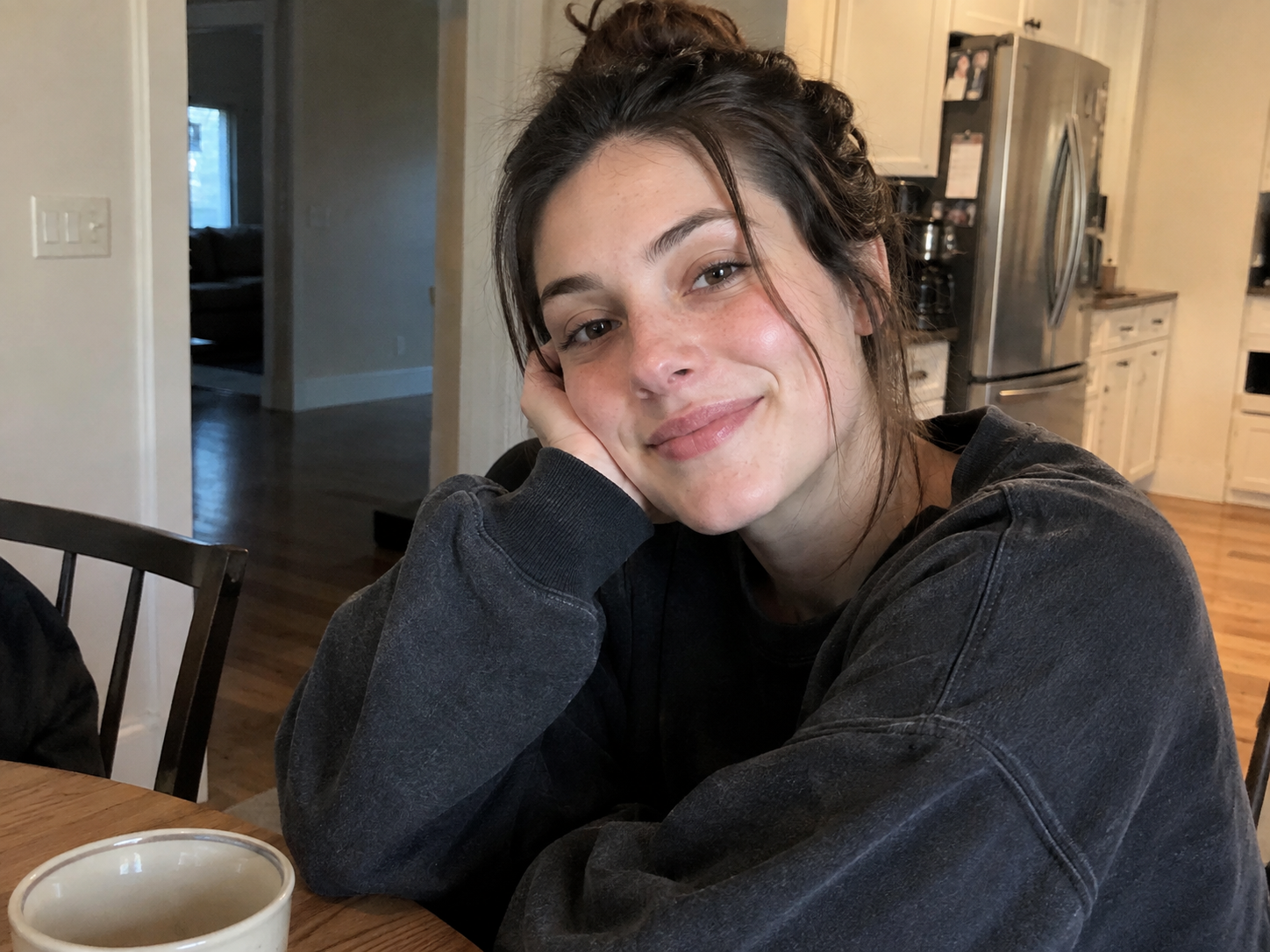
GPT Image 2.5

Nano Banana Pro
At first glance, the GPT Image 2.5 result looks extremely realistic.
But when you zoom in, faces and other fine details can develop an artificial fractal-like texture. Skin can look overly sharpened, and small features like eyebrows begin to feel synthetic.
Nano Banana Pro gave us a more natural-looking photograph without as much of that artificial texture.
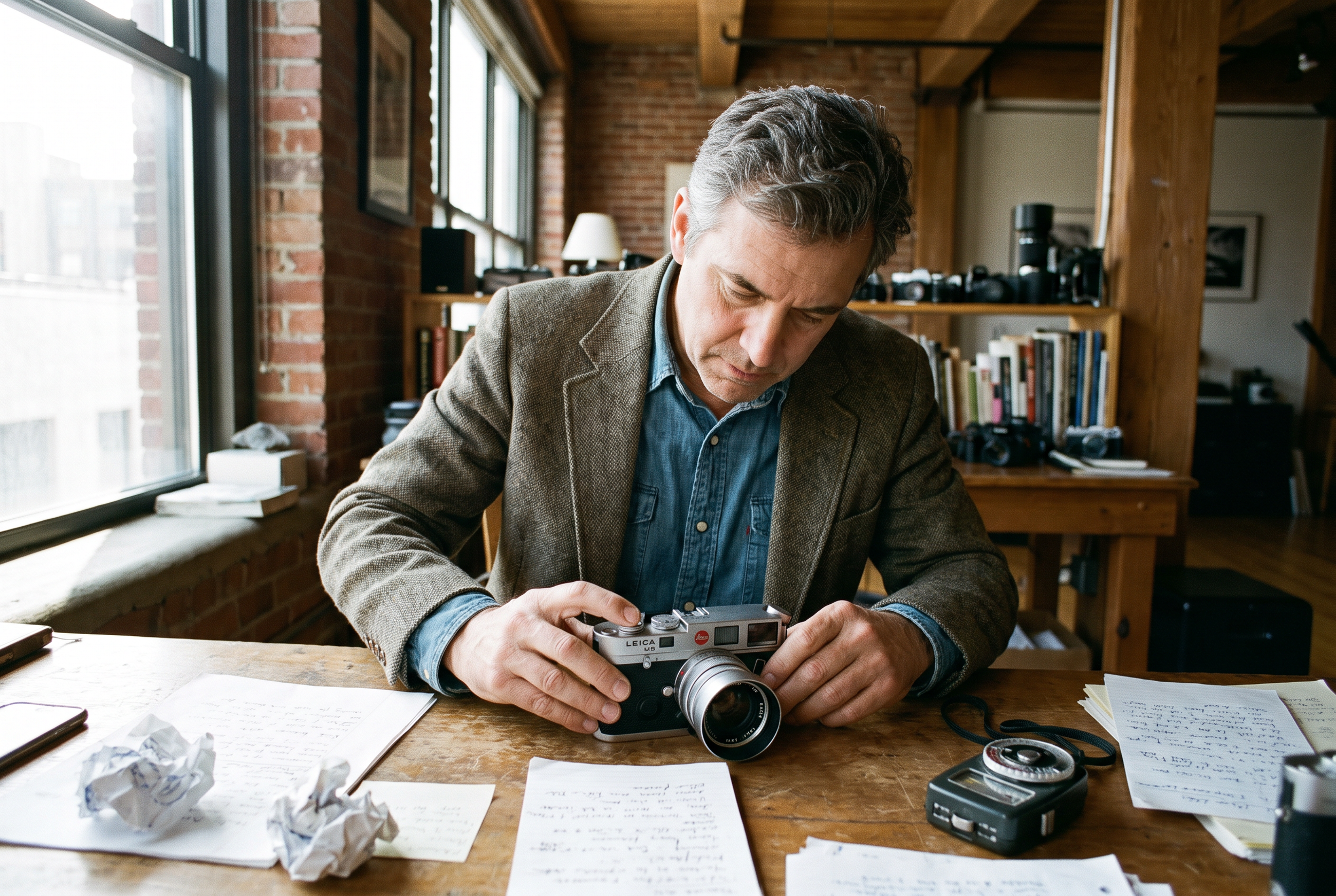
We saw the same trend when generating an editorial-style photograph of a man sitting at his desk.

GPT Image 2.5
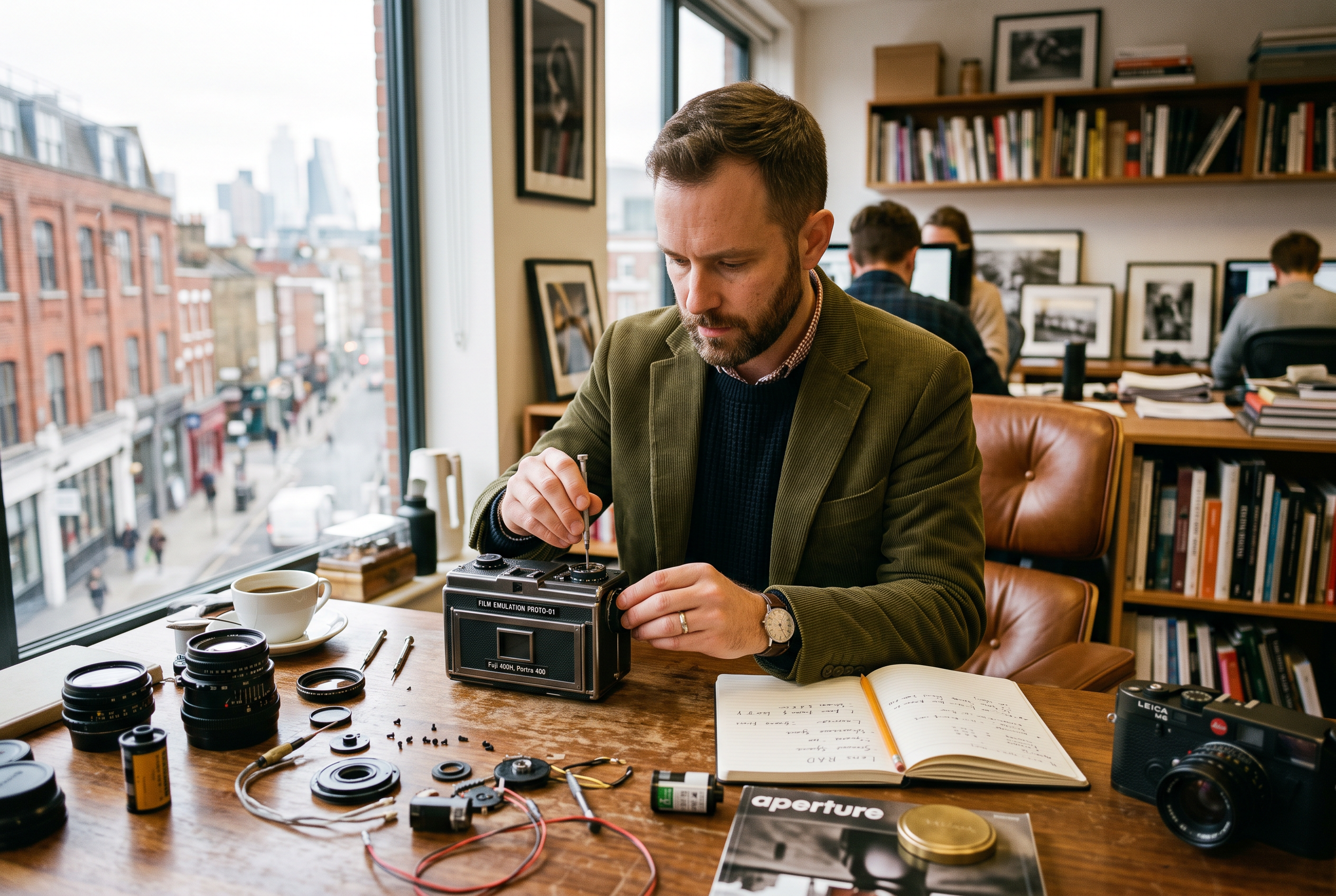
Nano Banana 2
Nano Banana Pro
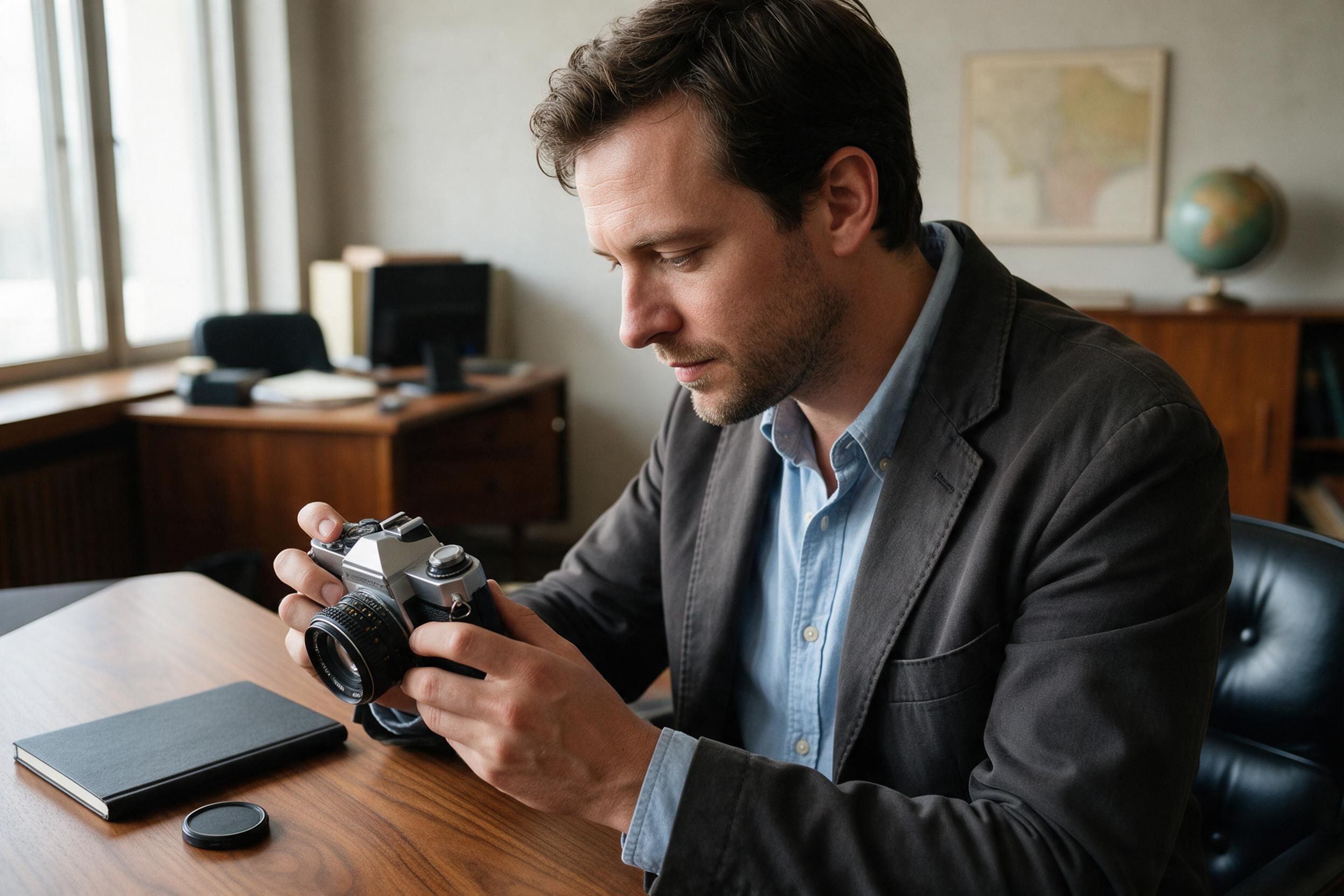
Seedream 5.0
GPT Image 2.5 felt overly sharp and contrasted, with strange staged text appearing throughout the environment.
Nano Banana 2 produced a decent result, but Nano Banana Pro gave us the strongest base photograph overall.
Seedream 5.0 was also solid, but the skin looked more plasticky in comparison.
Across these photorealism tests, Nano Banana Pro consistently produced more natural skin, cleaner textures, and more convincing photography.
2. Character Sheets Are a Trade-Off
We also tested GPT Image 2.5 for character sheets, which are particularly useful in AI filmmaking workflows.
We gave the model a single character reference and asked it to create several angles.
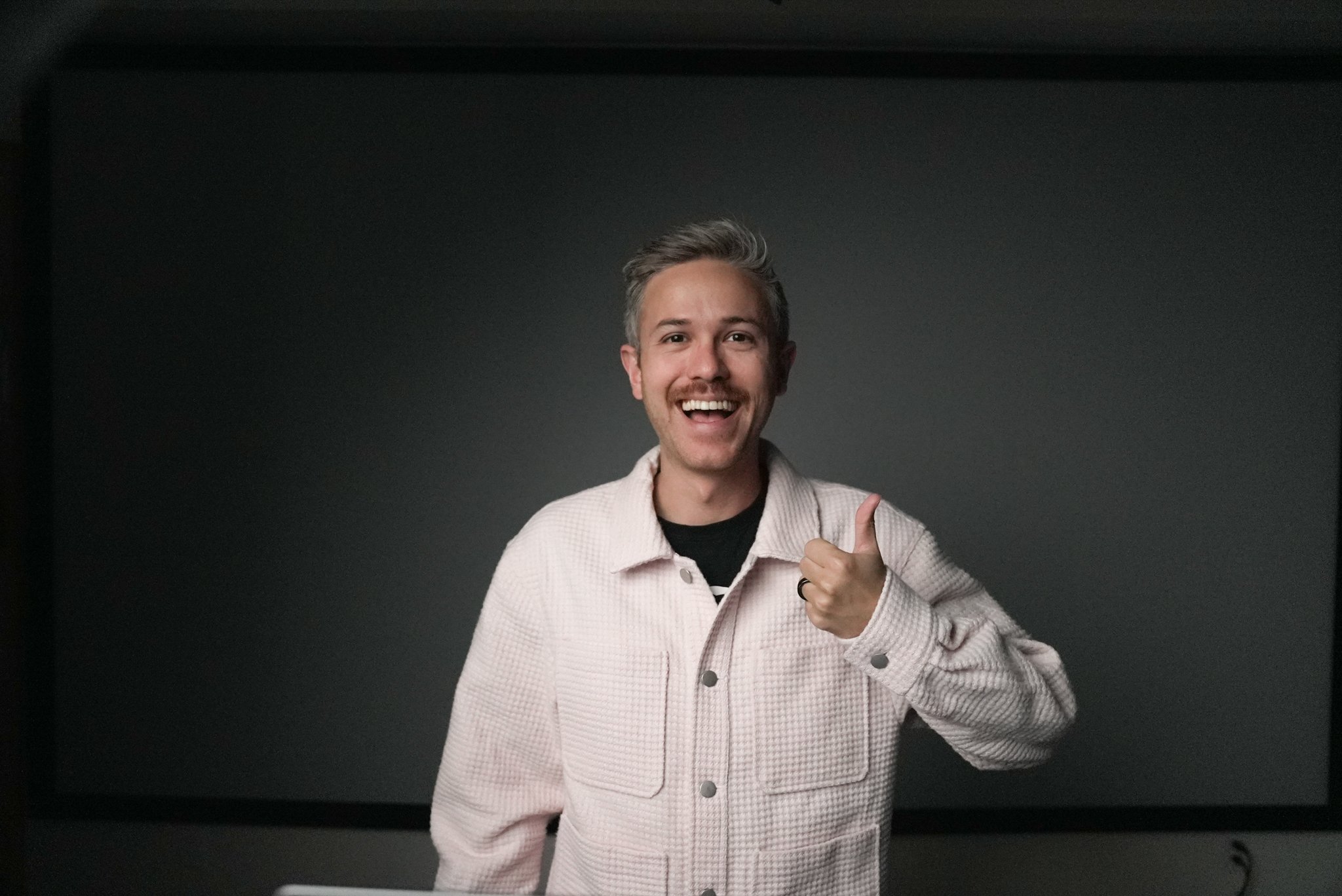
Reference Image of Caleb
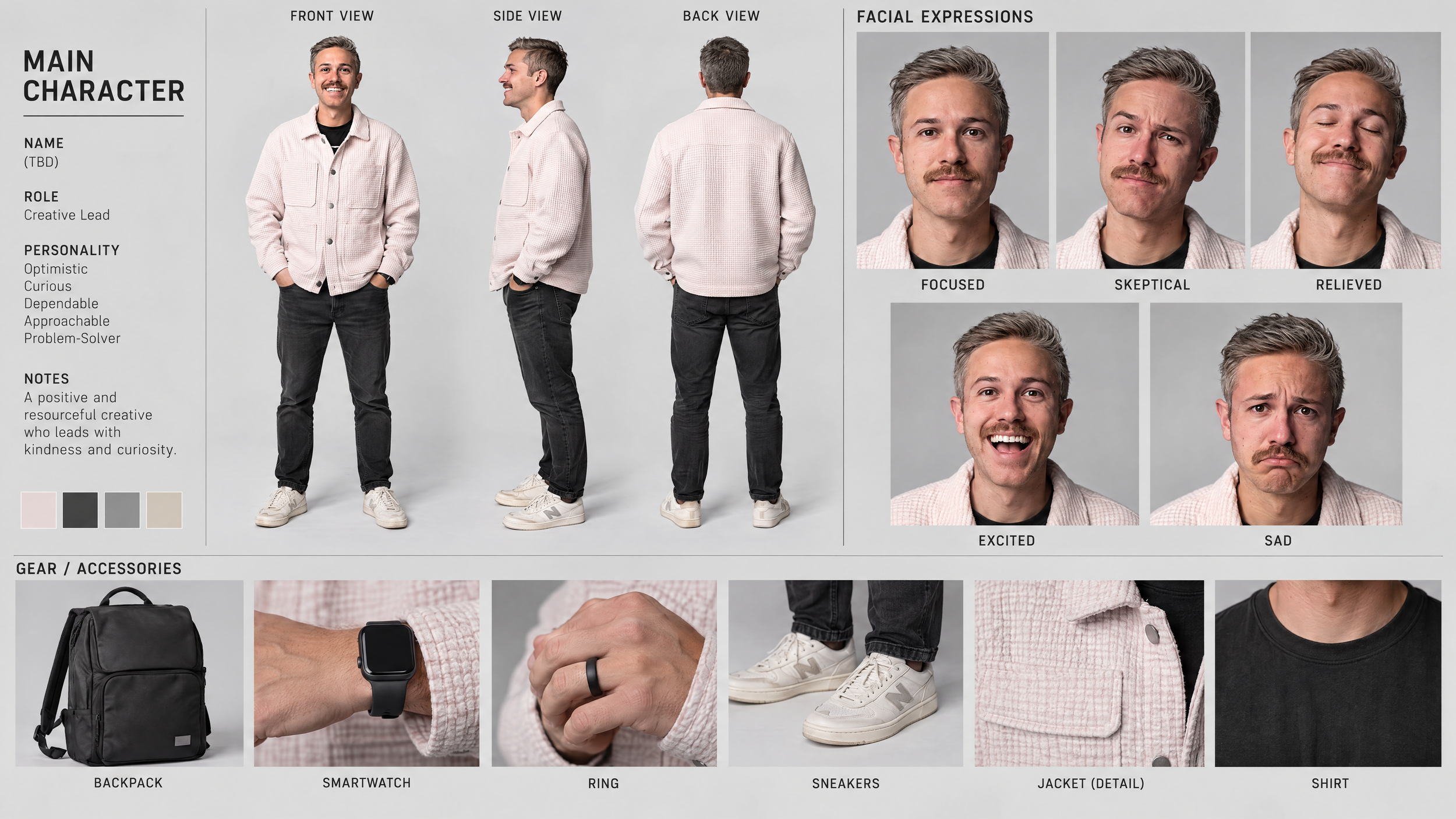
GPT Image 2.5
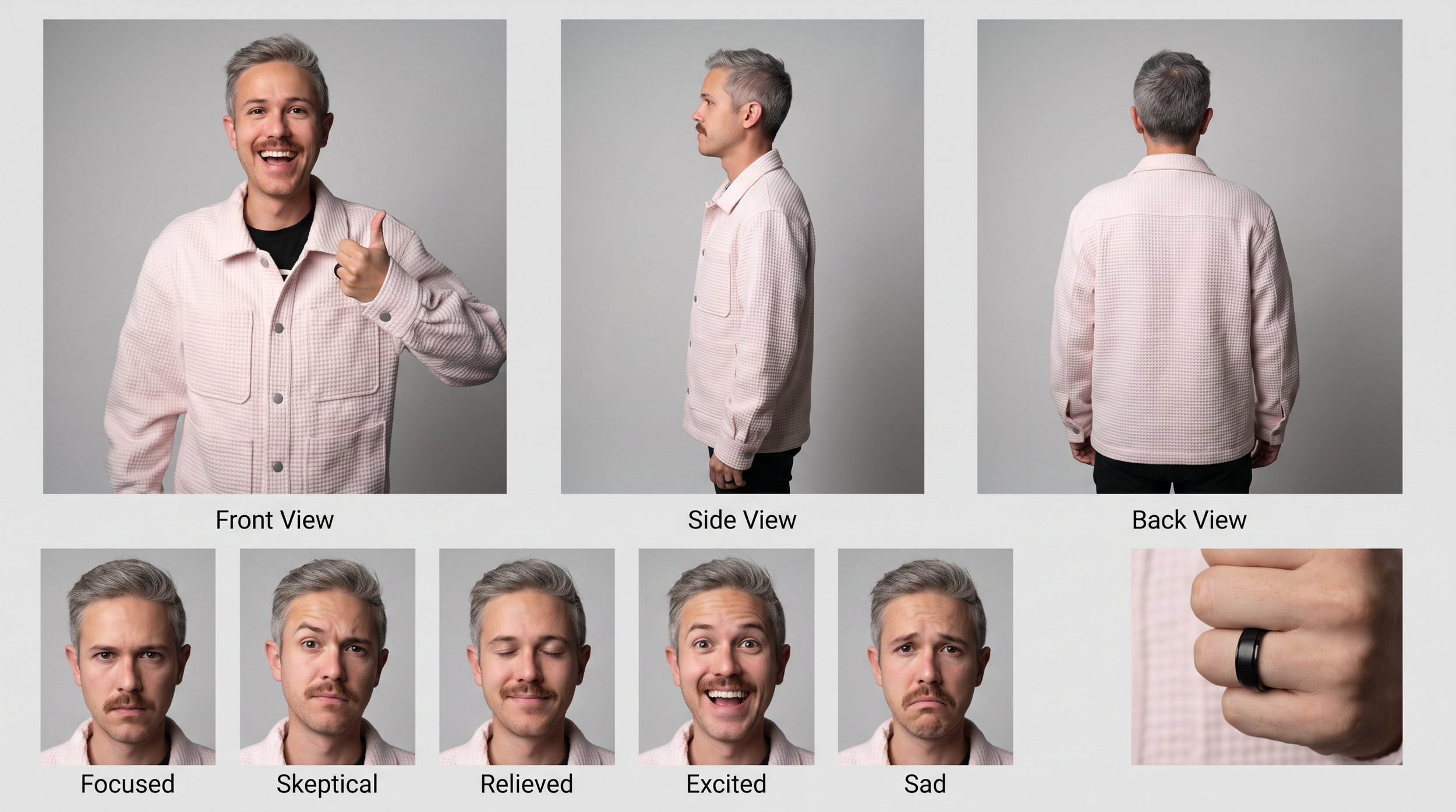
Nano Banana Pro
GPT Image 2.5 created an impressively detailed character sheet with front, side, and back views along with additional character information.
The problem was the face. Despite generating at 4K, we still saw some of that plasticky, synthetic texture.
Nano Banana Pro produced a simpler character sheet, but we preferred the realism of the individual expressions and facial details.
So this one is a trade-off.
GPT Image 2.5 was better at understanding and organizing the character-sheet request, while Nano Banana Pro produced the more realistic character.
3. Repeated Edits Degrade the Image
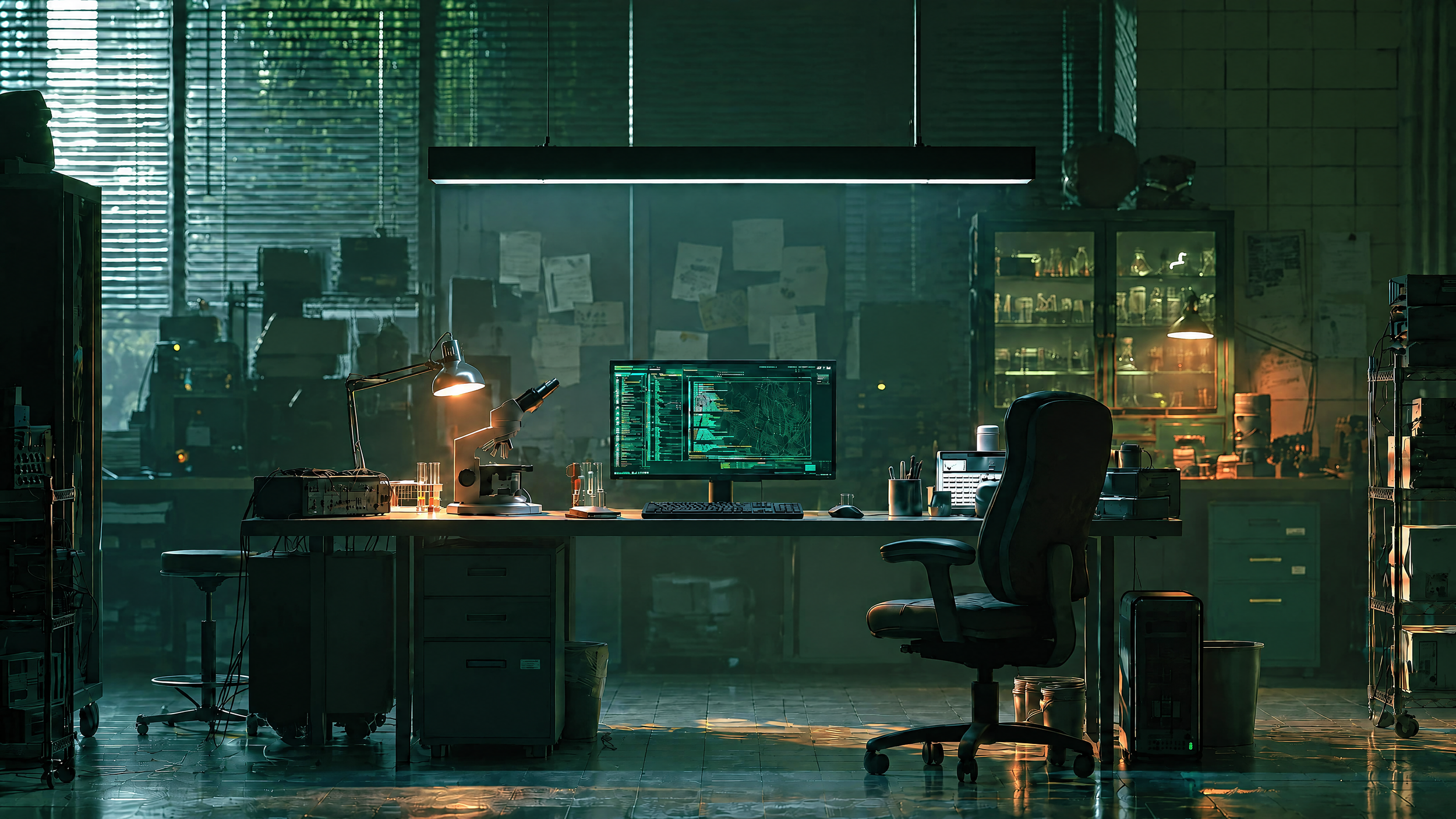
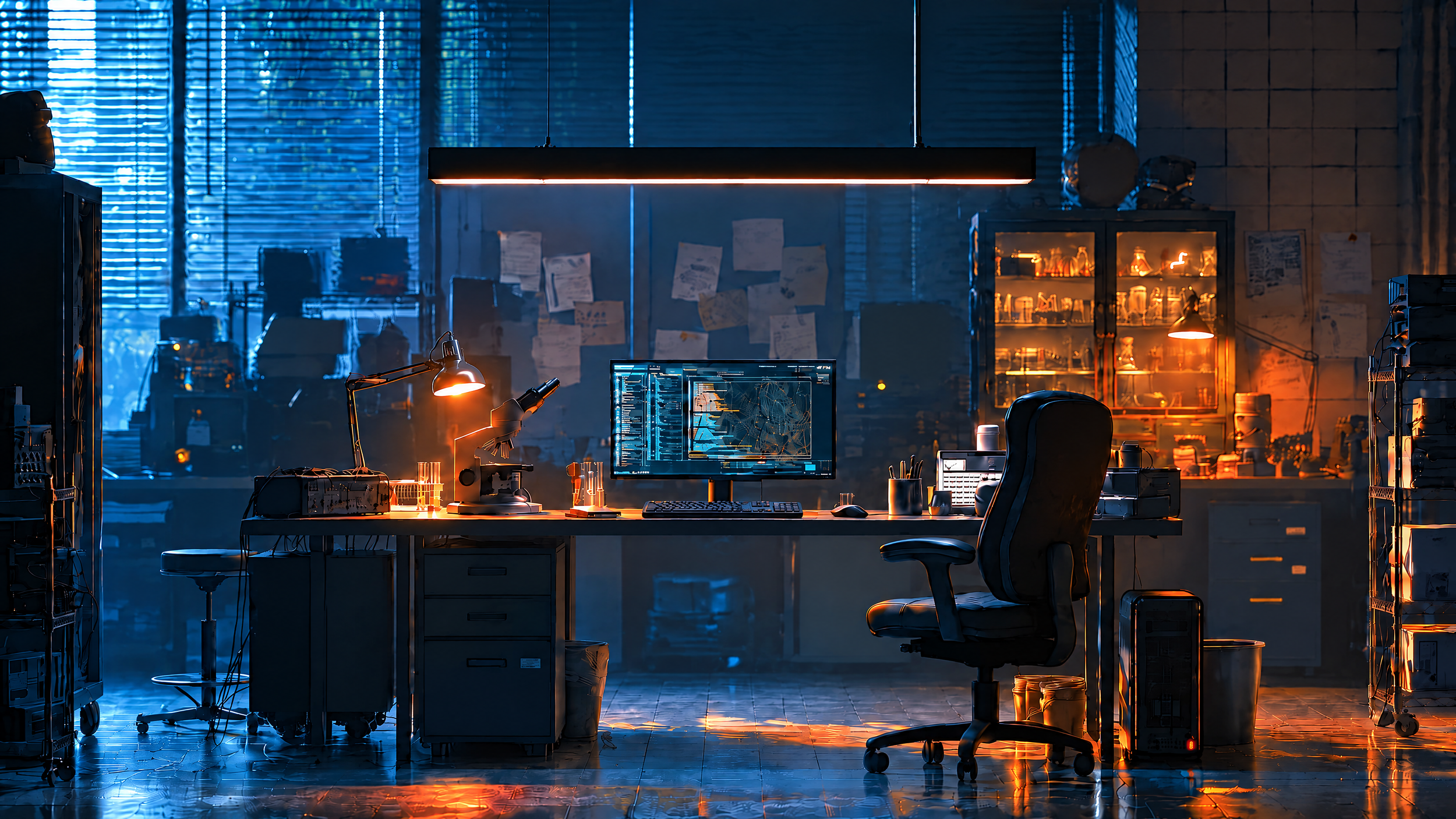
One of the biggest limitations of GPT Image 2.5 is that image quality can fall apart after too many consecutive edits.
We started with one photograph and progressively changed its aspect ratio, removed objects from a table, removed cables, and finally applied a teal-and-orange color grade.
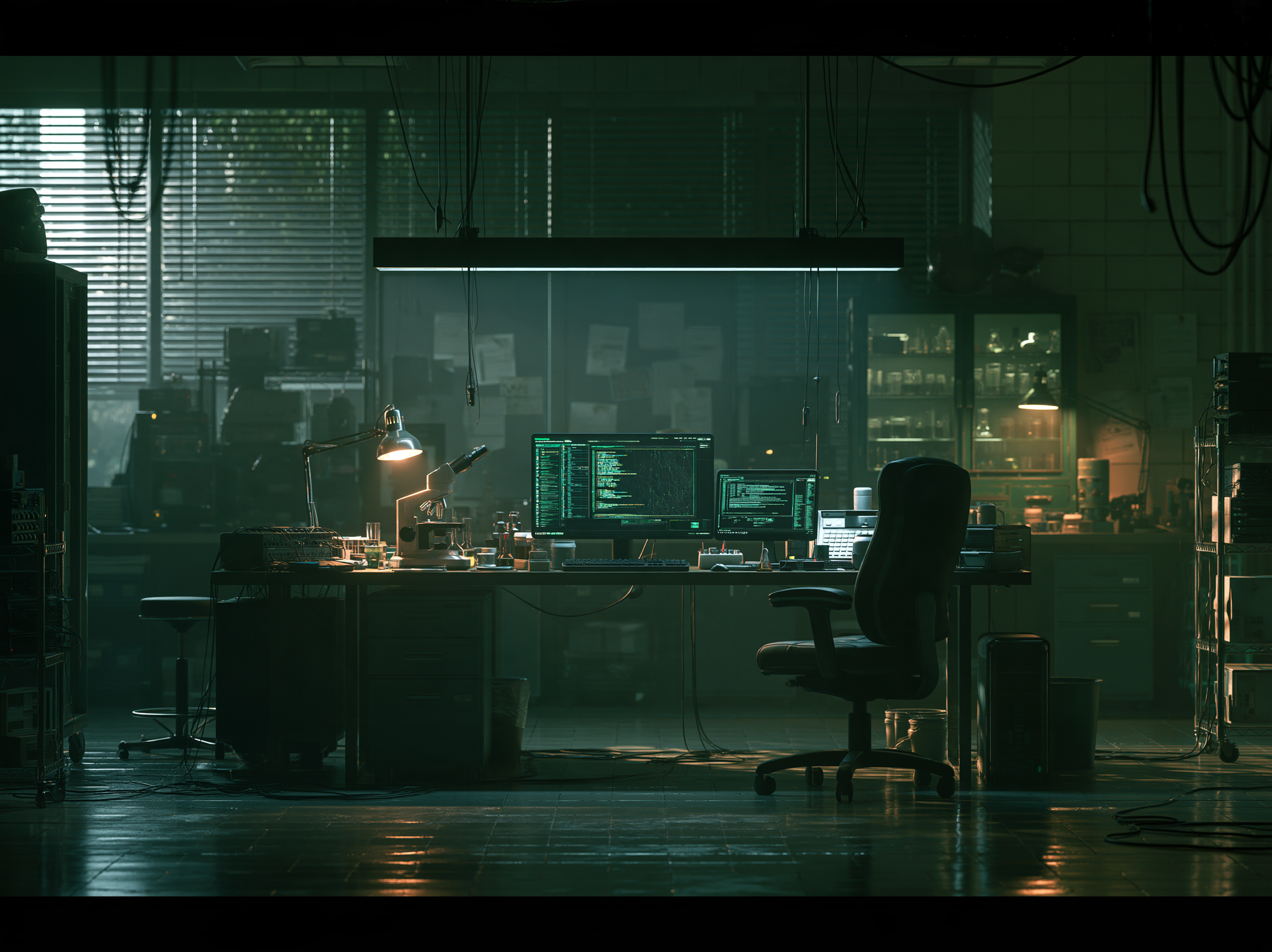
Reference Image
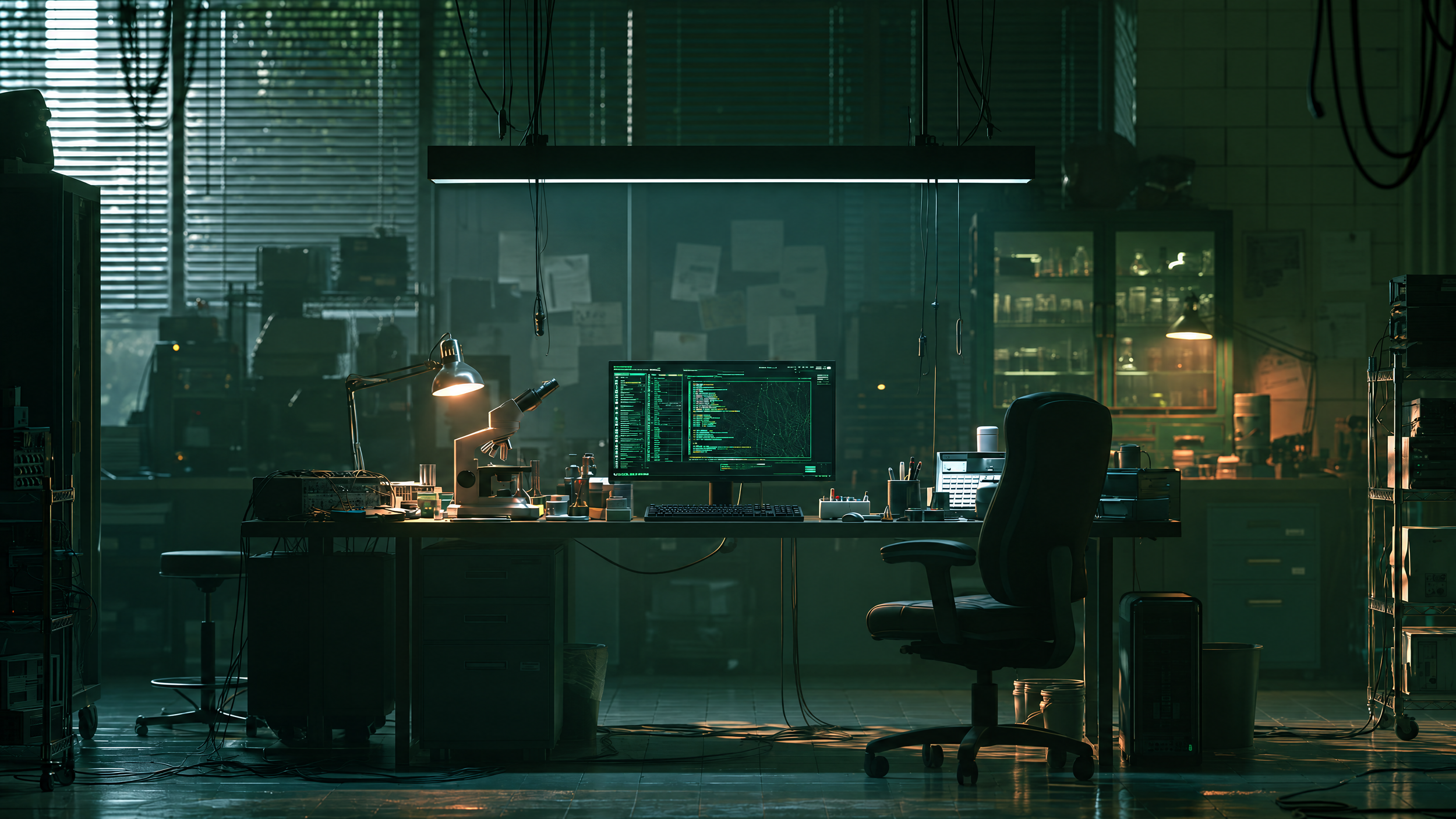
GPT Image 2.5 Edit Pass 1
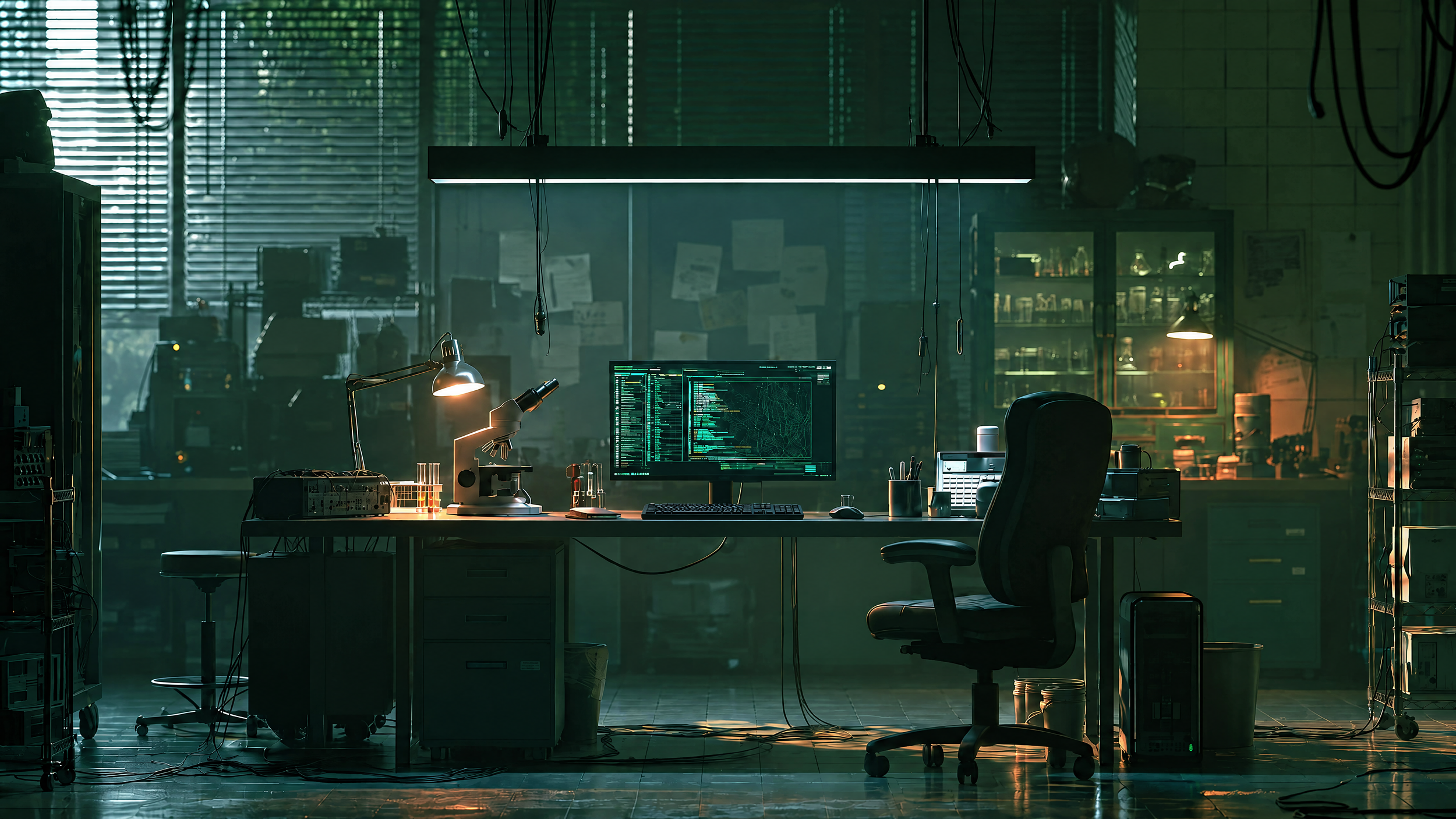
GPT Image 2.5 Edit Pass 2
GPT Image 2.5 Edit Pass 3
GPT Image 2.5 Edit Pass 4
With every edit, the image became slightly sharper, more saturated, and more artificial.
By the end, the textures and edges looked noticeably synthetic.
For that reason, we’d use GPT Image 2.5 for one or two targeted edits rather than continuously editing the same generation.
If you need to make several major changes, it may be better to return to an earlier, cleaner version instead of continuing to build on the latest image.
4. Graphic Design Still Needs Cleanup
GPT Image 2.5 can also generate surprisingly sophisticated posters and text-heavy designs.
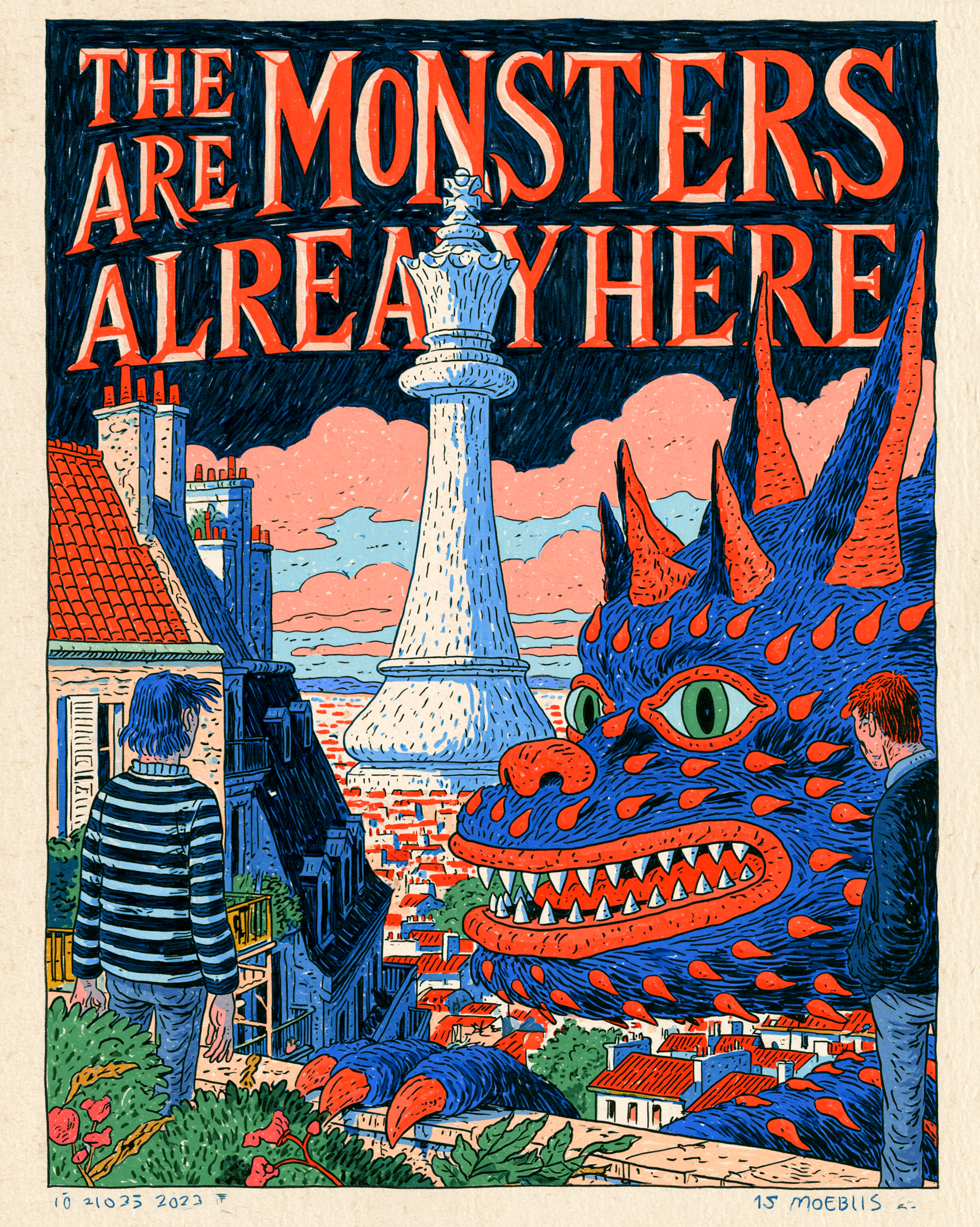
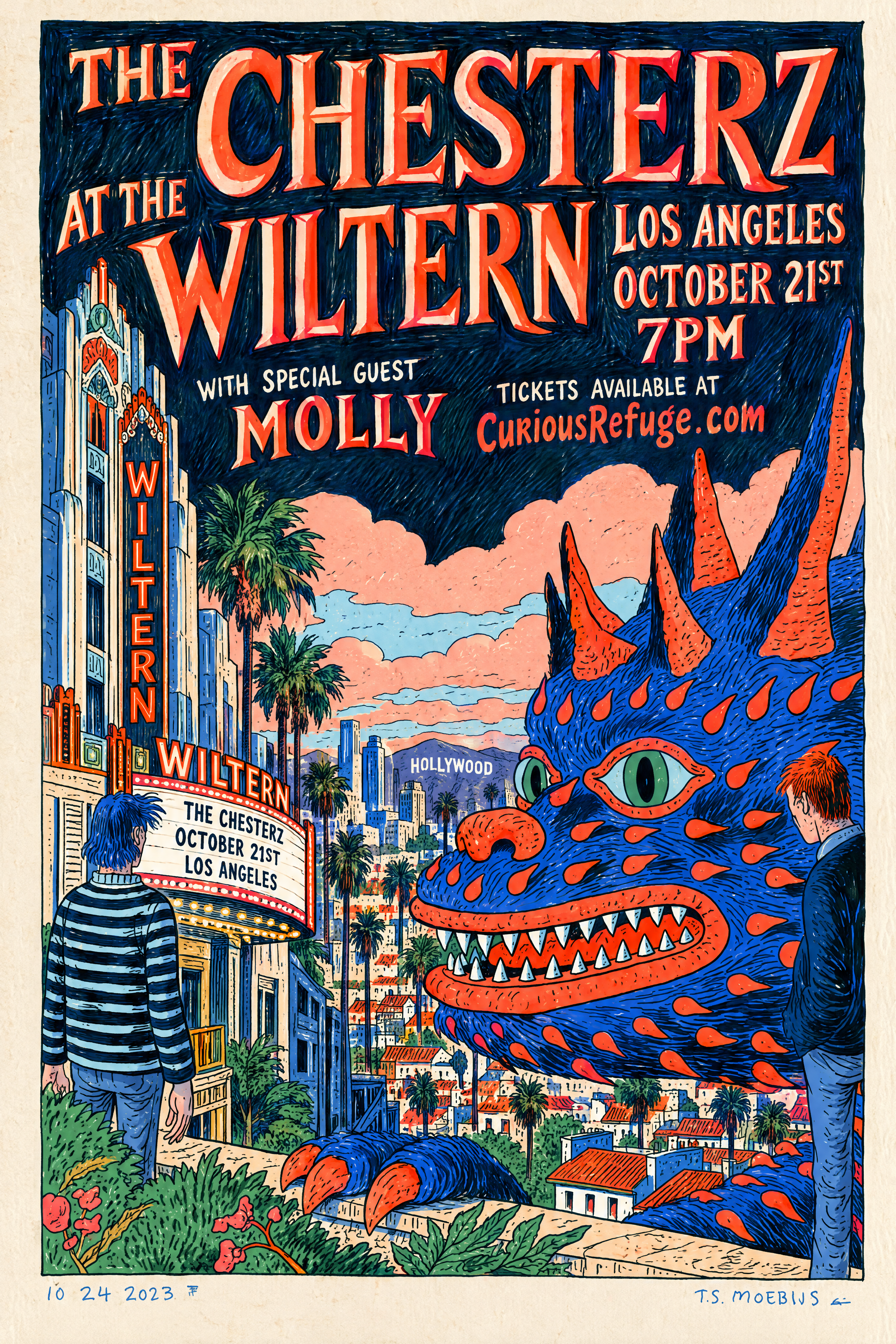
We started with a poster generated in Midjourney and asked GPT Image 2.5 to preserve the overall layout while creating a completely new concert poster.
Reference Poster
GPT Image 2.5
The model did a strong job understanding the hierarchy and incorporating the requested venue, band name, date, and supporting information.
But there were still some distinctly AI-looking typography choices that made the final result feel synthetic.
For concepting, it’s impressive.
For a finished professional design, we’d still bring the result into traditional design software and clean up the typography manually.
Final Verdict: GPT Image 2.5 Review
After all of our tests, GPT Image 2.5 is one of the most intelligent AI image models we’ve tested, but it’s not our first choice for generating photorealistic base images.
For that, we still prefer Nano Banana Pro, which consistently produced more natural skin, cleaner textures, and stronger overall photography.
Where GPT Image 2.5 stands out is its ability to understand what you actually want to do with an image. It was better at handling complex combinations of references, following specific compositions, matching styles and color grades, replacing products and characters, and making precise edits.
Our takeaway:
Best for photorealistic base images: Nano Banana Pro
Best for intelligent editing and complex references: GPT Image 2.5
So where does GPT Image 2.5 fit into a professional workflow?
We’d use it after generating our strongest base image. Start with a model like Nano Banana Pro when photorealism is the priority, then bring in GPT Image 2.5 when you need more intelligent control over what changes and what stays the same.
GPT Image 2.5 may not be the new king of photorealistic image generation, but its intelligence makes it an incredibly useful tool for editing, compositing, and more complex creative workflows.
If you want to learn more about using AI image tools in professional advertising workflows, check out our AI Advertising course at Curious Refuge.
Free Intro Course
Check out our free AI Storytelling course. You can fill out the form below and gain access immediately at no cost to you.
In the course, we show some of the basics for creating films using the latest AI tools, as well as, share some insights into the future of the creative industry.
Along with the course, you also get access to the exclusive chat channel where you can network with industry professionals.
We would love to see you in the course, but of course no pressure!
