
In this article and tutorial, we'll compare two popular AI character consistency methods to see which one actually works better for AI filmmaking.
Getting consistent characters across multiple AI video shots is still one of the biggest challenges in AI filmmaking.
One popular approach is to create a headless character sheet, which prioritizes high-resolution facial details. Another is to create a traditional character sheet, with multiple angles, expressions, and supporting details.
Both approaches make sense in theory, but which one actually gives you more consistent results?
We put both methods to the test using Seedance 2.5 across three different scenarios between realistic and animated characters. Here is the PDF with all the prompts.
The results were pretty interesting, and neither method came out on top every time.
Let's get into it!
How to Create Consistent AI Characters | Video Tutorial
Below is a video tutorial showing exactly how to create consistent AI characters.
How to Create Consistent AI Characters | Tutorial
Below, we'll break down how we created our character sheets, what happened when we generated the videos, and which approach we'd recommend for different filmmaking scenarios.
Two Methods for Creating Consistent AI Characters
We tested two popular approaches to creating consistent AI characters:
Headless character sheet: Shows the character's body from multiple angles without a head, alongside a larger, detailed facial reference. The idea is to preserve finer facial details by giving the AI a higher-resolution reference.
Traditional character sheet: Includes multiple angles, facial expressions, clothing, and accessories. This gives the AI more visual information to work with, especially for dynamic movements and different camera angles.
The big question is whether prioritizing facial details or providing more visual references leads to better character consistency. So we put both methods to the test.
How We Set Up the AI Character Consistency Test
We created both types of character sheets inside Magnific, using an AI image model and generating the references at maximum 4K resolution.
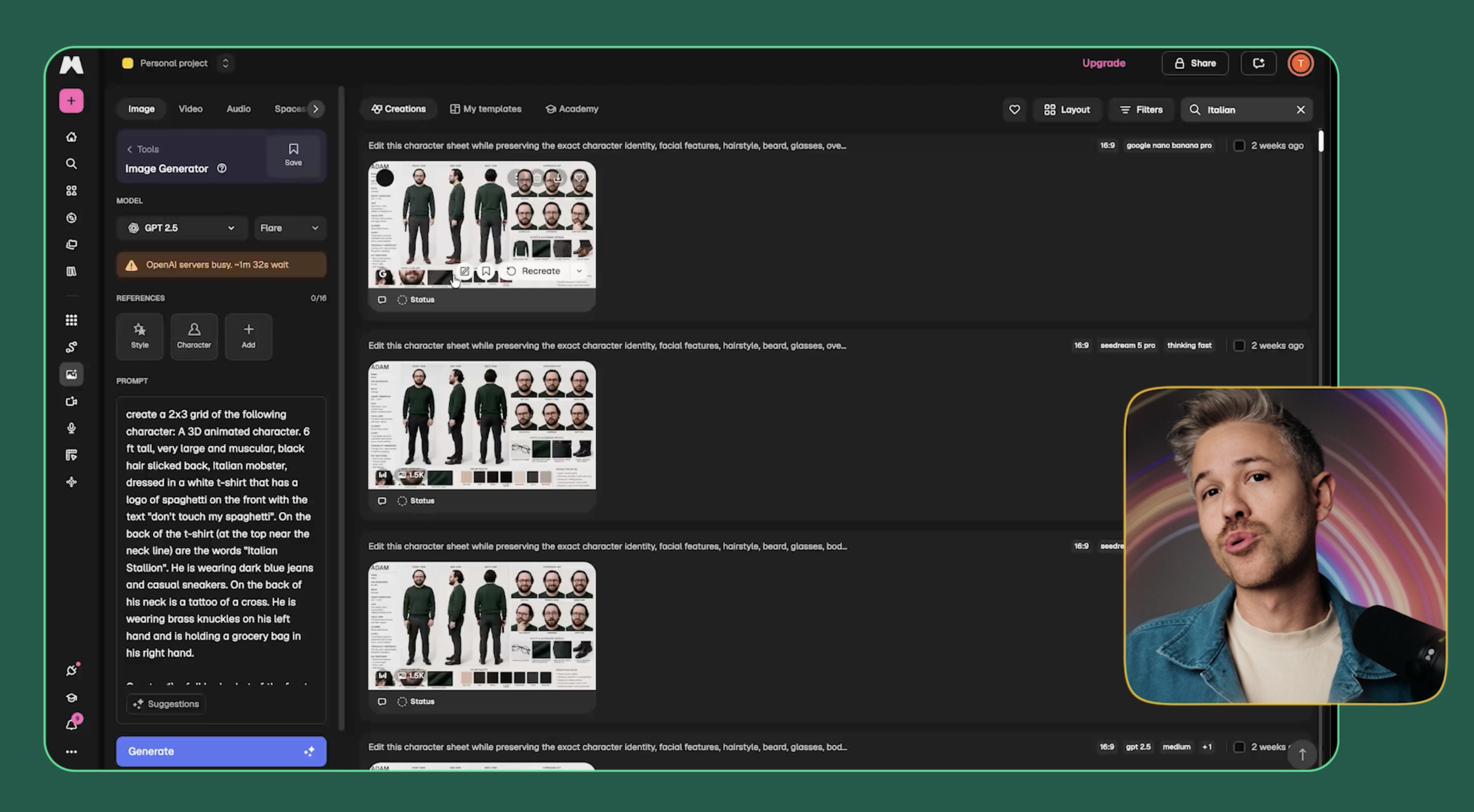
We don't always need to generate images at that resolution, but character sheets are something we plan to reuse across multiple shots. Having more detail in the source image is especially useful here.
Once we had our references, we moved into Magnific's video generator and used Seedance 2.5 in Standard mode.
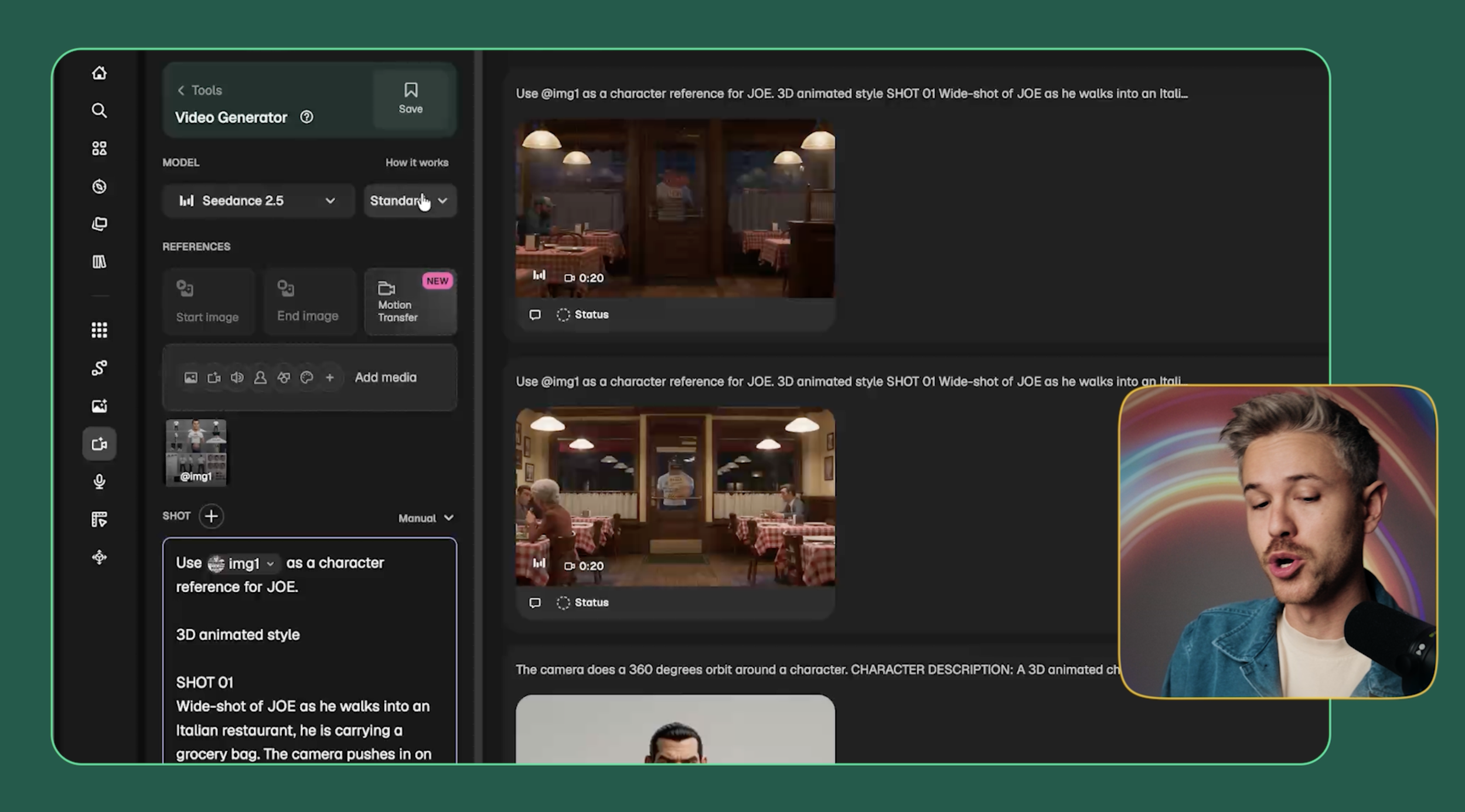
For each scenario, we uploaded the corresponding character sheet and described the shots we wanted the model to generate.
Then we compared the results to see how well each method preserved the character's identity, appearance, and performance.
Here's what happened.
Test 1: AI Generated Character
For our first test, we created a realistic character named Joe and generated a short spaghetti-making scene.
Joe has a few distinctive features, including small facial moles and brass knuckles on one hand. We wanted to see how well each method could preserve those details across multiple shots.
First, here's the result using the traditional character sheet:
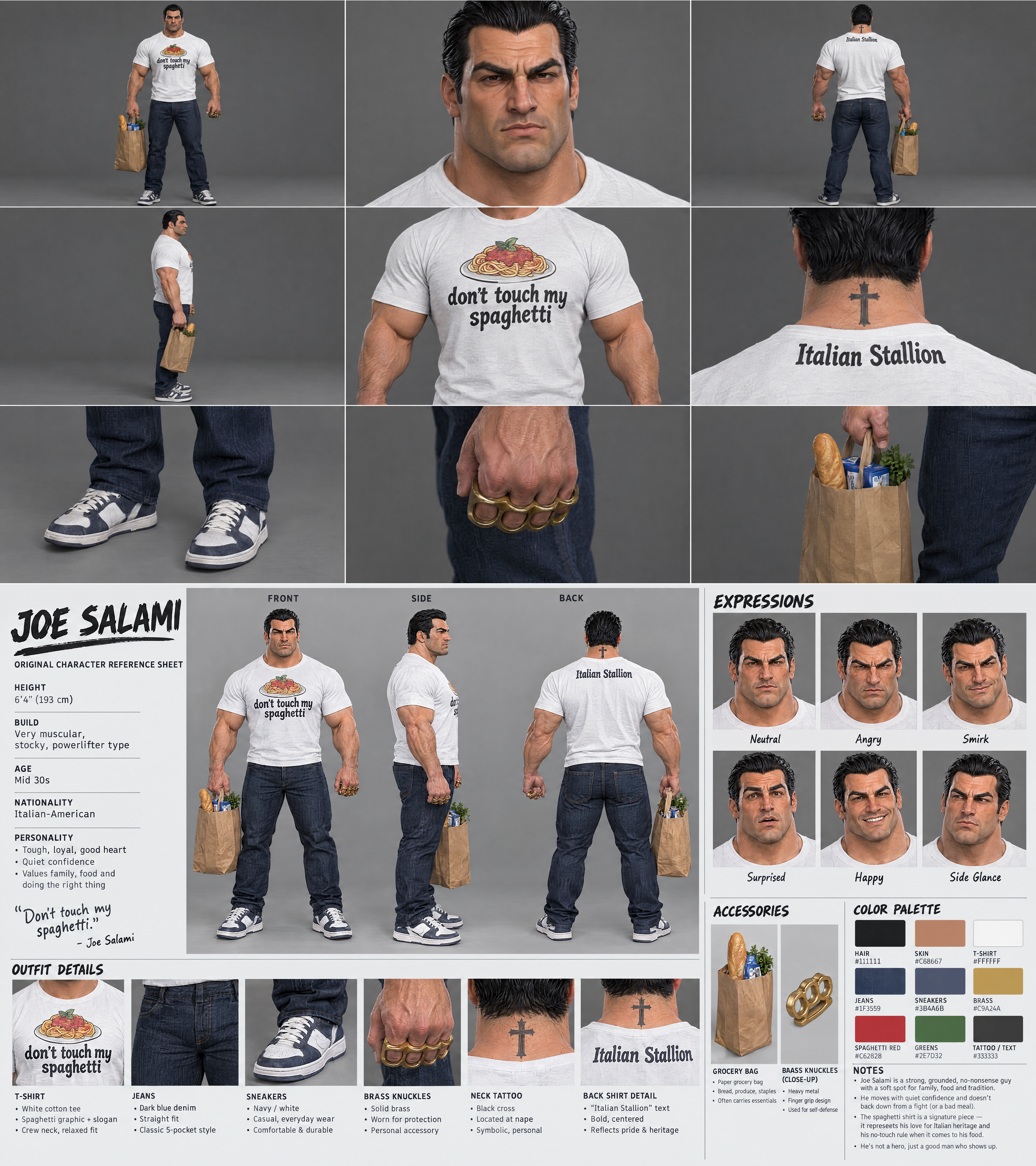
Traditional Character Sheet
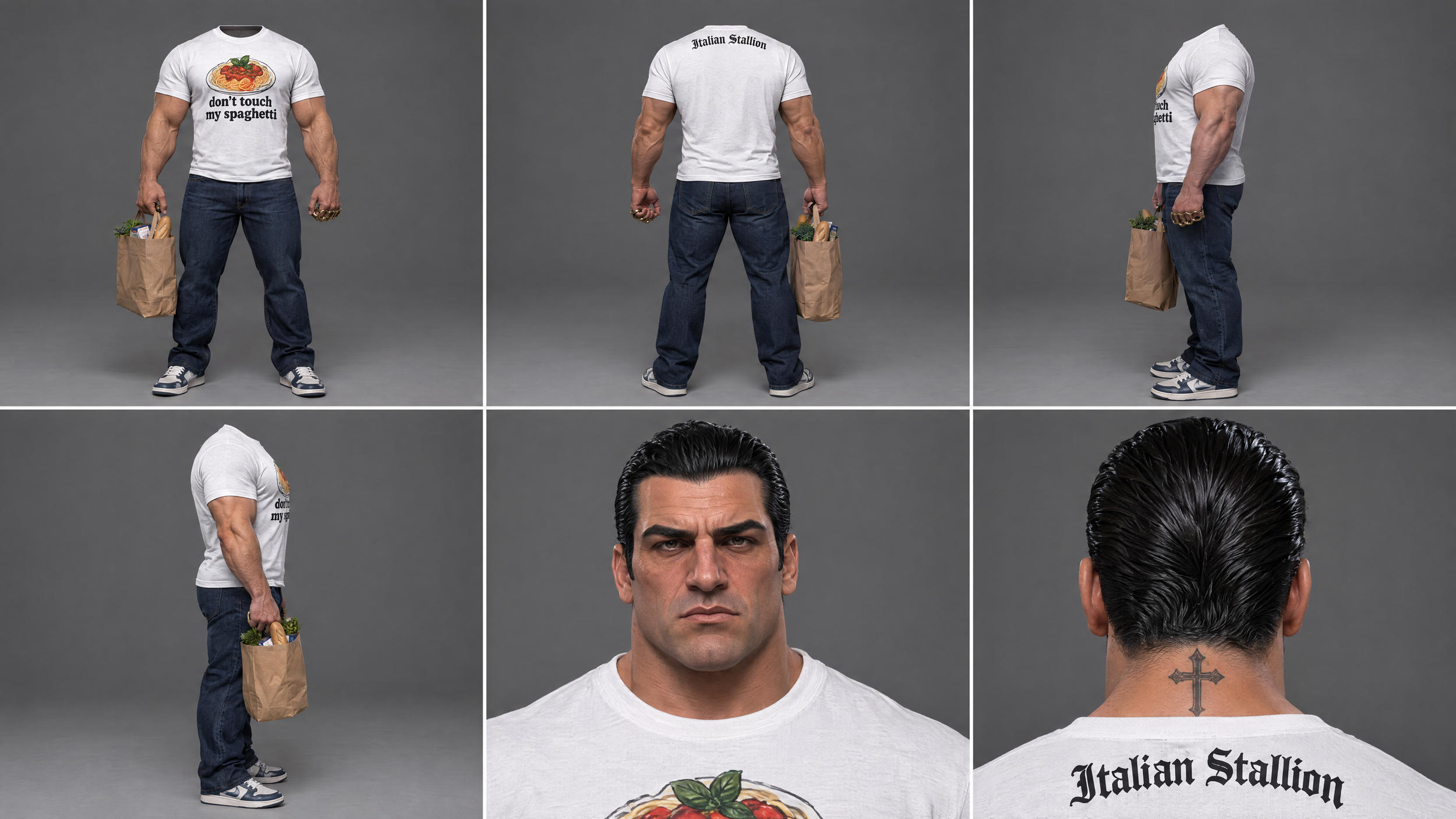
Headless Character Sheet
Traditional Character Sheet Result
Headless Character Sheet Result
Both generations did a pretty decent job of maintaining Joe's overall appearance, but there were some noticeable continuity issues.
In the traditional version, Joe starts with brass knuckles on one hand, but by the third shot, he's wearing them on both hands.
The headless version had a similar problem. His brass knuckles appeared on both hands in one shot and disappeared entirely in another.
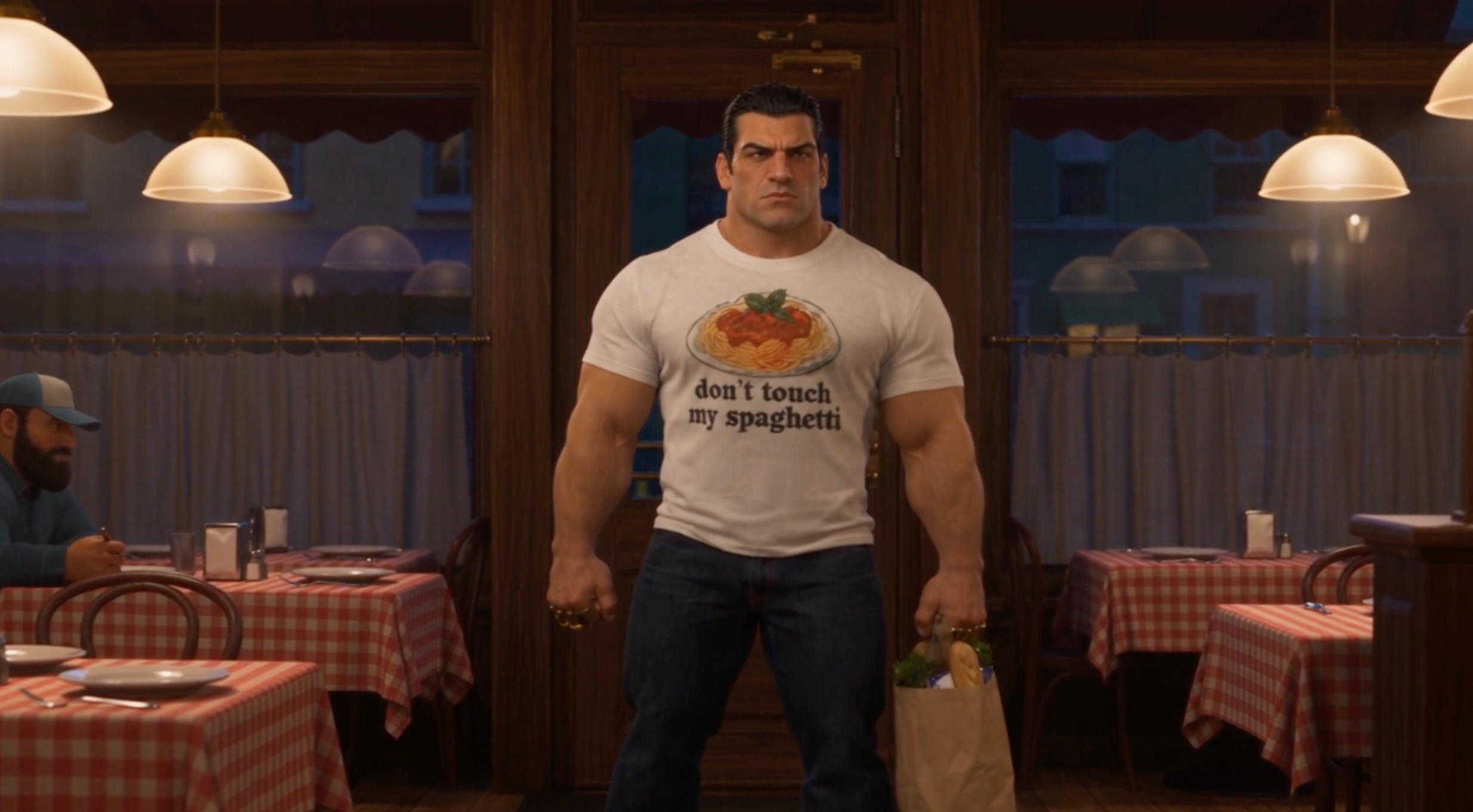
Headless Character Sheet: Brass Knuckles
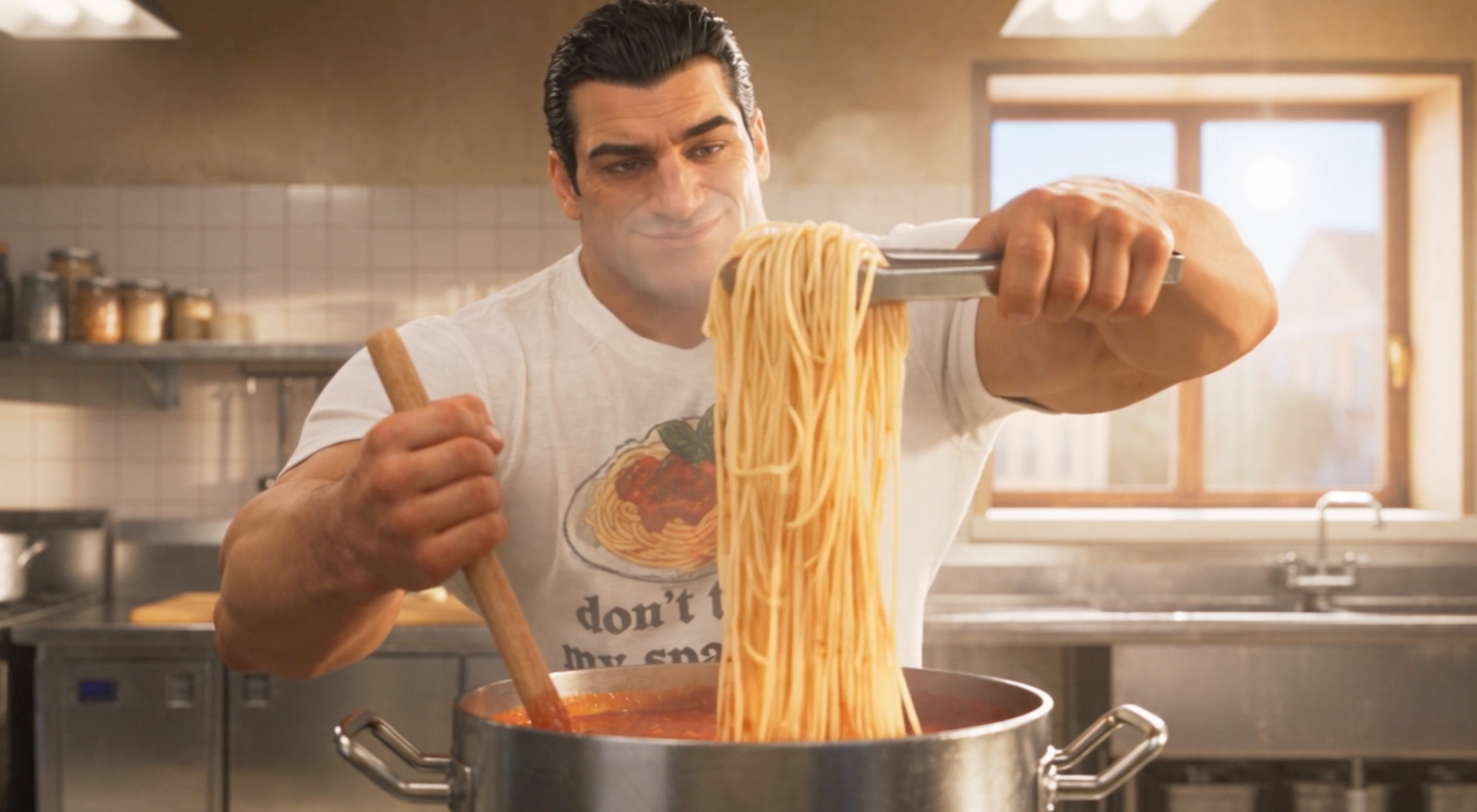
Headless Character Sheet: Brass Knuckles
But when we looked at the close-ups of Joe's face, the headless version actually performed better.
You can see that the small moles on his face carried through into the final video. Those details were much more visible in the larger facial reference included in the headless character sheet.
Our takeaway: The headless method did a better job of preserving fine facial details, especially in close-ups. However, neither method completely solved costume consistency.
Test 2: Animated Character
Next, we tested both methods using an animated robot character in a dialogue scene.
This time, we wanted to see how well the AI could handle facial expressions, different camera angles, and dynamic movement.
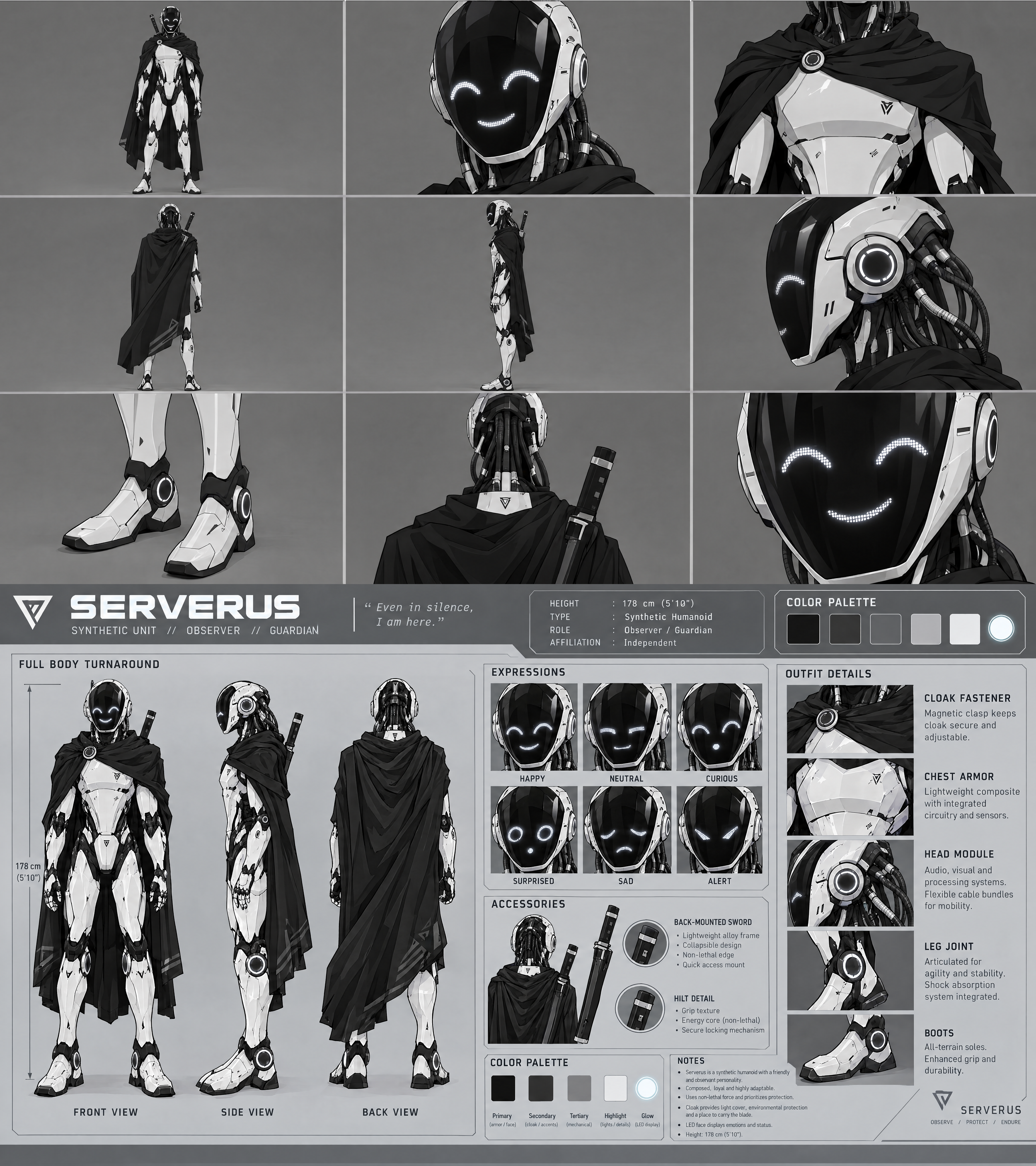
Traditional Character Sheet
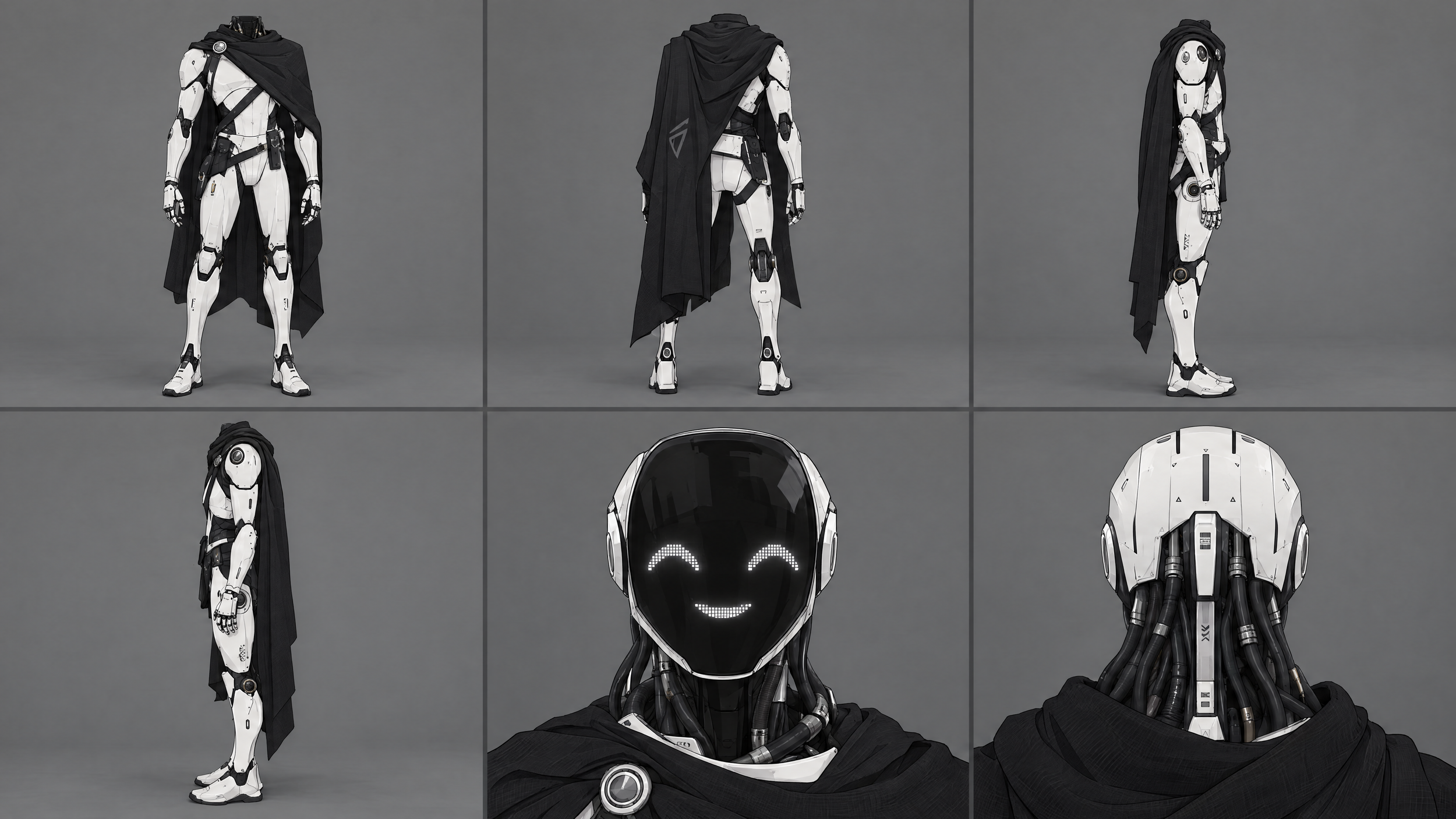
Headless Character Sheet
Traditional Character Sheet Result
Headless Character Sheet Result
This time, the traditional character sheet was the clear winner.
The robot's facial expressions changed naturally throughout the scene, moving from neutral to angry. The lip-syncing was also pretty convincing, and the model incorporated three-quarter angles that made the performance feel more dynamic.
The headless version struggled a lot more. Because the facial references mostly showed the character looking straight ahead or from behind, Seedance seemed to keep returning to those same angles. The movement and physics were noticeably worse.
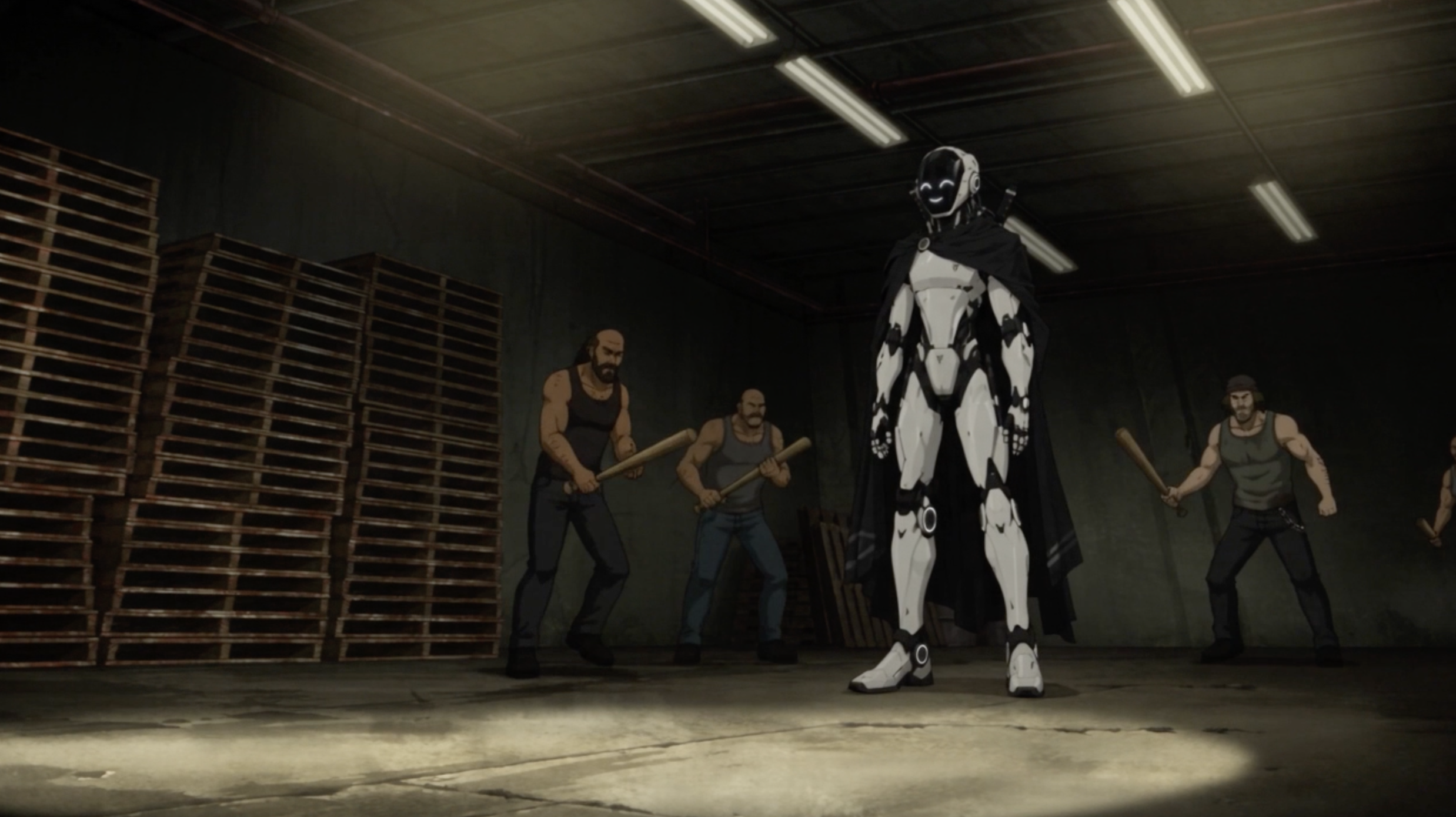
Traditional Character Sheet
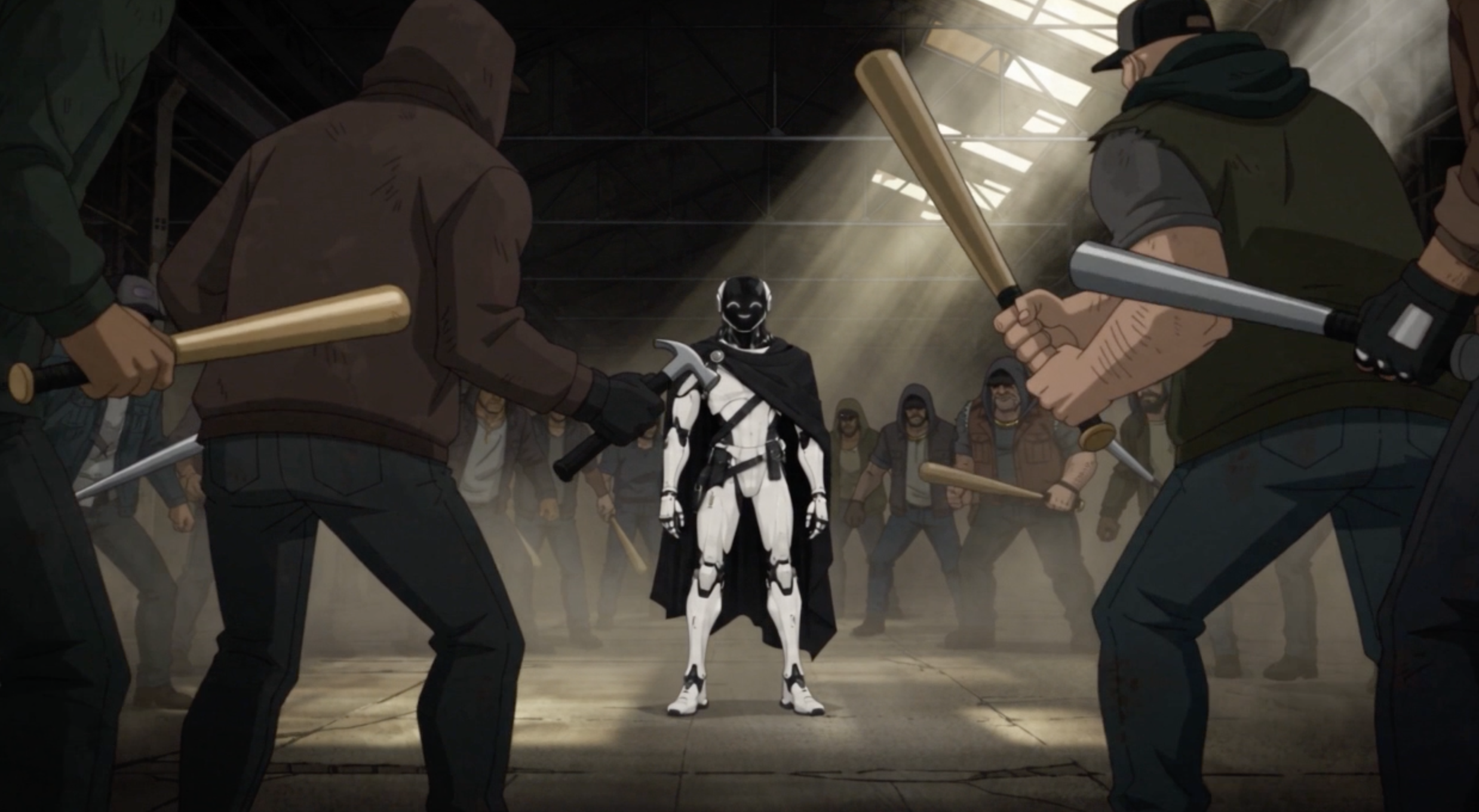
Headless Character Sheet
Of course, the traditional version wasn't perfect either. The robot suddenly pulled out two swords instead of one, and some characters disappeared at the beginning of the scene.
Those are still issues we'd need to fix before using the footage in a finished project.
Our takeaway: Traditional character sheets worked better for animated performances, especially when the scene required different facial expressions, camera angles, and movement.
Test 3: Actual Person
For our final test, we wanted to see how these methods performed with an actual person.
We asked Adam from our team to create both types of character sheets of himself, then generated the same scene using Seedance.
Here's the traditional character sheet result:
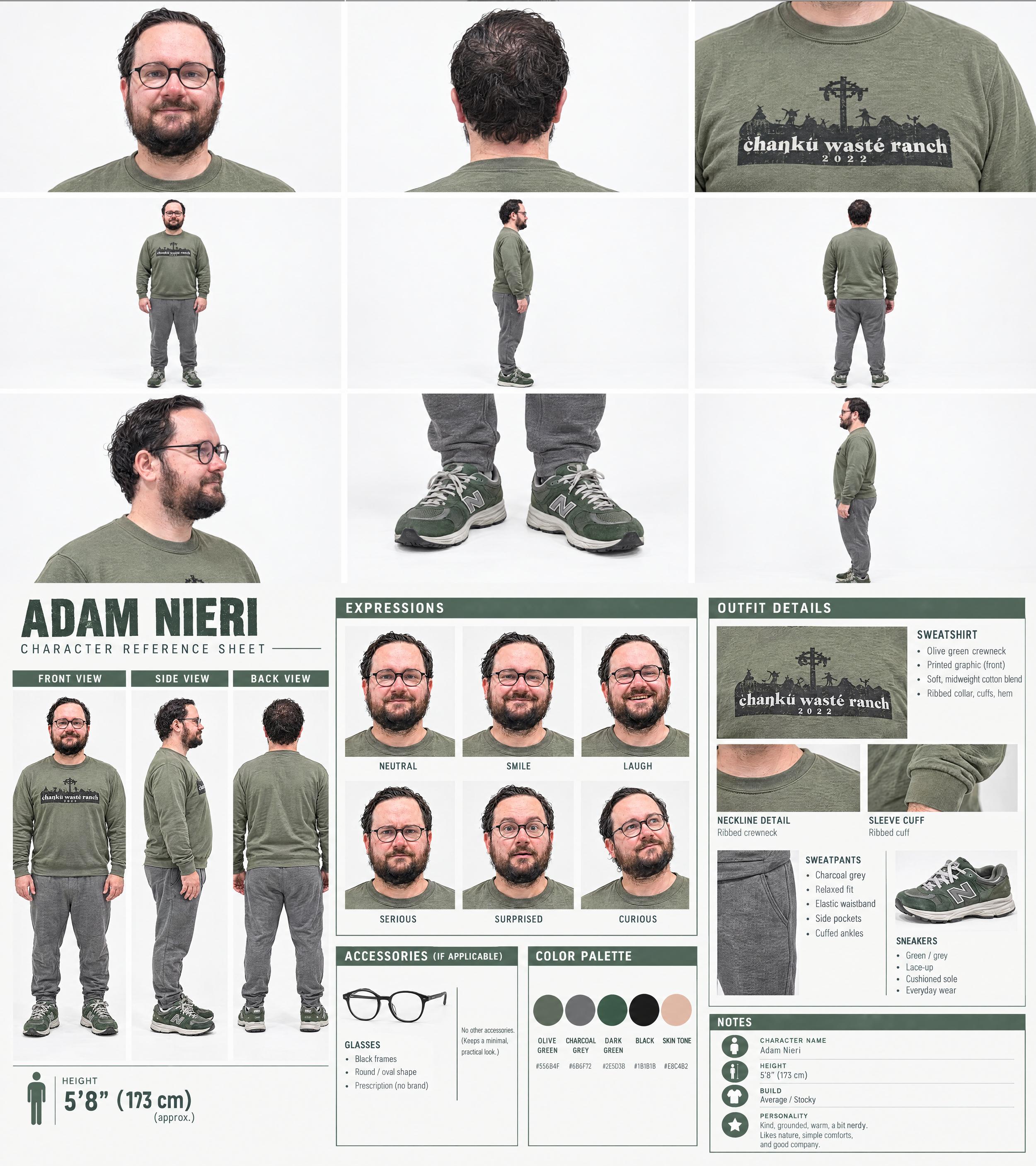
Traditional Character Sheet Result
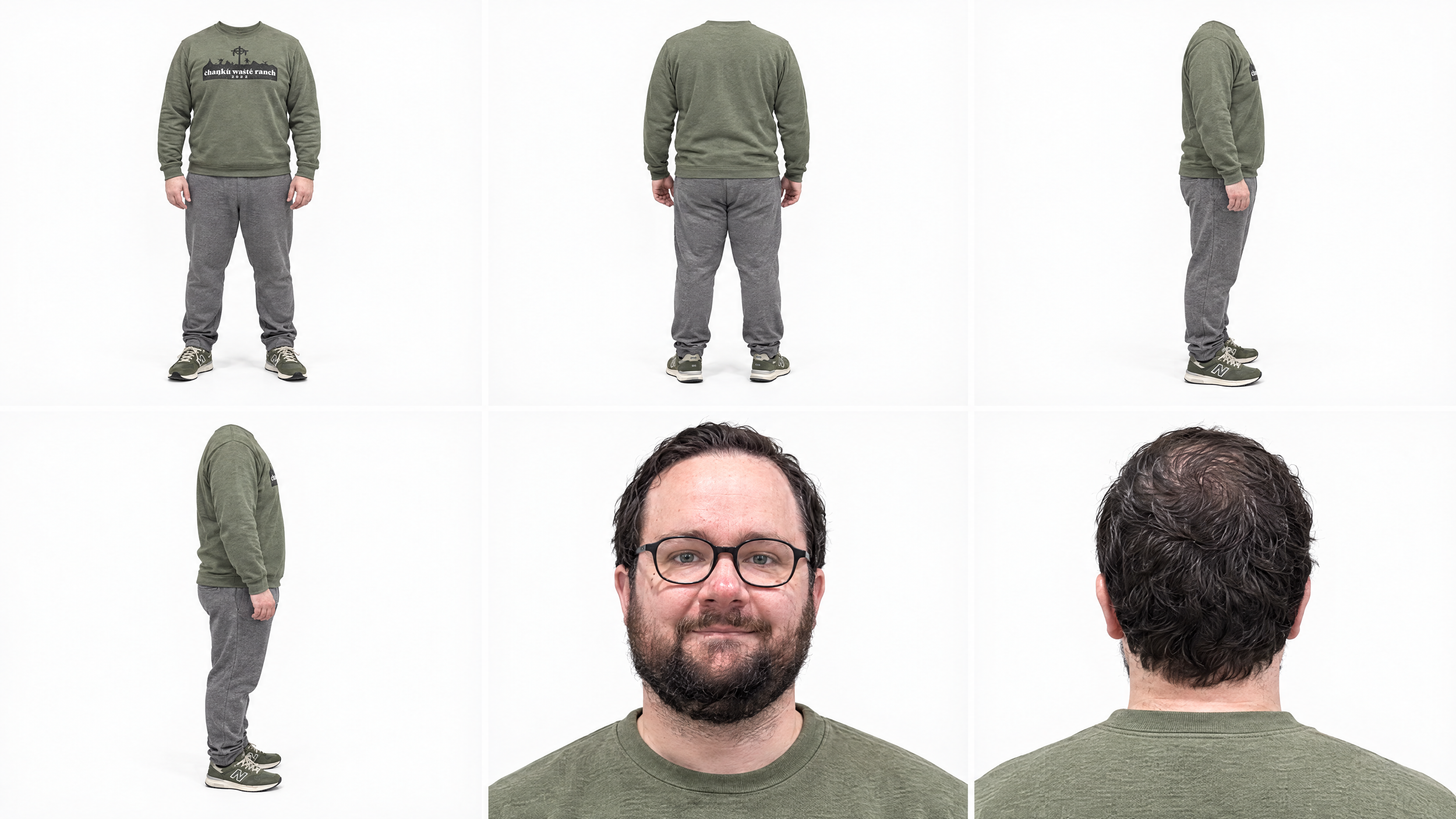
Headless Character Sheet Result
Traditional Character Sheet Result
Headless Character Sheet Result
Knowing what Adam actually looks like, we were pretty impressed with both results. Each method did a good job of maintaining his overall likeness.
But both generations had one strange consistency issue: his glasses kept changing.
In the traditional version, Adam's glasses suddenly became tortoiseshell during a close-up. The headless version had the exact same problem, just in a different shot.

Adam’s Glasses
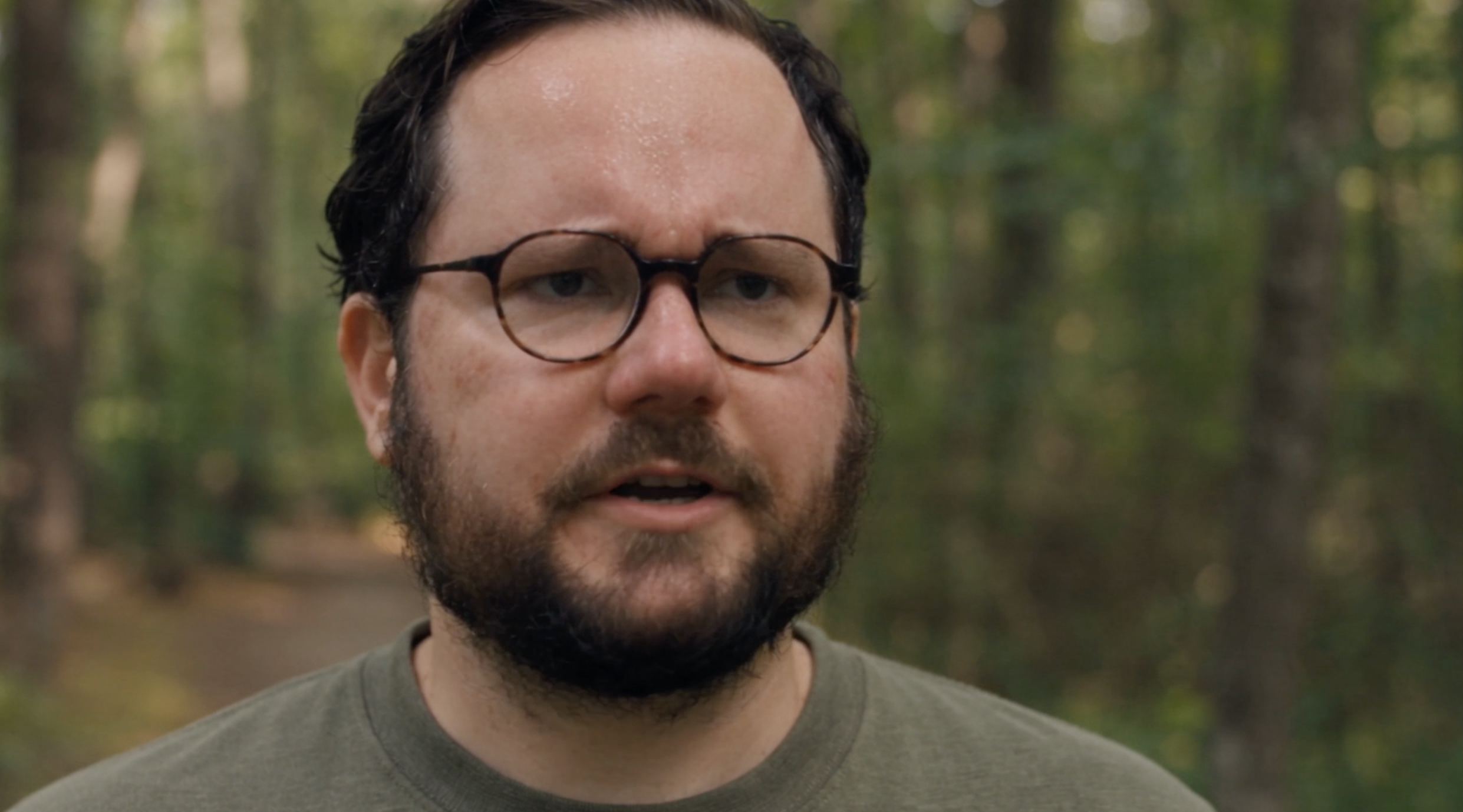
Traditional Character Sheet: Glasses
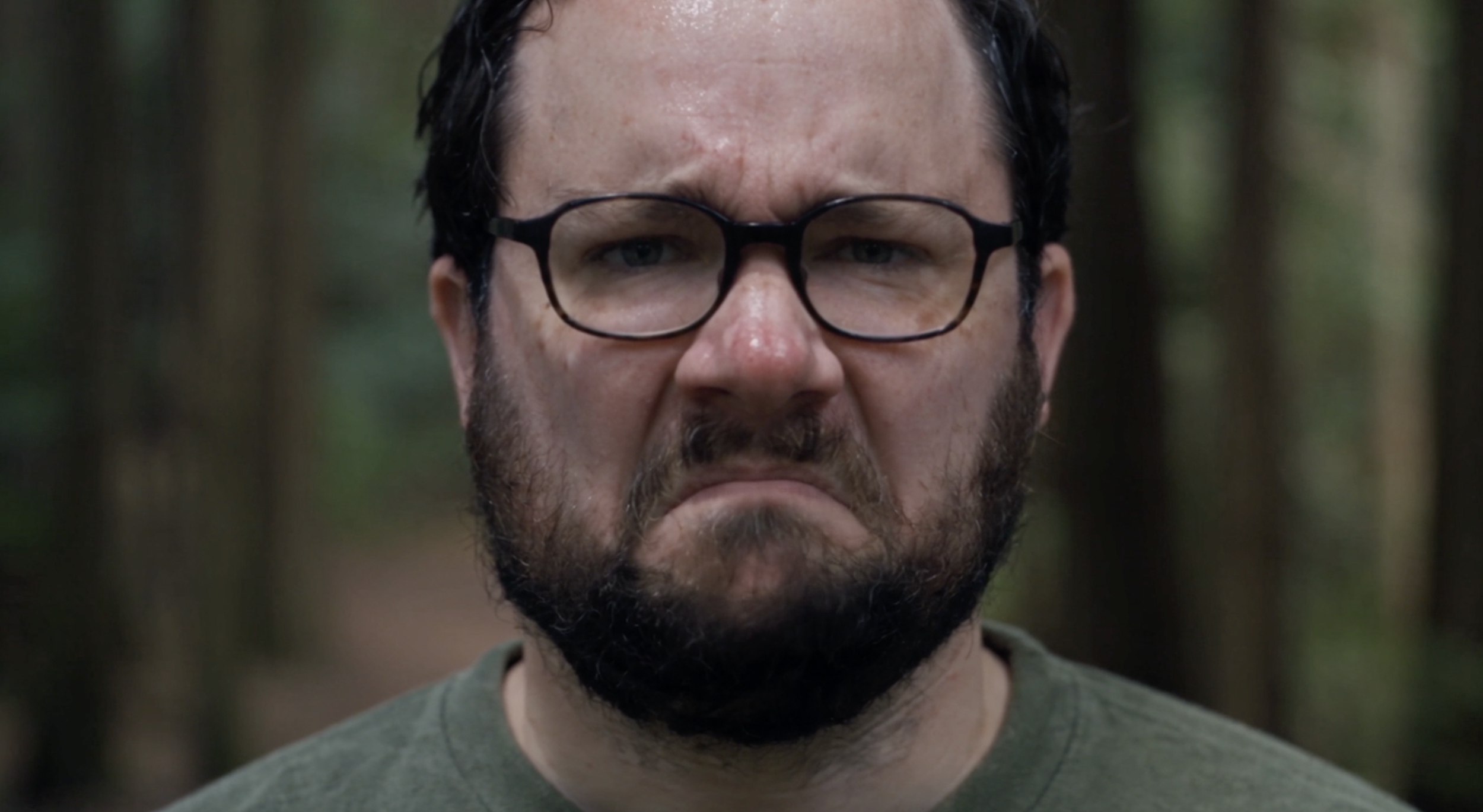
Headless Character Sheet: Glasses
Another interesting difference was the final close-up of Adam's face.
In the headless version, the shot looked noticeably flatter and more front-facing. We suspect that's because the original facial reference showed Adam looking directly at the camera, without additional angles to help guide the model.
The traditional character sheet provided more varied facial references, which seemed to give Seedance more flexibility with the camera angles.
Our takeaway: Both methods did a good job of preserving Adam's likeness, but neither completely solved accessory consistency. The traditional character sheet also produced a more dynamic close-up.
Final Verdict: Which AI Character Consistency Method Is Better?
After testing both methods across three different scenarios, our biggest takeaway is that neither method is necessarily better. It really depends on what you're trying to achieve.
For dynamic performances: Traditional character sheets work better for facial expressions, movement, and different camera angles.
For fine facial details: Headless character sheets can help preserve smaller features, especially in close-ups.
If you're using the headless approach, we'd recommend including a few different angles of your character's face, rather than just a front-facing reference. This could help give the AI more flexibility to generate dynamic performances while preserving those finer details.
Of course, neither method completely solves character consistency. As we saw in our tests, even small details like accessories can still change between shots.
Ultimately, the best approach depends on what matters most for your scene.
Learn AI Filmmaking | Free Training
Keep exploring what's possible with AI filmmaking through our free training! We share the latest industry updates, some of our favorite creative workflows, and practical tips to help you bring your ideas to life.
You'll also get free access to our online community of filmmakers and creatives from around the world!
Fill out the form to begin learning. We would love to see you there, but not pressure of course.
