
How to Upscale Video Footage Using AI
In this video and article, we’ll take a look at the top AI Video Upscalers and show you how to upscale video footage using AI.
Creating cinematic, high-resolution footage from AI-generated clips, or rescuing old archival video for modern productions, is one of the most important challenges for filmmakers working with synthetic media.
We recently tested today’s most talked-about AI video upscalers, ran them through multiple real-world scenarios, and compared which tools actually deliver production-ready results. As in typical Curious Refuge fashion, the tutorial is fast-paced and packed full of helpful info. I hope you enjoy it.
There are two leading AI Video upscalers that we will take a look at. I’ll show yiou how to use both of them, then we will look at which is the best of the two.
Fill out the form below to download the original assets to take a close-up look at the results.
How to Upscale Video Footage Using AI | Video Tutorial
Below is a video tutorial showing how to upscale video footage using the best AI Video upscalers.
How to Upscale Video Footage Using AI
Below is an in-depth breakdown showing how to upscale video using AI, as well as a comparison of a couple of the top AI upscale tools.
AI Video Upscaler #1: Crystal
Crystal is extremely approachable for beginners, but it comes at a noticeably higher cost per second. Here’s a breakdown of what you need to know about Crystal:
The Vibe: Online upscaler accessed through Fall AI.
Interface: Clean and minimal.
Price Tag: Roughly $1.40 per four seconds for HD → 4K.
Speed: Faster turnaround times.
Visual Style: Tends to sharpen aggressively.
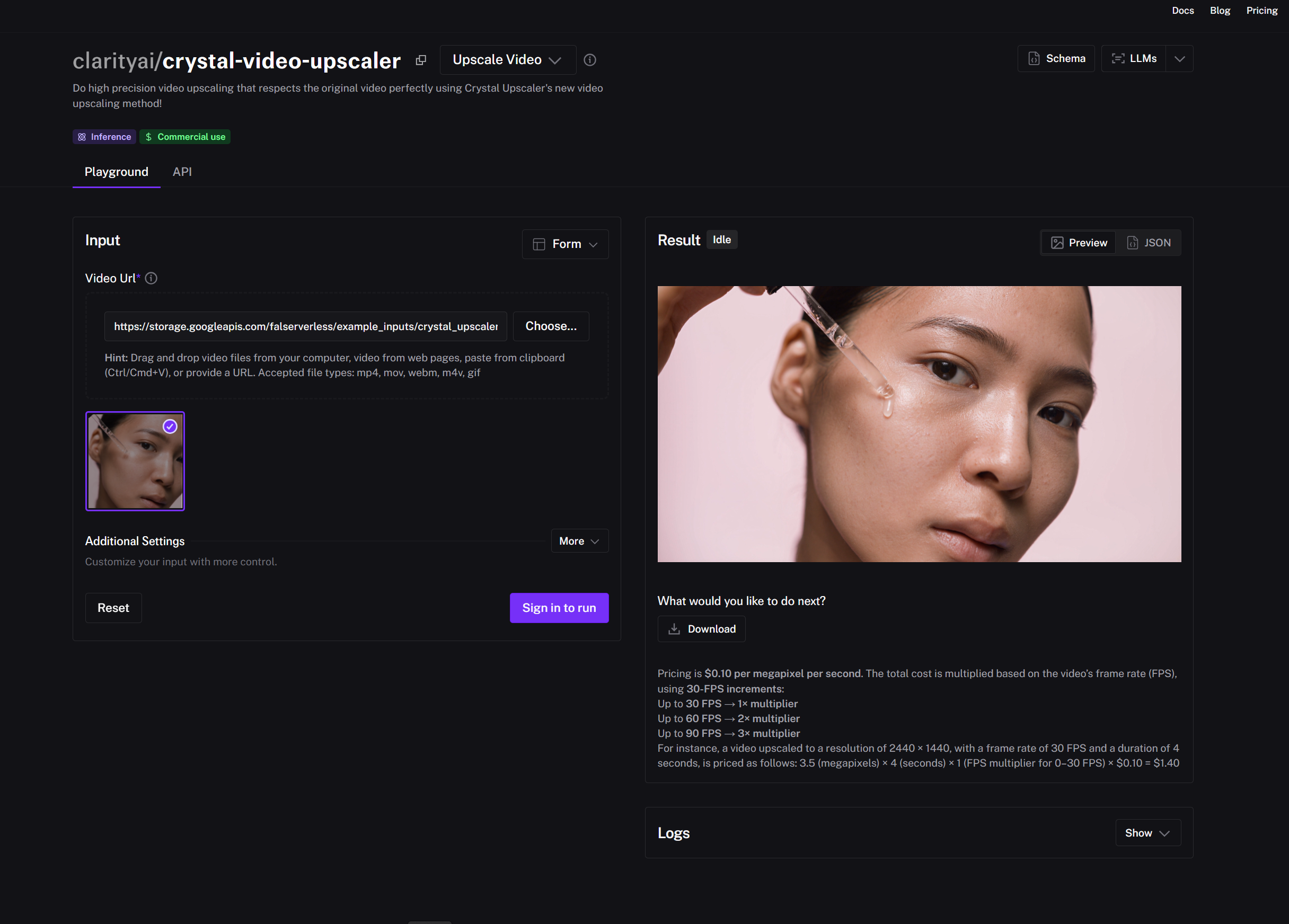
Here’s how to upscale video using Crystal’s AI Video Upscaler.
Upload: Drop your base clip into Fall AI.
Scale: Set scale to 2× (1080p → 4K).
Run: Click the button and you're off.
AI Video Upscaler #2: Topaz Astra
Topaz Astra is currently one of our favorite AI Video upscalers available. Topaz has always been at the top of the game when it comes to AI upscaling and enhancing. Here’s what you need to know about Astra:
The Vibe: Web-based upscaler from the legends at Topaz Labs.
The Tech: Uses the Starlight Precise model.
Price Tag: About $0.10 per second.
Speed: Slower renders (often ~30 minutes).
Visual Style: Produces more natural, organic detail.
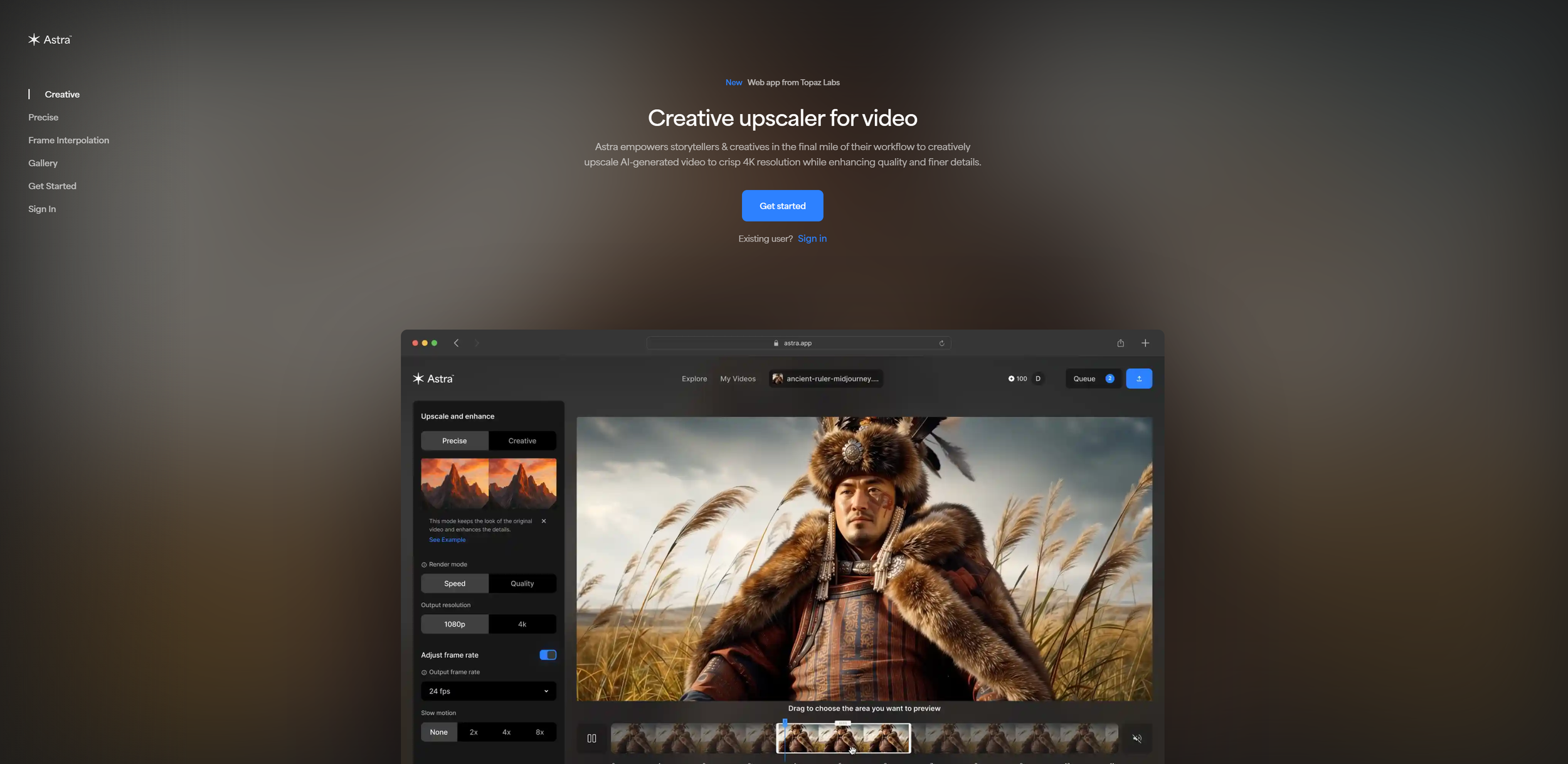
Here’s how to upscale AI Video using Topaz’s Astra:
Import: Drag your clip into Astra’s site.
Model: Select Starlight Precise.
Settings: Set resolution to 4K and adjust frame rate if needed.
Render: Grab a coffee while it works its magic.
Check out this tutorial where we shot you haow to utilize Astra in a professional workflow.
AI Video Upscaler Test #1: Close-Up
Crystal added detail but felt slightly over-sharpened. Astra provided cleaner textures and more natural skin detail.
Verdict: Astra wins for realism.
Original
Crystal
Crystal
AI Video Upscaler Test #2: VFX Shot
Crystal delivered sharper buildings and edges. Astra excelled with better reflections and surface realism. Note: Banding in the sky remained in both, so don't put away your post-production tools just yet!
Verdict: Astra by a wide margin.
Original
Crystal
Topaz
AI Video Upscaler Test #3: Large-Scale AI VFX Scene
Crystal showed solid improvement but had "crunchy" edges. Astra looked closer to a big-budget CG sequence.
Verdict: Astra takes it again.
Original
Crystal
Topaz
AI Video Upscaler Test #4: Documentary & Archival Results
Both tools mainly removed film grain and increased sharpness. However, for vintage projects, that grain may actually be your friend. Sometimes, the original clip is actually the better creative choice.
Original
Crystal
Topaz
AI Video Upscaler Test #5: Shaky Old iPhone Video
While upscaling improved the image quality, it couldn't fully overcome capture issues like low-FPS artifacts or unstable motion.
Original
Crystal
Topaz
What About Built-In Options?
Platforms like Runway and Google Flow now include native one-click upscaling tools. These are convenient, but dedicated upscalers still provide greater control and higher-quality reconstruction for finishing work.
Which is the Best AI Video Upscaler?
If you’re serious about polishing AI-generated footage for professional delivery, Topaz Astra currently leads the pack with more realistic textures and a lower cost—even if it is a bit slower. If you need speed and a simple interface, Crystal is a solid backup. Both tools are solid options, and honestly both have room to grow.
Hopefully, you now feel inspired to go out and create your own high-res AI projects.
Free Intro to AI Storytelling Course
If you really want to take your AI creative skills to the next level, fill out the form below and get started with our free intro to AI storytelling course.
This course was created for those wanting to dip their toes in the water of AI Filmmaking and learn the basics. You also get access to our exclusive Discord channel where we share links to upcoming office hours and workshops, completely free to you! check it out, and we can;’t wait to see you at the next office hours.
