
In this article and tutorial, we’ll share how we use AI in a hybrid filmmaking workflow.
AI video tools can transform live-action footage into completely new environments, but prompting an entire scene from scratch gives you very little control over what that environment will actually look like from generation to generation.
So we wanted to test a more controlled hybrid filmmaking workflow that combines traditional production with AI.
We shot real performances inside a simple gray box environment, designed the final worlds separately using AI image tools, and then used Seedance 2.5 to bring everything together.
How to Use AI in a Hybrid Filmmaking Workflow | Full Tutorial
Check out the full tutorial below to see every test and workflow in action.
How to Use AI in a Hybrid Filmmaking Workflow | AI Video Editing Tutorial
For this experiment, we tested the workflow across several scenes, from a character running toward a cliff to conversations inside a moody bar.
Here’s the basic workflow:
Create your starting image. Take the first frame of your greybox footage and use an AI image model to create the environment and look you want. This is also where you can introduce new wardrobe, props, or other visual references.
Create a depth map. Generate a depth map from your original footage to capture the spatial information and movement in the shot.
Generate your final video. Bring everything into Seedance 2.5, using your starting image to establish the look and your depth map to guide the motion.
Let's break it down.
How the Hybrid Filmmaking Workflow Works
For our first test, we wanted to turn a simple gray box into a cinematic cliffside in Ireland.
Step 1: Shoot Your Live-Action Footage
The first step is capturing the performance and camera movement you want.
For our cliff scene, we used a simple gray box setup with large diffusion sources and relatively flat lighting.
You don't necessarily need an actual gray box studio for this workflow. You could shoot against a simple wall or in another controlled environment.
The important thing is that you're establishing the pieces of the shot you don't want AI to invent later: the performance, blocking, composition, and camera movement.
Step 2: Create Your Starting Image
Next, export the first frame of your footage and bring it into an AI image model.
For this test, we used GPT Image 2.5 and gave it a Midjourney image as a visual reference for the cinematic style, lighting, and color grade we wanted.
Our prompt was:
Change the location and setting in image number one to the edge of a cliff in Ireland. Use image number two as a color grading, lighting, and style reference.
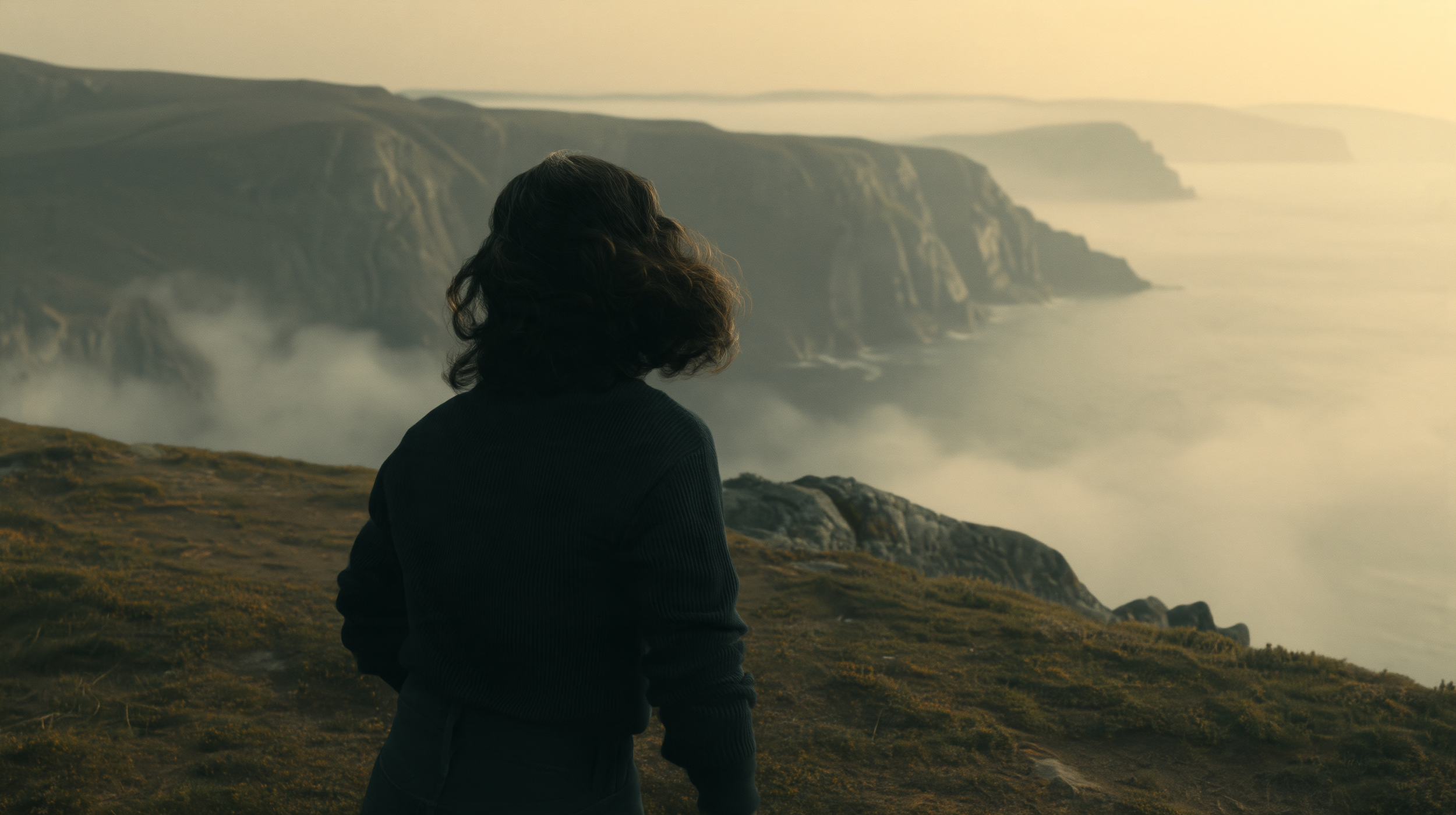
Starting Image
Instead of asking an AI video model to invent the environment from scratch, we now have a much clearer target for what the final shot should look like.
Step 3: Create a Depth Map (Optional)
We also wanted to test whether giving Seedance more spatial information from the original shot would help preserve the movement.
So we created a depth map of our footage in Fal. You just upload your source video and it will convert it to a greyscale video.
Reference Greybox Footage
Depth Map of Greybox Footage
A depth map uses different values to represent how close or far different parts of the scene are from the camera.
This step is completely optional. In fact, we generated the shot both ways so we could see whether the depth map actually made a difference.
Step 4: Generate the Final Video in Seedance 2.5
Now we can bring everything into Seedance 2.5.
We used our AI-generated cliff image as the starting frame and tested two ways of driving the motion: using the original live-action footage and using the depth map.
Generated with Seedance 2.5 using the original greybox footage as reference
Generated with Seedance 2.5 using the depth map of greybox footage as reference
Both approaches worked surprisingly well. The original footage preserved the performance and camera movement, although we noticed a few small issues around the actor's feet. The depth map version seemed to handle the overall motion a little better in this example.
That doesn't mean you need a depth map for every shot. But if your original footage isn't giving you the movement or spatial consistency you want, it's another option worth testing.
More Hybrid Filmmaking Examples
Of course, we didn't want to test this workflow on just one shot.
We ran the same basic process across several other pieces of live-action footage to see how consistently we could transform the world around our actors while keeping the original performance and camera movement intact.
For our next example, we started with two actors having a conversation inside the gray box.
Greybox Footage
Depth Map of Greybox Footage
This time, we generated two different starting images: one using GPT Image 2.5 and another using Seedream.
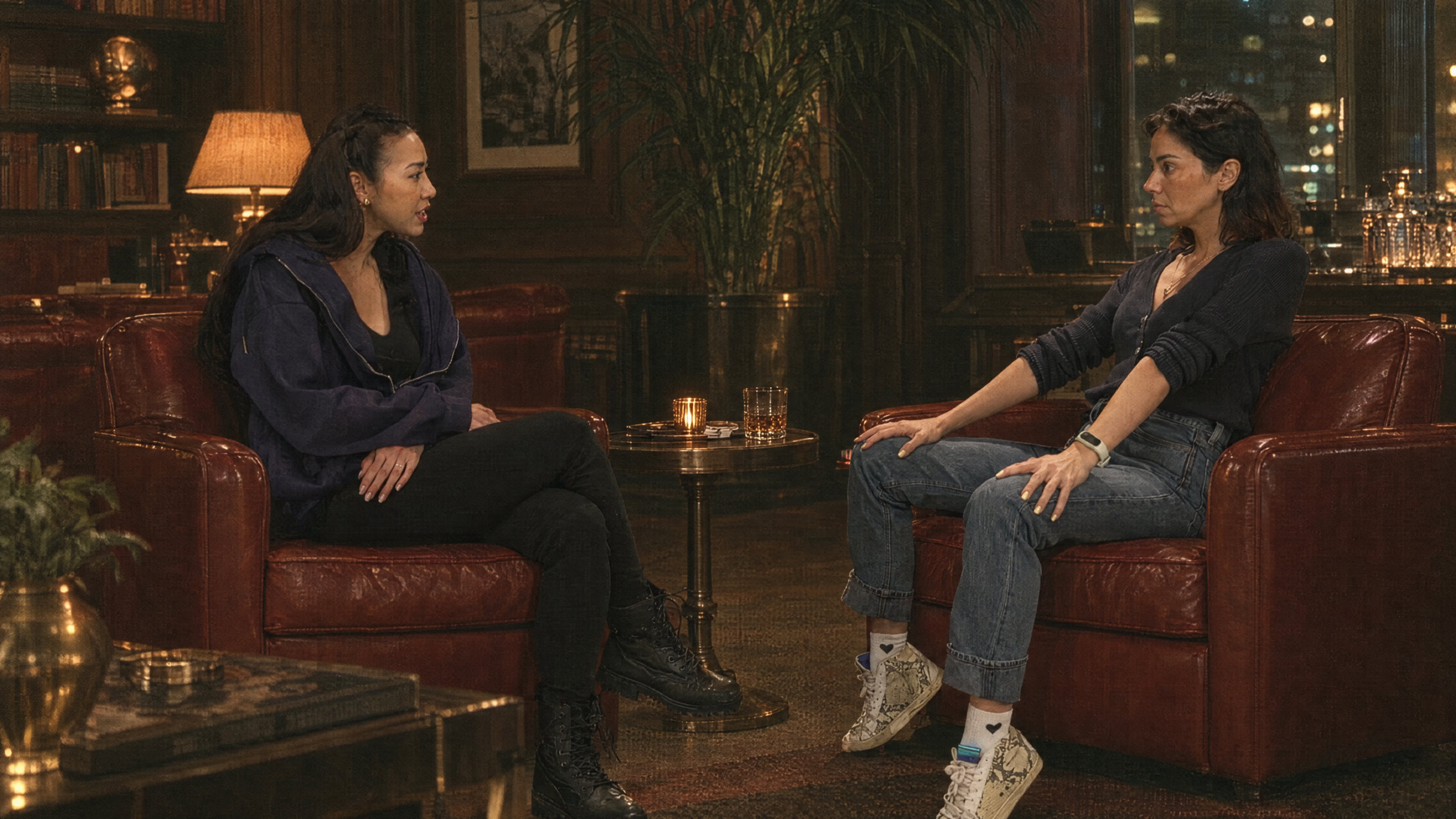
Starting Frame Generated with GPT Image 2.5
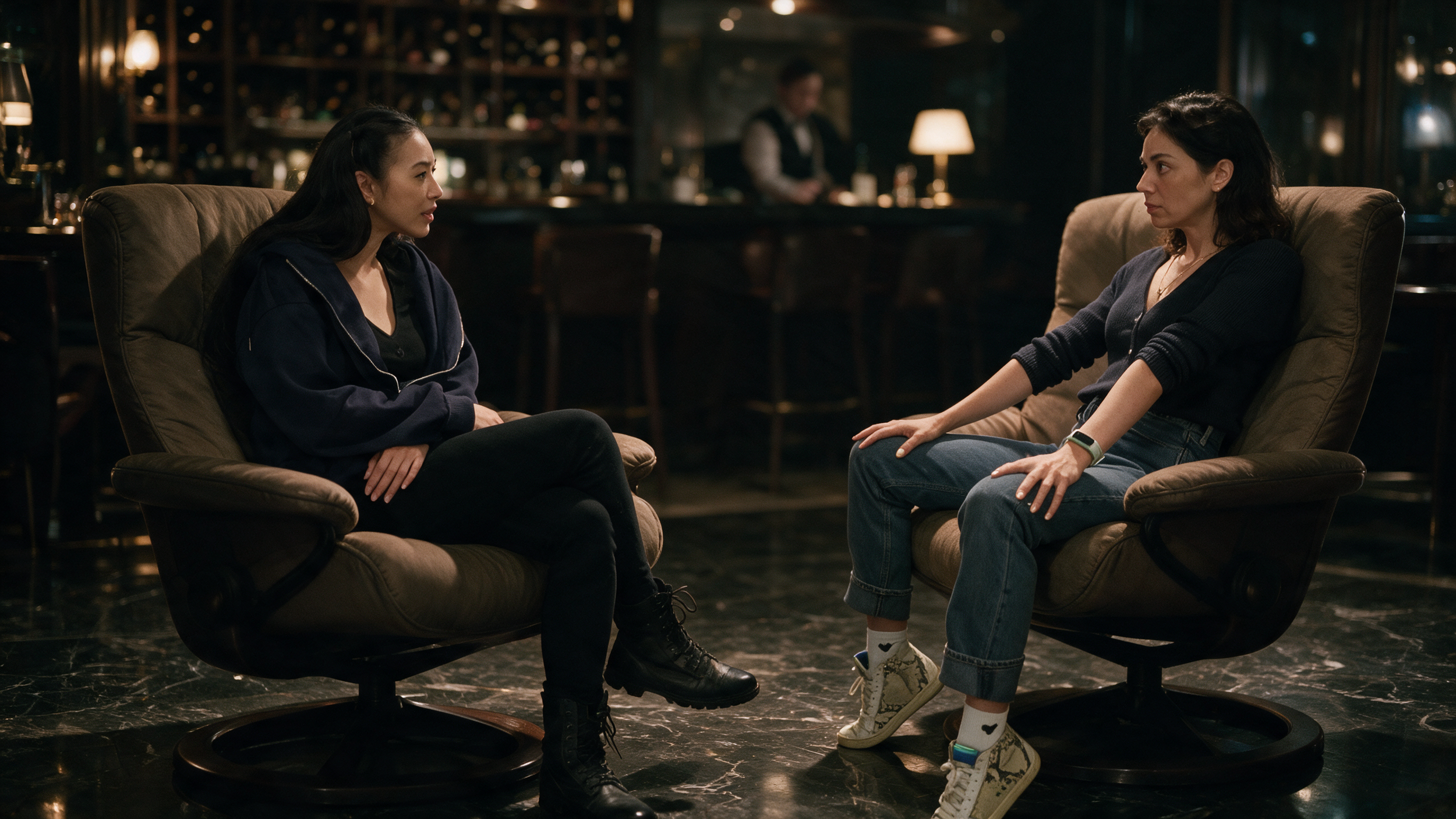
Starting Frame Generated with GPT Image 2.5
We then brought those frames into Seedance using the same live-action footage as our motion reference.
Generated with Seedance 2.5 using the original greybox footage as reference
Generated with Seedance 2.5 using the depth map of greybox footage as reference
Both worked, but the Seedream starting frame pushed the lighting much further and gave us a more cinematic final result.
This was a good reminder that the image you create before video generation can have a big influence on the finished shot.
We also tried the same workflow on a shot where our actor picks up a screwdriver.
This time, we asked AI to make several changes at once: transform the environment, replace the screwdriver with a scroll, and use an additional image as a wardrobe reference.
Greybox Footage
Depth Map of Greybox Footage
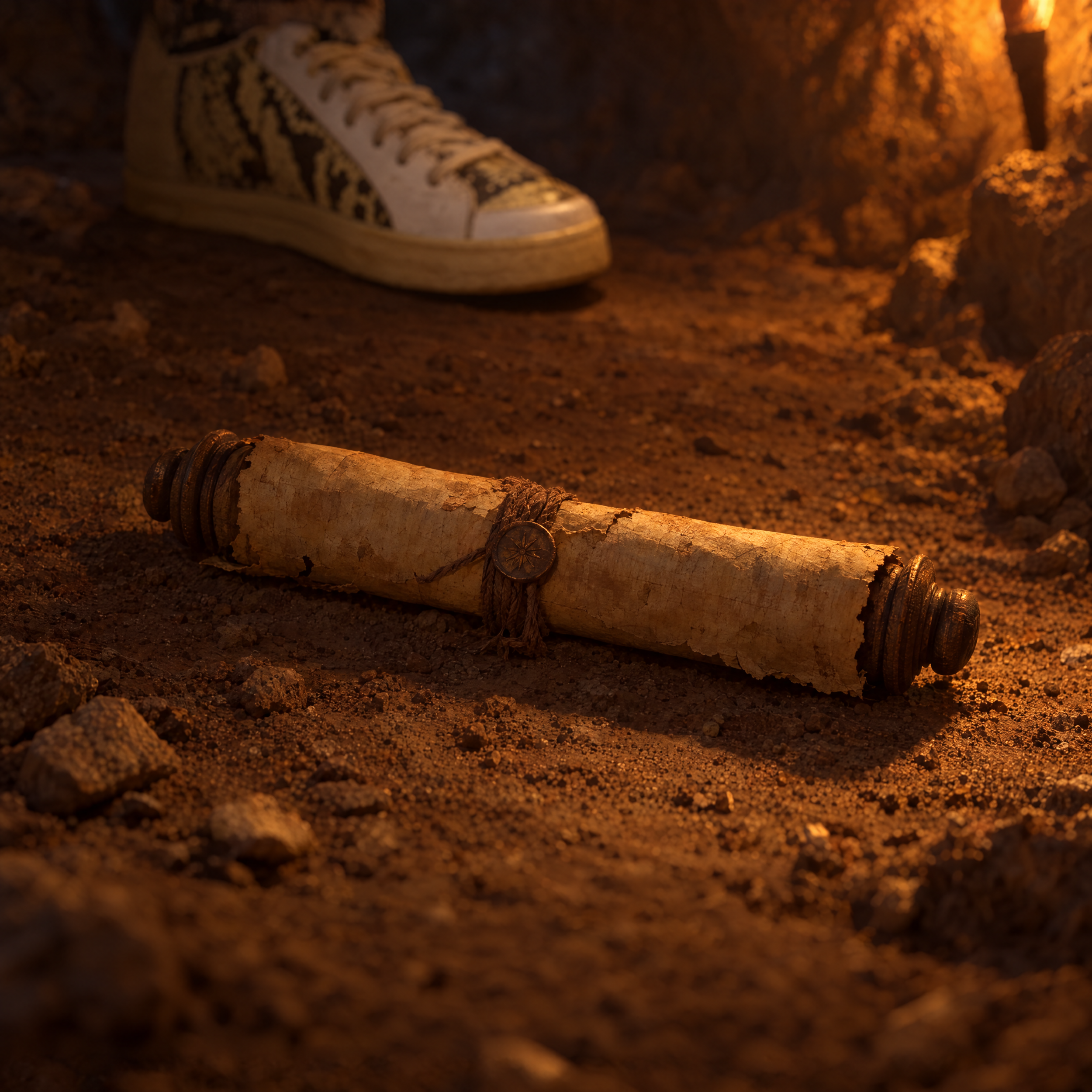
Image Reference
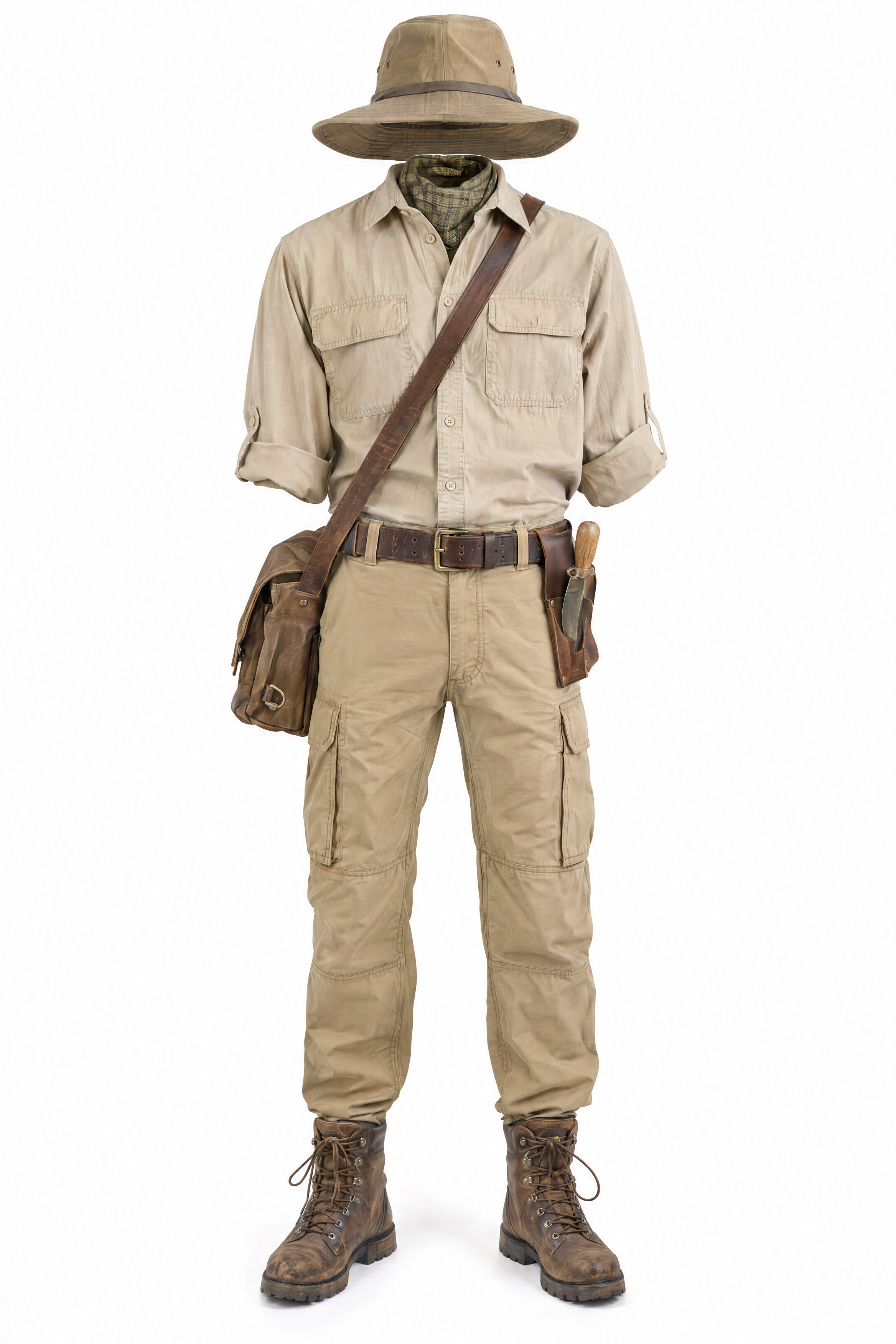
Image Reference
Then we used the original footage to drive the motion.
Generated with Seedance 2.5 using the depth map of greybox footage as reference
For the most part, the changes carried through surprisingly well. The screwdriver became a scroll, the environment changed, and the wardrobe was transferred onto our actor while the original action remained recognizable.
It wasn't perfect. Seedance dropped the hat from our wardrobe reference, for example. But considering how many elements we were changing at once, it handled the shot pretty well.
For our final example, we started with a smaller performance where our actor picks up a coffee cup, looks forward, and then turns to her side.
Greybox Footage
Depth Map of Greybox Footage
We transformed the environment into a bar and changed the coffee cup into a wine glass.
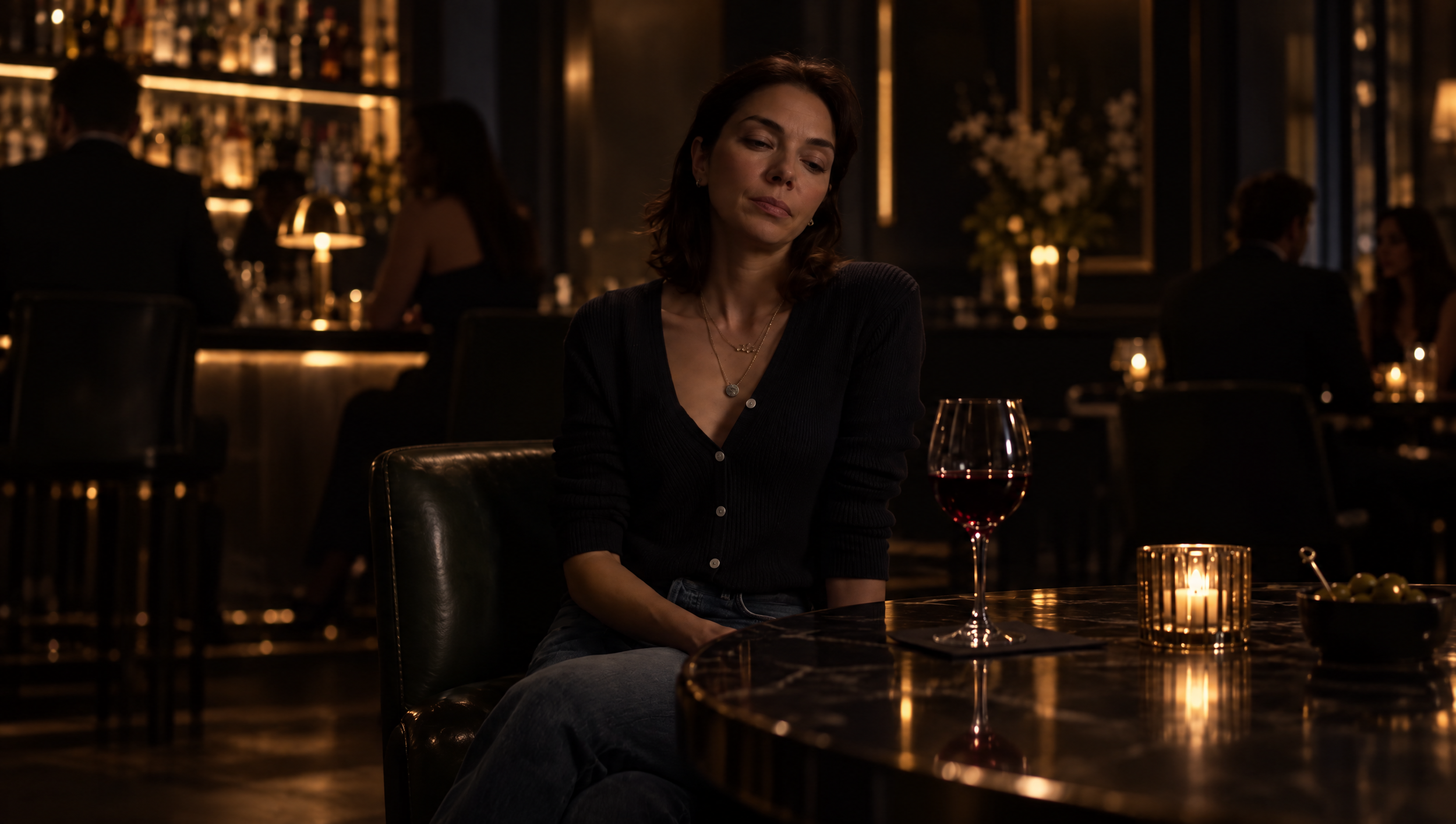
Starting Image Generated with Seedream
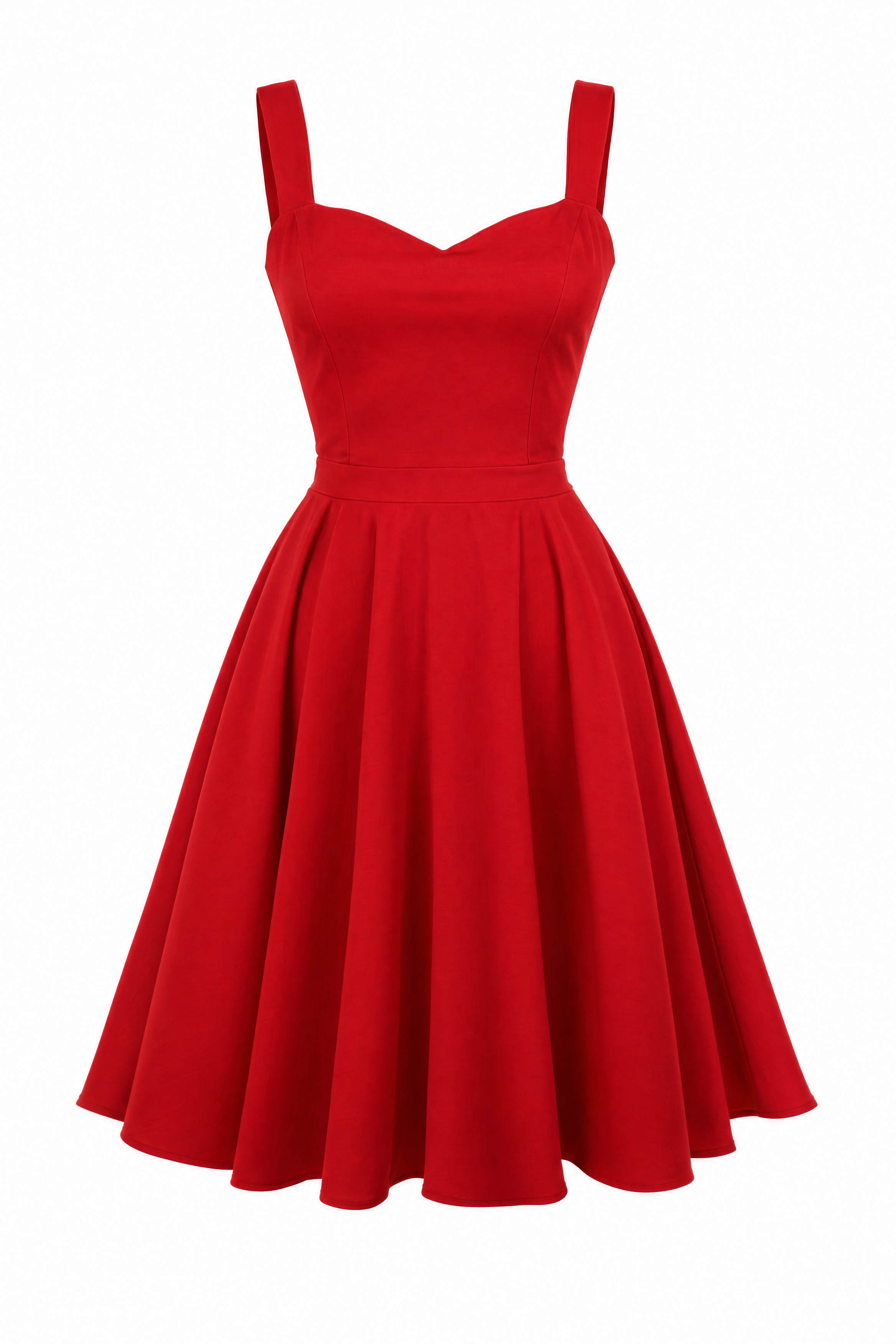
Outfit Reference
This test showed some of the inconsistencies you can still expect from the workflow.
In one generation, the original coffee cup actually came back. In another, the wine glass carried through correctly. We also saw subtle differences in the actor's movement between generations.
So while Seedance can preserve a surprising amount of the original performance, this still isn't exact motion transfer.
What We Learned From the Workflow
After testing this workflow across several shots, a few things stood out:
Your starting image matters. The look, lighting, and details you establish here can have a big impact on the final generation.
Lighting matters, too. Your original lighting can carry into the AI result, so it helps to roughly light for your intended environment when possible.
Performance can still drift. Seedance preserved the original action surprisingly well, but subtle gestures, props, and movements can still change between generations.
The workflow isn't perfect, but it gives you much more control over what stays practical and what gets transformed with AI.
When Does a Hybrid Filmmaking Workflow Make Sense?
The biggest takeaway from this experiment isn't that everyone needs to start filming actors inside gray boxes.
It's that AI gives us another way to think about what we capture practically and what we create in post.
With this workflow, we can control things like:
Actor performances
Blocking
Camera movement
Composition
Practical lighting
Then we can use AI to transform:
Environments
Production design
Wardrobe
Props
Overall visual style
There are still limitations. Performances can drift, props can change between generations, and the lighting from your source footage can influence the final result.
But this workflow gives filmmakers a lot more control than asking an AI video model to invent an entire shot from scratch.
And that's what makes hybrid filmmaking so interesting.
Instead of choosing between traditional filmmaking and AI filmmaking, we can start combining the strengths of both.
Free Intro Course
Check out our free AI Storytelling course. You can fill out the form below and gain access immediately at no cost to you.
In the course, we show some of the basics for creating films using the latest AI tools, as well as, share some insights into the future of the creative industry.
Along with the course, you also get access to the exclusive chat channel where you can network with industry professionals.
We would love to see you in the course, but of course no pressure!
