
Nano Banana 2 | An Honest AI Image Generator Review
In this article and video tutorial, we’ll take a look at Google Nano Banana 2 and see how the generations compare to their previous model.
Google is moving at light speed in the generative AI space, and their latest image models are proof that the "AI wars" are just getting started. When Nano Banana first hit the scene, it completely changed the workflow for creators looking to bridge the gap between imagination and pixels.
Then, Nano Banana Pro raised the bar for realism and control.
But Google just dropped Nano Banana 2, a model that promises to be faster, cheaper, and more accurate. Is it actually the new industry standard, or just an incremental update?
We put it through the wringer, from cinematic neon-noir frames to complex character designs—to see if it lives up to the hype.
Nano Banana 2 Video Tutorial
Below is a breakdown showing the tests we ran using Nano Banana 2.
Nano Banana 2 AI Image Generator Review
Below is a breakdown showing our review of Google’s newest AI Image Generator, Nano Banana 2.
What is Nano Banana 2?
Inside the Google ecosystem, you might see this referred to as Gemini Image 3.1 Fast. Essentially, it’s the "speed-optimized" sibling of the Pro model.
The biggest selling point here is the velocity. We’re talking about generating high-quality images in roughly 6–10 seconds. If you’ve ever sat around waiting for a slow model to render while your creative spark fades, you know how much of a game-changer this is.
Where can I Use Nano Banana 2?
One of my biggest gripes with the native Gemini interface is that you can only generate one image at a time. It’s a bit like trying to paint a mural with a toothpick.
To speed up your iteration, I highly recommend using AI tool aggregators like Freepik. These tools allow you to:
Generate multiple images simultaneously.
Compare different models (like Nano Banana 2 vs. Pro) side-by-side.
Keep your creative momentum going without hitting a "one-at-a-time" bottleneck.
Is Nano Banana 2 better than Nano Banana Pro?
Speed and price don't mean much if the images look like a fever dream. Here are a few tests we ran.
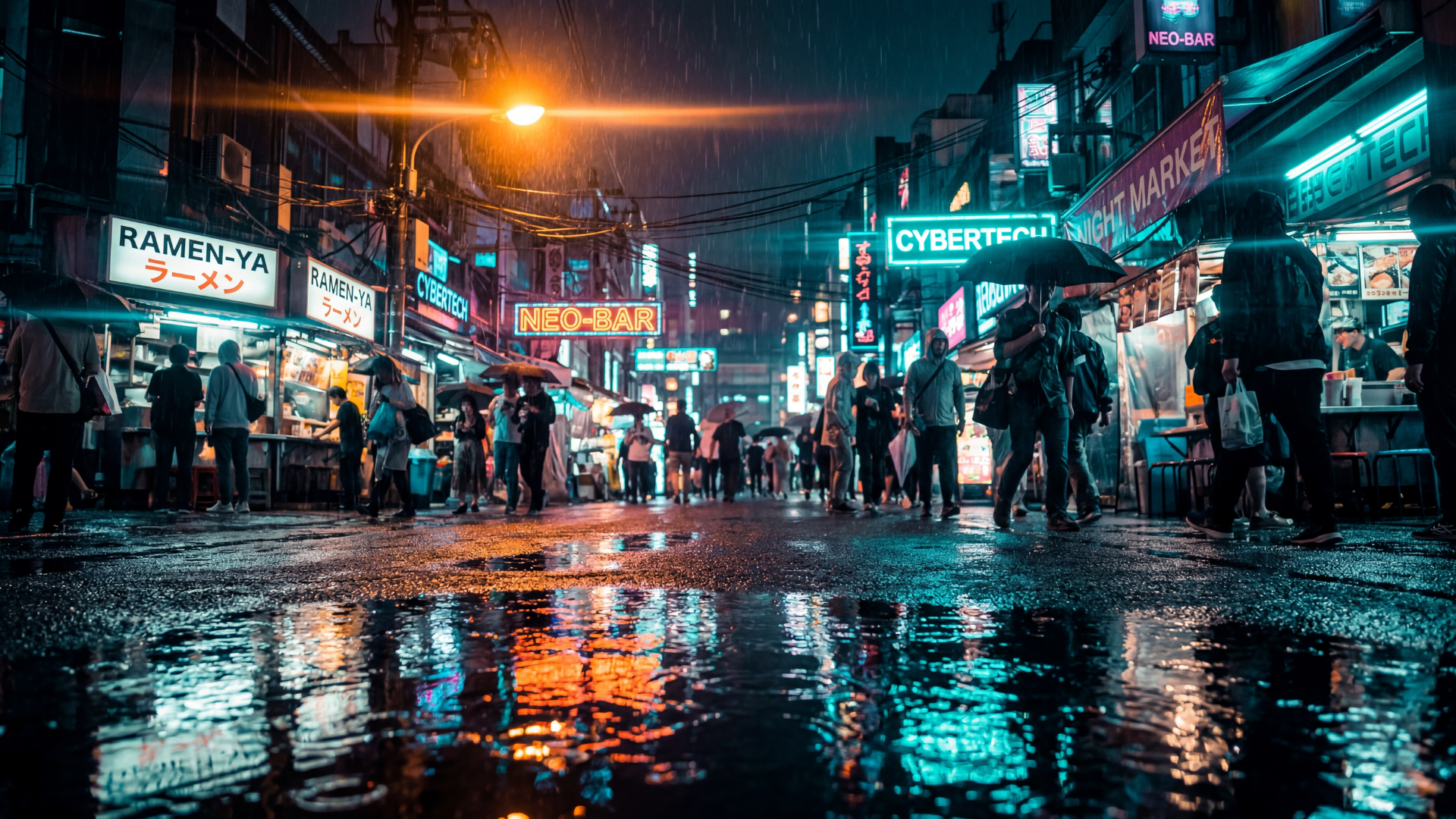
Cinematic Scenes: It handles "Neon Noir" and anamorphic lens flares beautifully. While the Pro version still takes the lead on complex physics, Nano Banana 2 is more than capable for most cinematic mood boards.
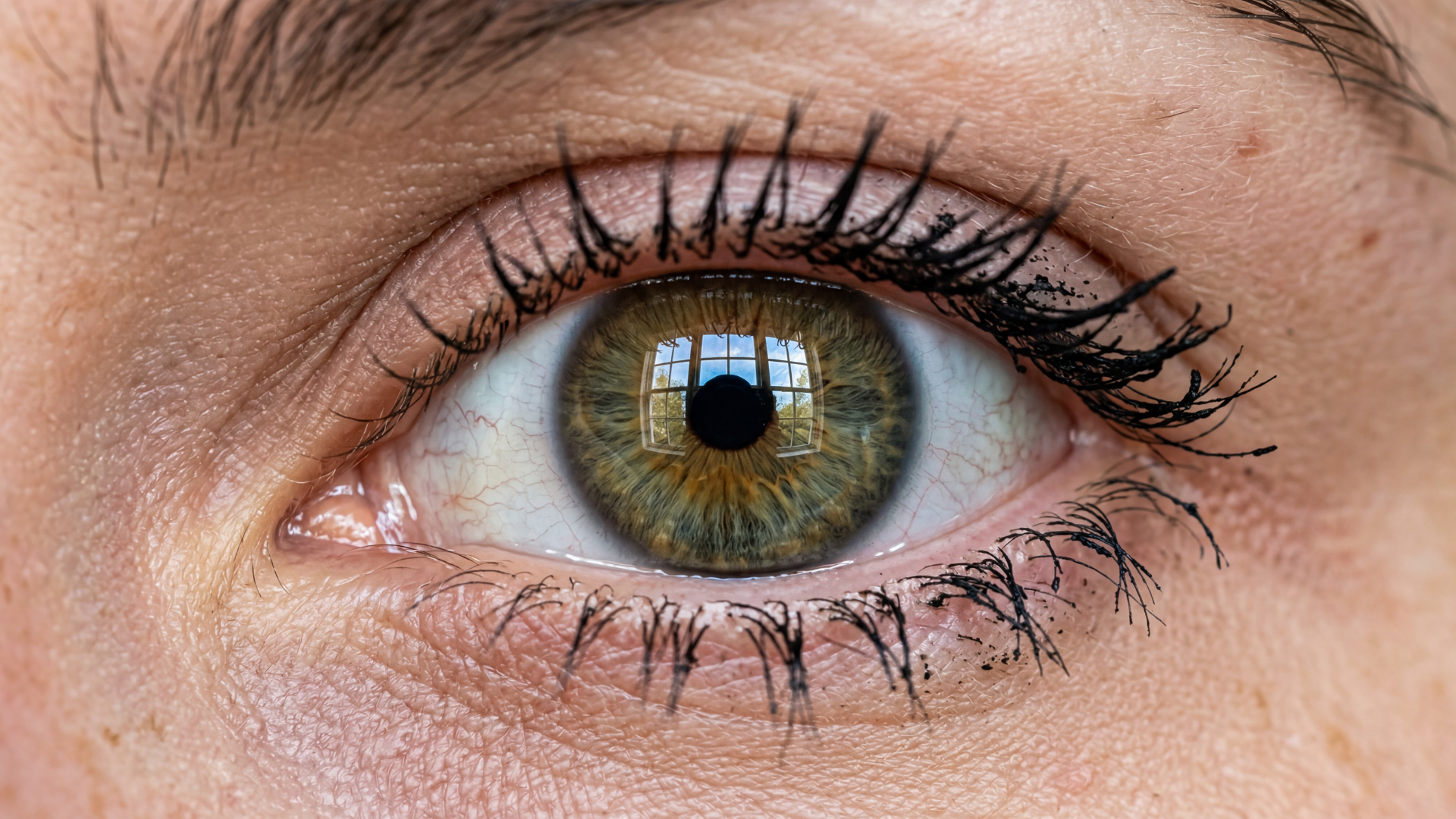
Macro Realism: In a close-up test of a human eye, Nano Banana 2 actually beat the Pro model in our opinion, providing incredible skin texture without the "uncanny valley" look.
Complex Crowds: Both models still struggle with "crowd soup," where small characters in a wide shot can look a bit distorted.
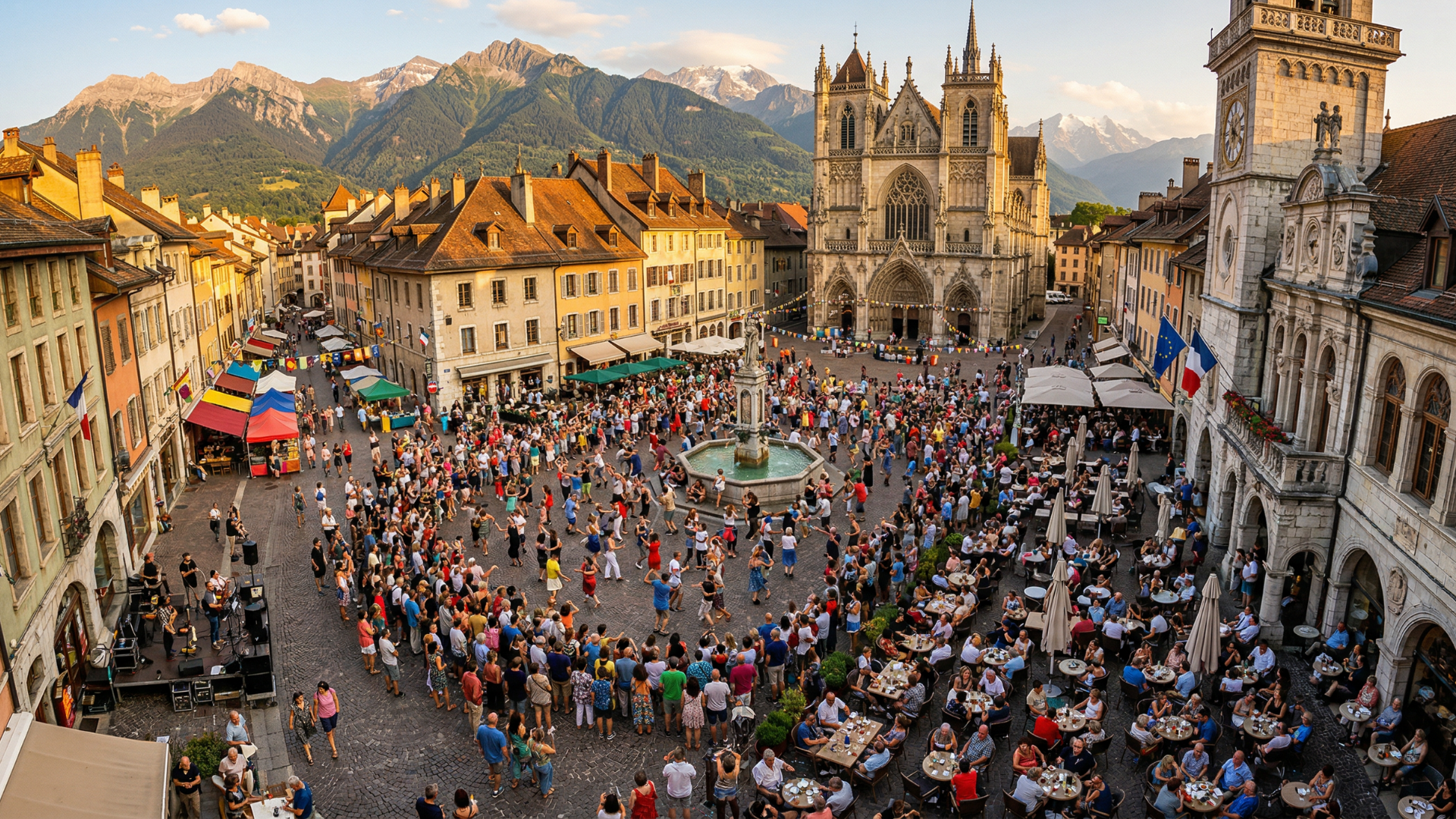
You’ll still want to use an upscaler for those fine details.
Nano Banana 2’s Biggest Improvement: AI Text Generation
One of the most impressive updates is how well the model handles text. In the past, AI text looked like an alien language.
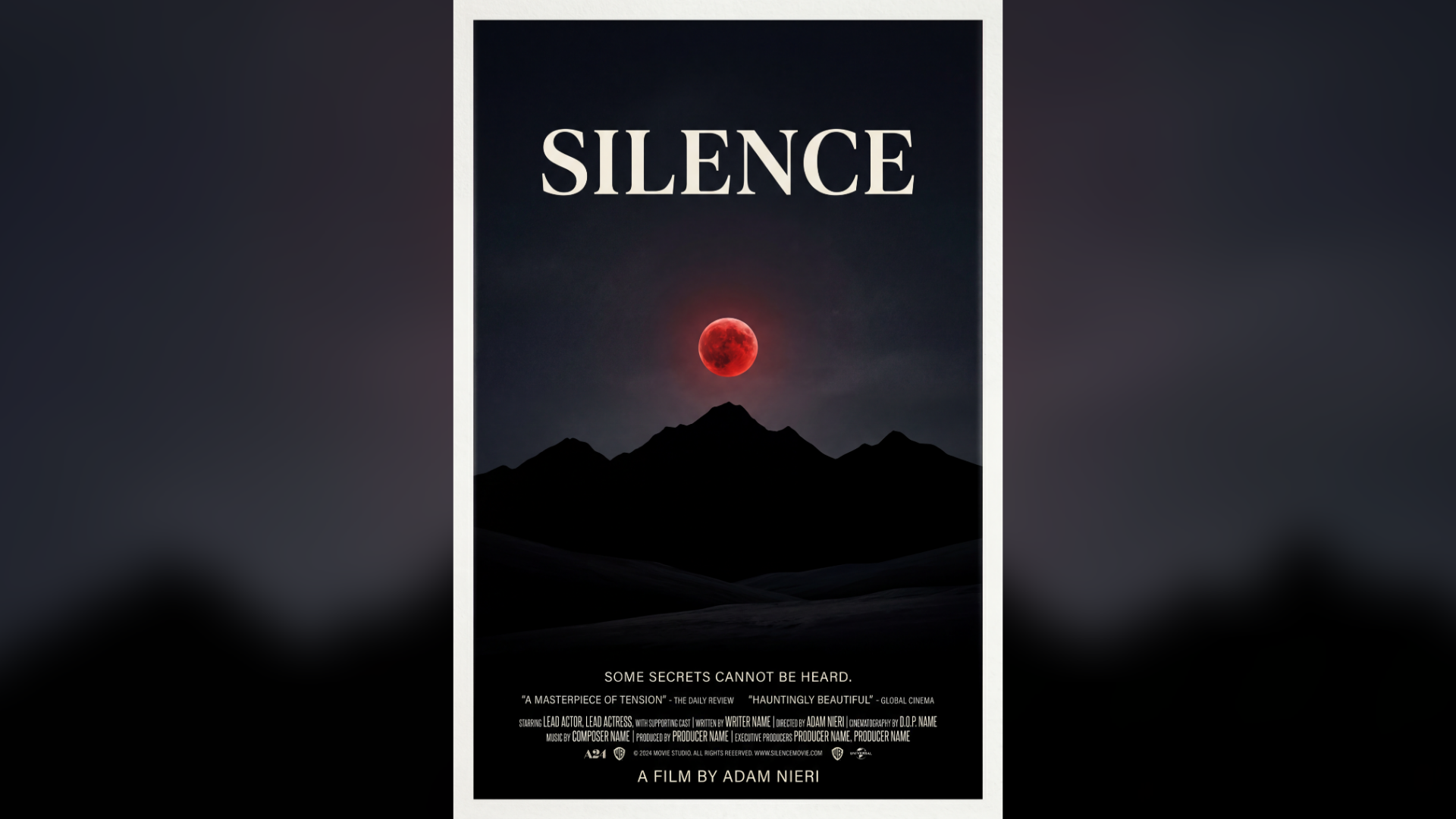
You can even ask the model to replace specific text items while keeping the rest of the design layout intact. This is massive for graphic designers.
Nano Banana 2’s Most Helpful New Feature: Multi-Character Reference Generations
Character consistency is the "Holy Grail" of AI storytelling. Nano Banana 2 now supports up to five consistent characters in a single image. This means you can move your cast from a fantasy castle to a modern-day cafe while keeping their likeness (mostly) intact.
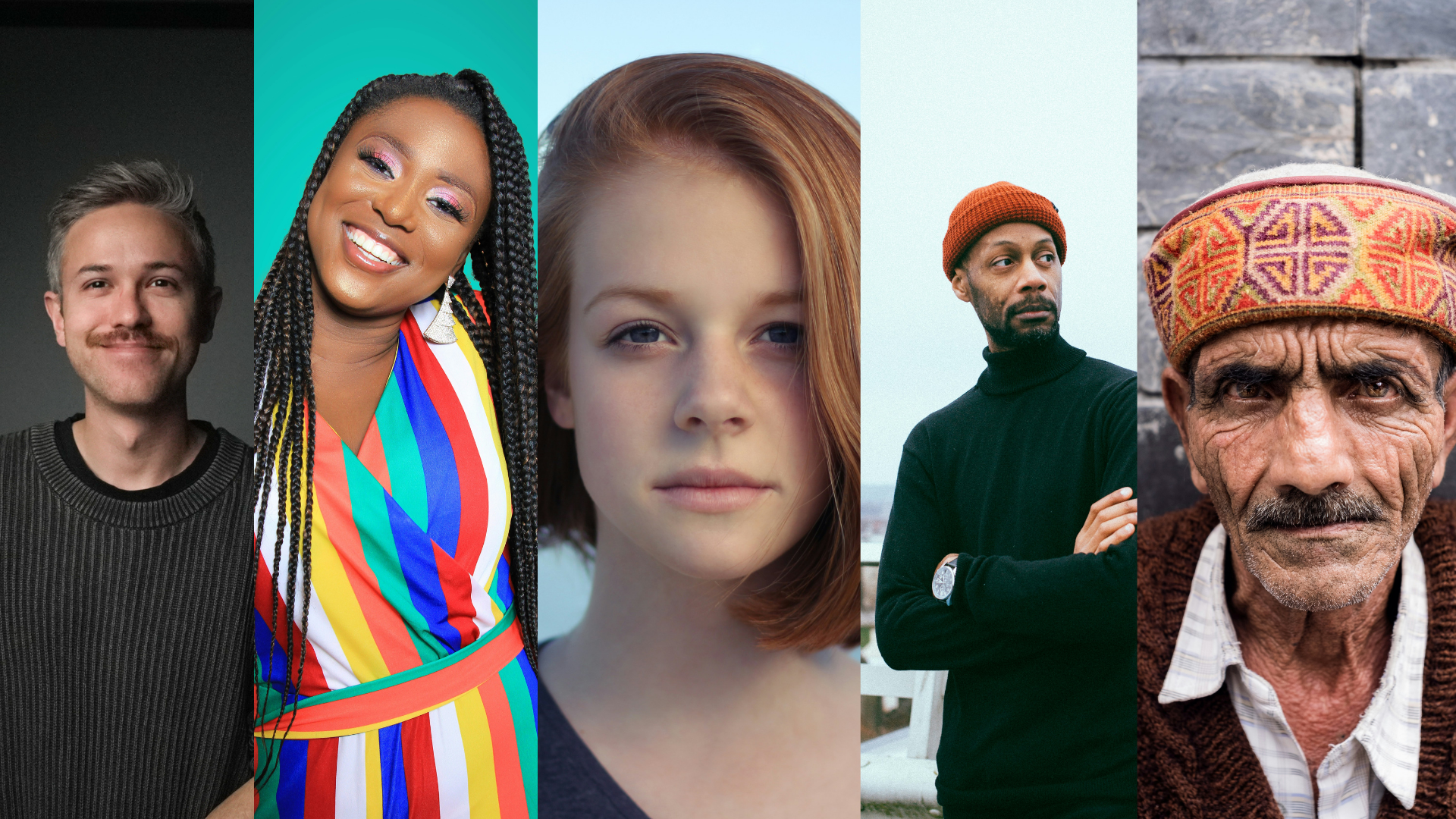
Reference Characters
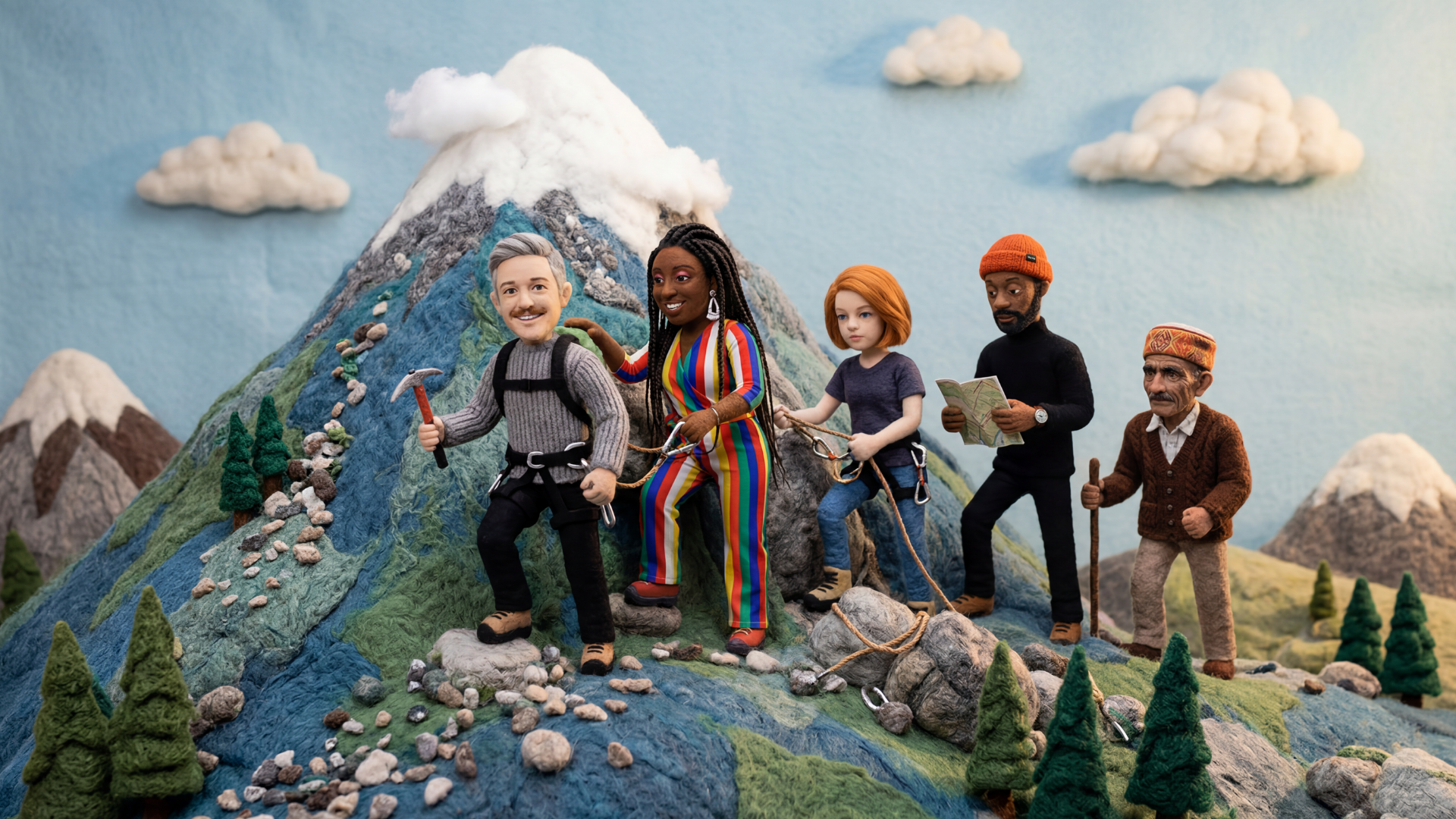
Stylized Output
Google also upped the limit for reference images to 14. This give you more control than ever before.
Nano Banana 2’s Secret Feature: Consistency After Multiple Edits
The feature nobody is talking about is non-destructive editing. In older models, the more you edited an image, the more "fried" and grainy it became. Nano Banana 2 is much better at preserving the original structure.
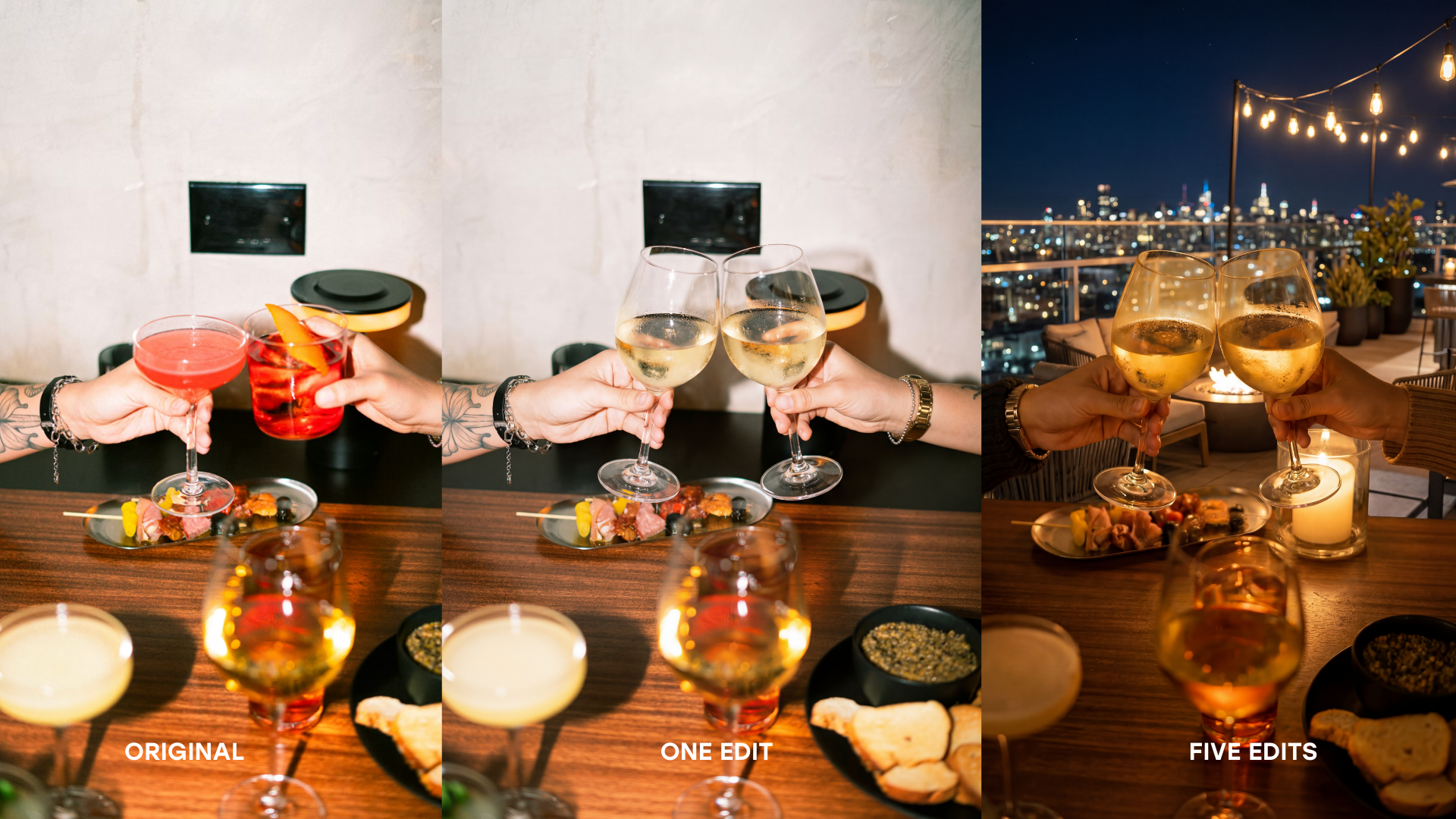
We took a photo and swapped glasses for wine glasses, changed the clothes, and moved the setting to a rooftop, and the final result still looked clean.
Is Nano Banana 2 Worth it?
Nano Banana 2 isn't just a "budget" version of Pro; it’s a high-speed iteration machine. It’s faster, cheaper, and often produces better results in specific macro scenarios.
If you want to stay on the cutting edge of AI filmmaking and design, you need to add this to your toolkit. Don't let the technical side scare you off. The best way to learn is to dive in and start creating!
You can fill out the form above to get started with our Free Intro to AI Storytelling course (you also get access to our Discord community). We would love to see you in the course!
