
What are Node-Based AI Tools? (Simple Explanation)
In this article, we will take a look at answering the question, ‘What are Node-Based AI tools?’
Node-based AI workflows (and any node tools in general) often come across as incredibly complicated. The trust is, they typically are.
Even though we the user interfaces often look really cool and complicated, it’s difficult to know what they actually are and how they are different from a typical aggregator workflow.
In this article, we will explain what node-based AI tools are and how they are different from a traditional AI workflow.
Let’s hop in!
What are Node-Based AI Tools? | Video Breakdown
Below is a video where we look at what Node-Based AI tools are. Enjoy!
What Are Node-Based AI Tools? | Easy Breakdown
Below, we break down what node-based AI tools are.
What Are Node-Based AI Tools?
At their core, node-based tools are visual systems that let you map out every single step of your creative process.
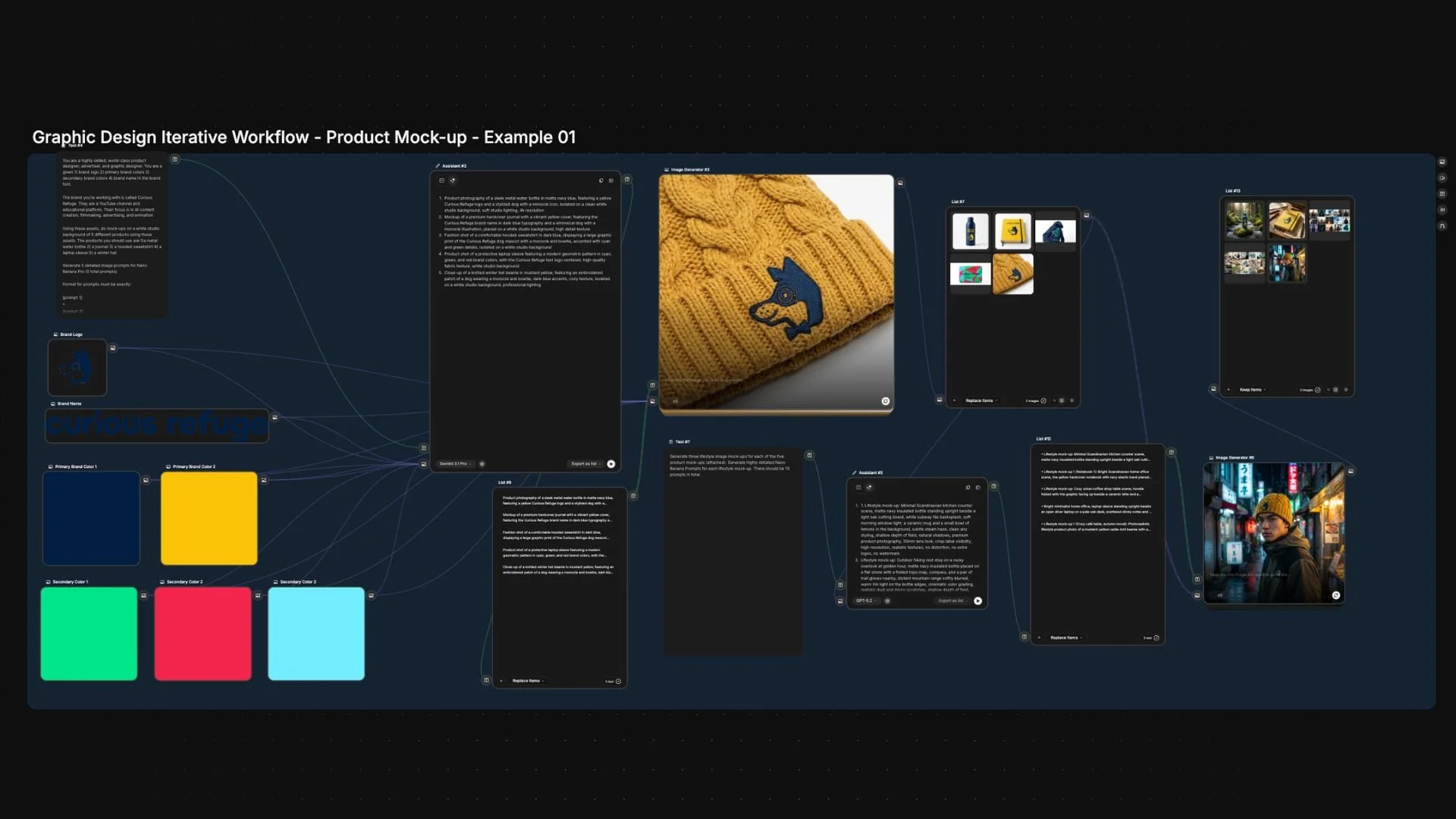
Instead of typing a prompt into a single box, you build a complete workflow out of individual blocks called nodes. Each node handles one specific task—like writing a prompt, generating an image, or upscaling a result.
Think of it as a creative assembly line:
Each node = One task (prompting, generating, editing).
Connections = The flow of data from one step to the next.
The Workflow = Your repeatable creative system.
Basically, Node-based tools turn AI into a creative pipeline.
How do Node-Based AI Workflows Actually Work?
Here’s the difference between the steps in generating content using a traditional workflow verses a node-based workflow.
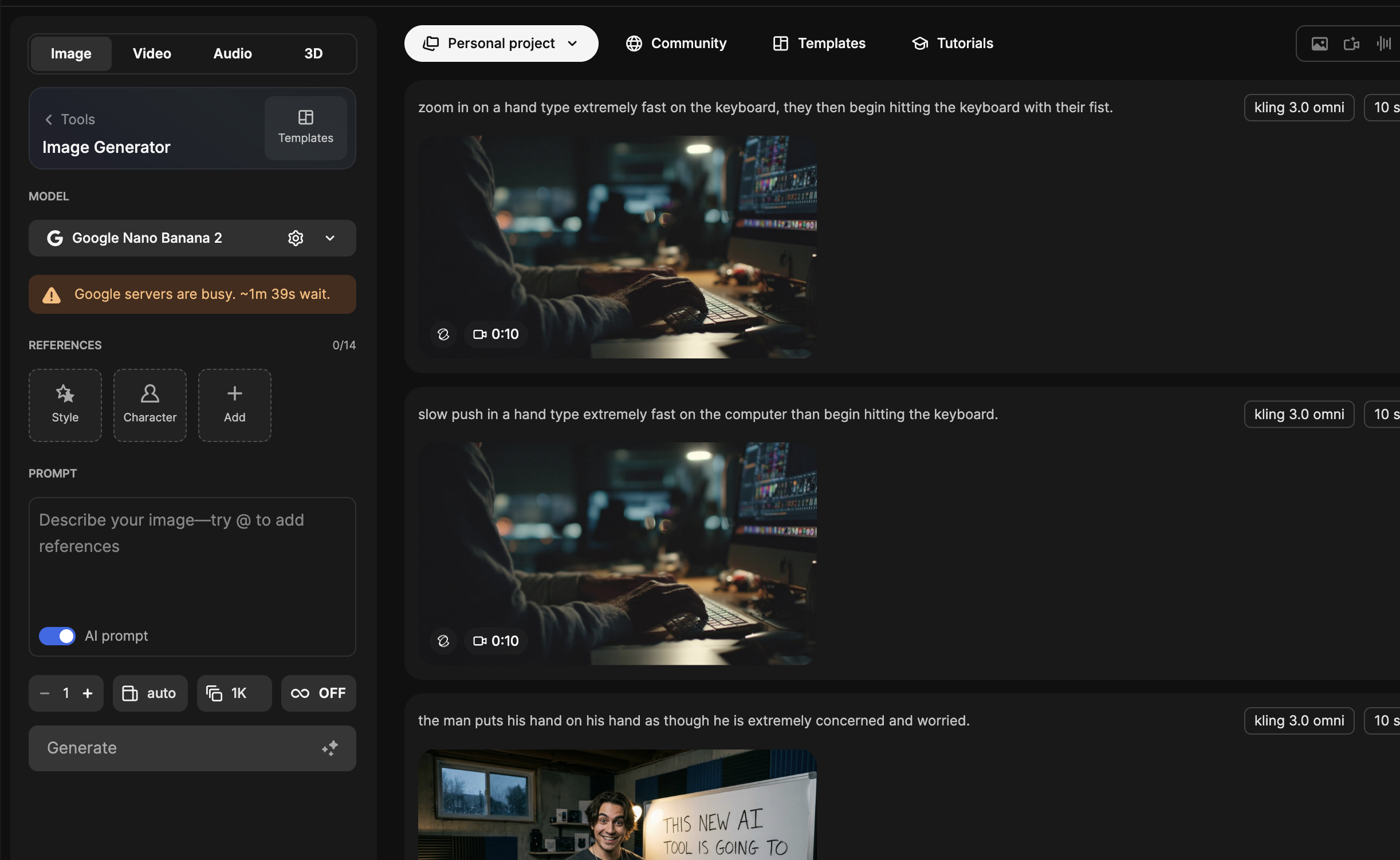
Traditional AI Workflow
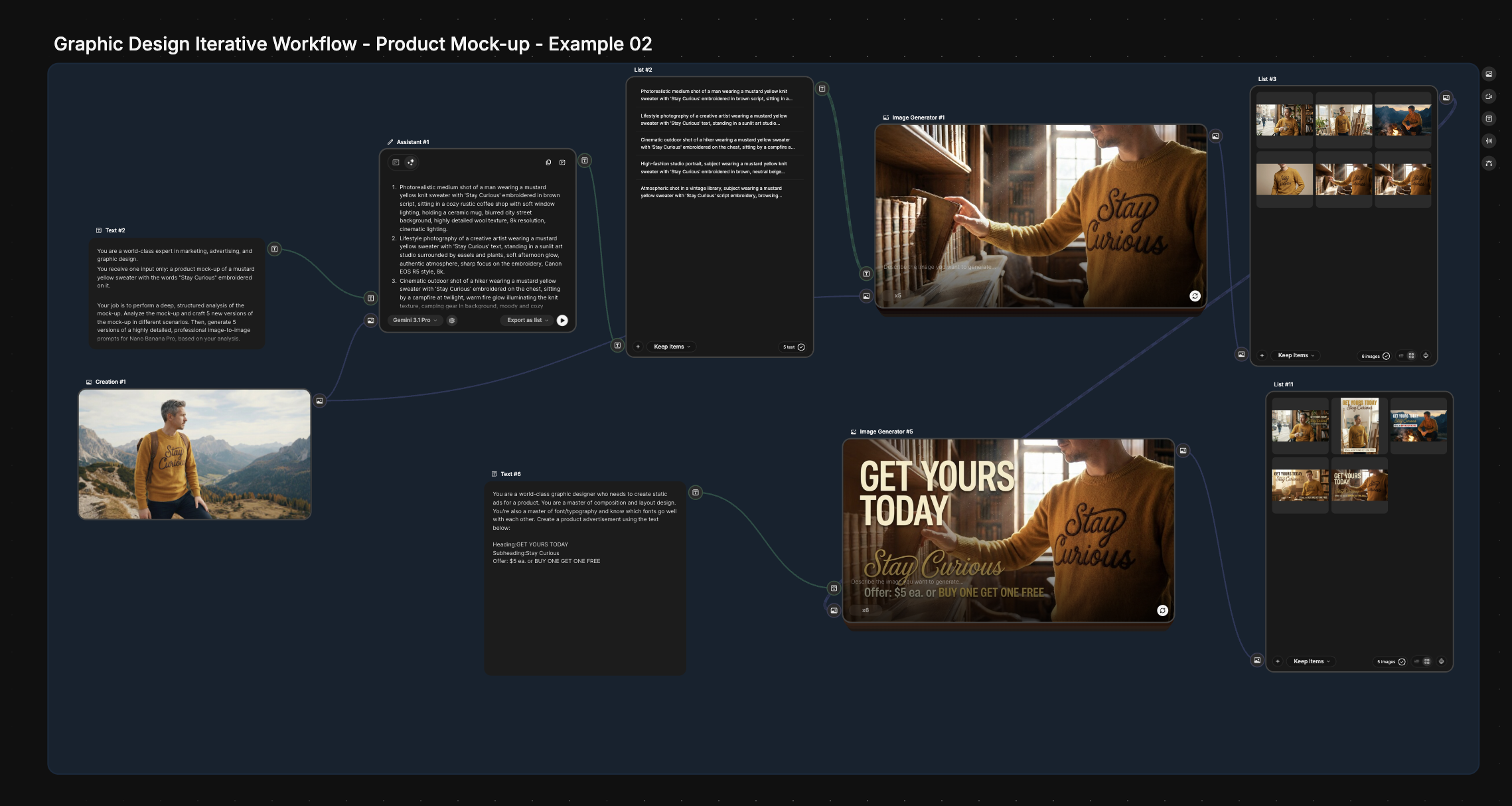
Node-Based AI Workflow
The Traditional "Aggregator" Workflow:
Type a prompt.
Generate a few images.
Manually tweak the prompt for variations. This works, but it’s repetitive, manual, and frankly, a bit of a time-sink.
The Node-Based Workflow:
Instead of starting from scratch every time, you build a system:
Prompt Node: Feeds your core brand instructions.
Reference Image Node: Locks in your specific color palette or style.
Generator Node: Creates the base image.
Upscaler Node: Automatically bumps the resolution for print.
Now, you can swap out the prompt or the reference image, hit go, and the entire system updates instantly.
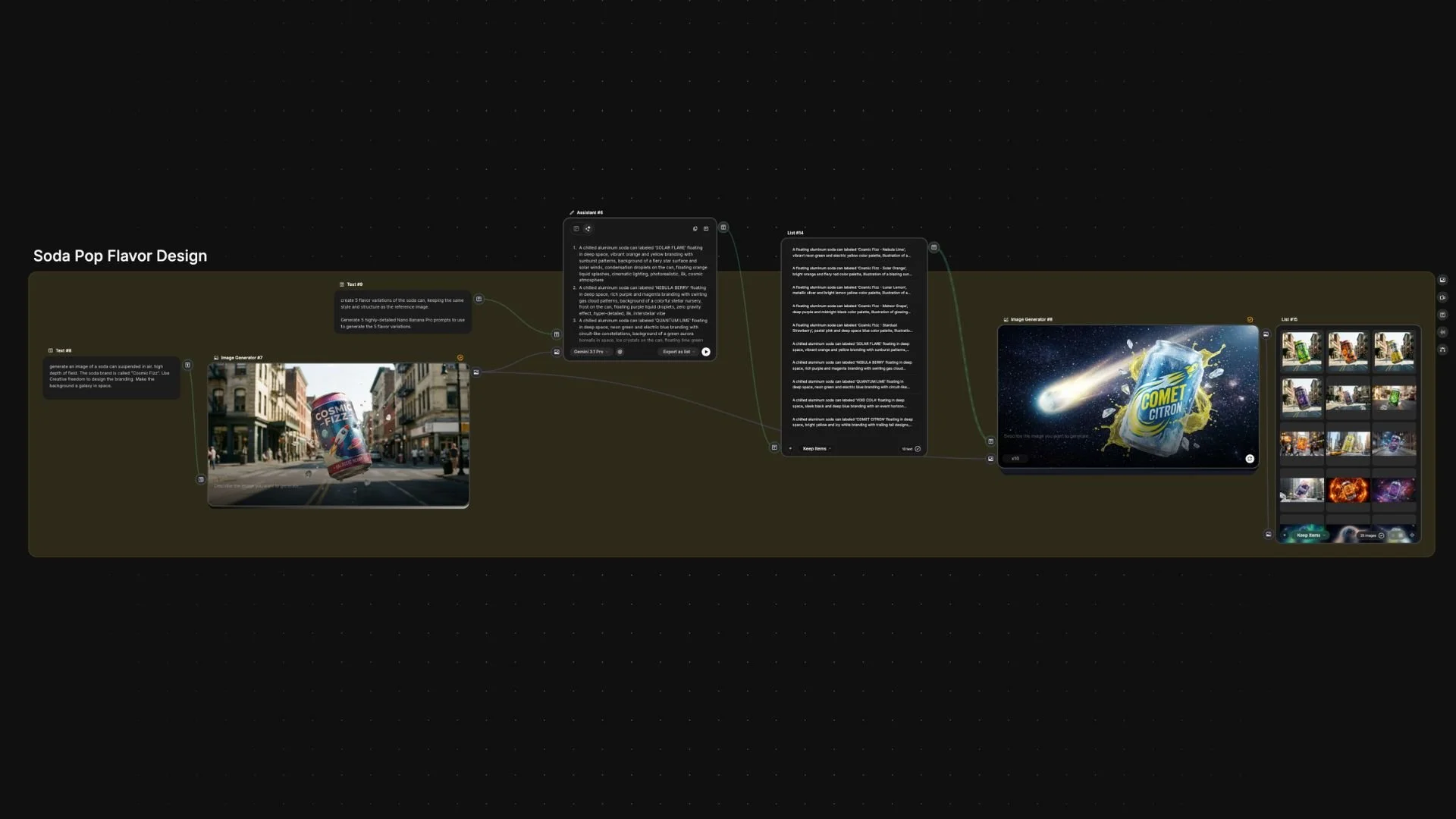
As we often say, node systems allow you to "lock in your creative assets and only change the specific parts you’re looking to change."
How Can Creators Need Node-Based AI Workflows?
The short answer is no. You definitely don’t need them, but below we listed 2 ways that is could definitely be helpful if these are things you want to scale and buildin your workflows.
#1: Node-Based AI Workflow for Scalability
Need 10 variations? Do it manually. Need 100+ variations for a global ad campaign? You need nodes.
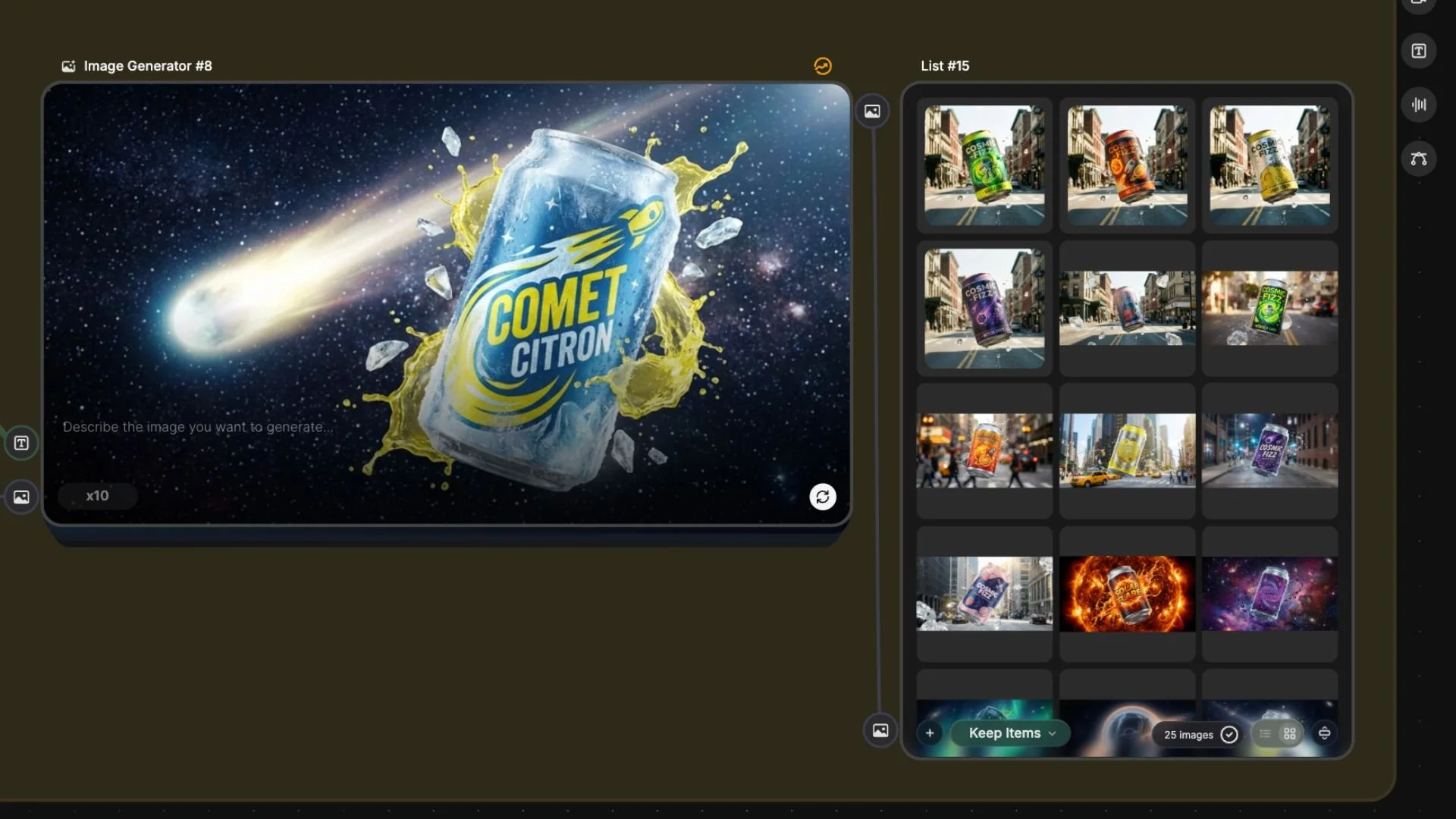
These workflows let you generate huge batches of content while you go grab a coffee.
#2: Node-Based AI Workflow for Automation
If you find yourself doing the same task over and over (like swapping backgrounds or color grading), nodes can automate it entirely.
They are best for "tasks that you do again and again with only slight variance."
TLDR: What are Node-Based AI Tools?
Node-Based AI tools give to the ability to build a process, where you assign a specific task to each node.
For example:
Node #1: Image generation → Node #2: image upscaler → Node #3: video generation → Node #4: video upscaler.
All you would then need to do is submit the prompt, and from there, you could type in your image prompt and press generate, and it would go through each specific node (or each step in that process).
Intro to AI Storytelling | Free Course
Here’s the free course that we would love to invite you to be a part of. In the course, we look at basic AI creative workflows, along with going over some of what the future of the creative landscape looks like.
We would love for you to join the course. In the course, you also get access to our exclusive community, where you can network with industry professionals from all over the world.
We would love for you to join us in the community.
Best of luck on your creativ ejourney!
